FrankenPHP in Production on a Plain VPS: The Real Setup
FrankenPHP quietly won the Laravel Octane server race. Swoole needs a compiled PHP extension that fights with your package manager. RoadRunner needs a separate binary and its own YAML config. FrankenPHP is one download, and since Octane added support for it as documented on blog.laravel.com, it's become the default answer when someone asks "which Octane server should I use?"
We covered the conceptual trade-offs in PHP-FPM vs Laravel Octane on Deploynix. This post is the follow-up: the hands-on guide to actually running FrankenPHP on a normal Ubuntu VPS. Not a container platform, not a managed runtime. A plain server you SSH into, with systemd, Nginx, and a deploy script.
We'll set it up properly, then spend serious time on the part most tutorials skip: the worker mode bugs that only show up in production, and the situations where you shouldn't use FrankenPHP at all.
What FrankenPHP Actually Is
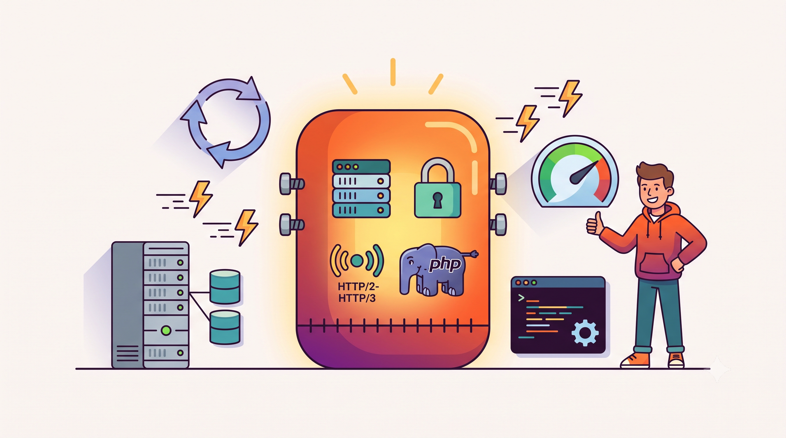
FrankenPHP is not "another PHP server" bolted together from parts. It's a Caddy module that embeds the PHP interpreter directly into the Caddy web server, compiled into a single Go binary. Download one file and you have a web server, TLS termination, HTTP/2 and HTTP/3, and PHP itself. No PHP-FPM pool, no separate php package, no FastCGI socket between the web server and the runtime.
That single-binary design is why it beat the alternatives on developer experience. There's nothing to compile and no extension to match against your PHP version, because the PHP version ships inside the binary.
It runs in two distinct modes, and the difference matters more than anything else in this post:
Classic mode works like PHP has always worked. Each request boots your application from scratch, handles the request, and throws everything away. It's a drop-in replacement for Nginx + PHP-FPM with fewer moving parts. Same execution model, same safety guarantees.
Worker mode boots your Laravel application once, holds it in memory, and feeds it request after request. The framework bootstrap, container building, provider registration, config loading: all of it happens once per worker instead of once per request. This is the mode Octane uses, and it's where the performance wins come from. It's also where the bugs live.
One more thing you get for free: because FrankenPHP is Caddy, it can do automatic HTTPS, provisioning and renewing Let's Encrypt certificates on its own when it faces the internet directly. Whether you actually want it facing the internet directly is a real question we'll get to.
Installing FrankenPHP on Ubuntu
You have two sensible paths on a plain VPS. Pick based on how the binary will be managed: standalone, or through Octane.
Path 1: The Static Binary
For classic mode or manual setups, grab the static binary:
curl -fsSL https://frankenphp.dev/install.sh | sh
sudo mv frankenphp /usr/local/bin/
frankenphp version
That's the whole installation. One binary in /usr/local/bin, no apt repositories, no php8.4-fpm service, no extension packages. The static build bundles PHP and the common extensions Laravel needs. The rest of this guide follows the Octane path below, but the systemd and worker-mode guidance applies to both.
Path 2: Through Laravel Octane
If you're running Laravel (you probably are, if you're reading this blog), let Octane manage the binary:
composer require laravel/octane
php artisan octane:install --server=frankenphp
Octane downloads a FrankenPHP binary into your project and wires up the config. From there, starting the server locally is one command:
php artisan octane:start --server=frankenphp --host=127.0.0.1 --port=8000We prefer the Octane path for Laravel apps for one practical reason: the binary version travels with the project, so your deploy pipeline and your production server can't drift apart. The FrankenPHP Laravel docs cover both approaches if you want the raw-Caddyfile route instead.
Run it once in the foreground, hit the port with curl, confirm you get your app back. Then never run it in the foreground again. Production processes belong to systemd.
A Production systemd Unit That Actually Works
Every FrankenPHP tutorial ends with php artisan octane:start --server=frankenphp in a terminal, which dies the moment your SSH session drops. Here's a complete unit file for a real server. Save it as /etc/systemd/system/octane.service:
[Unit]
Description=Laravel Octane (FrankenPHP)
After=network.target mysql.service redis-server.service
StartLimitIntervalSec=60
StartLimitBurst=5

[Service]
Type=simple
User=deployer
Group=deployer
WorkingDirectory=/home/deployer/myapp/current
ExecStart=/usr/bin/php artisan octane:start \
    --server=frankenphp \
    --host=127.0.0.1 \
    --port=8000 \
    --workers=4 \
    --max-requests=500
Restart=always
RestartSec=3

# Caddy (inside FrankenPHP) needs writable config/data dirs
Environment=XDG_CONFIG_HOME=/home/deployer/.config
Environment=XDG_DATA_HOME=/home/deployer/.local/share

# Resource guardrails
LimitNOFILE=65535
MemoryHigh=768M
MemoryMax=1G

[Install]
WantedBy=multi-user.target
Then:
sudo systemctl daemon-reload
sudo systemctl enable --now octane
sudo systemctl status octane
A few deliberate choices worth explaining:
User=deployer, not root. FrankenPHP binds to 8000 here, not 443, so it needs no privileges. If you later let it bind 443 directly, grantCAP_NET_BIND_SERVICEviaAmbientCapabilitiesrather than running as root.WorkingDirectorypoints atcurrent. If you use atomic symlink deploys (and you should, see The Anatomy of a Zero-Downtime Deploy), the unit points at the symlink. Remember that the running workers resolved that path at boot; more on that in the deploy section.The XDG variables are not optional. Caddy wants somewhere to write config and state. Without them, you'll chase a confusing "failed to create config directory" error on first start under systemd, because the service environment doesn't have the HOME-derived defaults your shell does.
MemoryHigh/MemoryMaxare your safety net against slow leaks.MemoryHighthrottles,MemoryMaxkills and, combined withRestart=always, gives you a self-healing worst case: a leaky worker set gets recycled instead of taking the whole VPS into swap.--workers=4is a starting point, not a recommendation. A reasonable default is one to two workers per CPU core for typical database-bound Laravel apps. Measure, then adjust.
Should Nginx Stay in Front, or Should Caddy Face the Internet?
This is the first real architecture decision, and the answer depends on what's already on the box.
Option A: FrankenPHP Behind Your Existing Nginx
If your server already runs Nginx (every Deploynix-provisioned server does, since Nginx fronts each site by default), the path of least resistance is to keep it there. Nginx keeps owning ports 80 and 443, keeps its existing Let's Encrypt certificates, and proxies to Octane on localhost:
map $http_upgrade $connection_upgrade {
    default upgrade;
    ''      close;
}

server {
    listen 443 ssl;
    http2 on;
    server_name myapp.example.com;

    ssl_certificate     /etc/letsencrypt/live/myapp.example.com/fullchain.pem;
    ssl_certificate_key /etc/letsencrypt/live/myapp.example.com/privkey.pem;

    # Serve static assets directly, skip PHP entirely
    root /home/deployer/myapp/current/public;
    location ~* \.(css|js|jpg|jpeg|png|gif|svg|woff2?)$ {
        expires 30d;
        try_files $uri =404;
    }

    location / {
        proxy_pass http://127.0.0.1:8000;
        proxy_http_version 1.1;
        proxy_set_header Host $host;
        proxy_set_header X-Real-IP $remote_addr;
        proxy_set_header X-Forwarded-For $proxy_add_x_forwarded_for;
        proxy_set_header X-Forwarded-Proto $scheme;
        proxy_set_header Upgrade $http_upgrade;
        proxy_set_header Connection $connection_upgrade;
        proxy_buffering off;
        proxy_read_timeout 120s;
    }
}
This is the setup we run in practice. You keep everything you already trust about your Nginx config: rate limiting, static file serving, existing certificate automation, other sites on the same box. Octane becomes just another upstream. The Upgrade headers matter if you're running Reverb or any WebSocket traffic through the same host.
Option B: FrankenPHP Owns Port 443
On a fresh single-purpose VPS with nothing else running, letting FrankenPHP face the internet directly is genuinely simpler. Caddy handles certificate issuance and renewal automatically, you delete Nginx from the stack entirely, and one process serves everything.
When does each make sense?
Situation | Recommendation |
|---|---|
Existing server with Nginx and multiple sites | Nginx in front, Octane on localhost |
Deploynix or similar provisioned server | Nginx in front (it's already configured) |
Fresh single-app VPS, you want minimum parts | FrankenPHP on 443 directly |
You need Nginx-level rate limiting, WAF rules, or odd rewrites | Nginx in front |
You want HTTP/3 without extra work | FrankenPHP directly (Caddy ships it) |
The one setup to avoid: both fighting over the same ports. If Nginx holds 443 and you start FrankenPHP without telling it to use another port, it will try to bind 443, fail, and crash-loop. Explicit --host=127.0.0.1 --port=8000 in the unit file prevents that class of incident entirely.
Worker Mode Gotchas: The Section That Saves Your Weekend
Here's the mental shift. For PHP's entire history, every request started from a blank slate. Sloppy state management was invisible because the runtime threw your mess away every few hundred milliseconds. Worker mode removes the garbage truck. Your application object lives for hundreds or thousands of requests, and anything that leaks between requests is now a bug.
In our experience, these are the ones that actually bite:
Static Properties and Singletons Holding Stale State
The classic case:
class DiscountService
{
    public static ?User $currentUser = null;

    public function applyFor(User $user): void
    {
        static::$currentUser = $user;
        // ...
    }
}
Under PHP-FPM, this is merely ugly. Under worker mode, $currentUser survives the request. Request one sets it to Alice. Request two belongs to Bob, hits a code path that reads static::$currentUser, and Bob gets Alice's discount, or worse, Alice's data. This category of bug is quiet, intermittent, and horrifying, because it only reproduces under real concurrent traffic.
The same applies to container singletons that capture request state. If a service is bound with singleton() and its constructor receives the current request, the current user, or anything derived from either, that snapshot is frozen at first resolution and served to every subsequent request that worker handles. Bind request-dependent services with scoped() instead, which Octane resets between requests, or resolve the request lazily inside the method that needs it.
Before going live, audit for the usual suspects: static properties that aren't pure caches of immutable data, singletons constructed from request state, and packages that memoize per-request values in globals. Legacy packages are the biggest risk, because you didn't write the state bugs you're inheriting.
Memory That Only Grows
Even with clean request handling, long-lived PHP processes accumulate memory. Collected log context, growing arrays in third-party clients, fragmentation. Watch your Octane service for a week and you'll see resident memory climb in a slow staircase.
You have three layers of defense, and you want all three:
First, --max-requests is the pressure valve. The --max-requests=500 flag in our unit file tells Octane to gracefully retire each worker after 500 requests and boot a fresh one. It's the same idea as pm.max_requests in PHP-FPM: an admission that leaks happen, converted from an outage into routine hygiene. Start around 500 and lower it if memory still climbs too fast between recycles.
Second, watch the numbers. systemctl status octane shows current memory for the whole service, and journalctl -u octane shows restarts. For trends over time you want real monitoring; a leak that adds a few megabytes per hour is invisible in a status snapshot and obvious on a seven-day memory graph. This is exactly the kind of thing server-level monitoring with alerts exists for. Deploynix's built-in CPU/memory alerts will page you when the box crosses a threshold, which for a slow leak means you find out on a Tuesday afternoon instead of during Saturday's traffic spike.
Third, the systemd MemoryMax cap from the unit file above is the final backstop. If everything else fails, the service gets restarted rather than the server falling over.
Restart Workers on Every Deploy, No Exceptions
This is the operational rule people learn the hard way. Your workers hold the old code in memory. Deploy new code, and until the workers restart, they keep serving the previous release. With atomic symlink deploys it's stricter still: the workers resolved the old release's real path at boot, so they don't even see the symlink flip.
The fix is one line in your deploy hook:
php artisan octane:reloadThis gracefully cycles the workers into the new code without dropping in-flight requests. In a Deploynix deployment hook, it slots in right after the symlink swap, alongside the queue:restart you should already be running for the same reason. If you're on Horizon, the same stale-code logic applies to queue workers, and the deploy hook handles both.
Forget this step and you get the most confusing bug class in Octane operations: "I deployed the fix but production still has the bug." You'll check the code on disk, it's correct, and you'll question your sanity for twenty minutes before remembering the workers.
What Performance Should You Actually Expect?
Time for honest framing, because this is where Octane marketing and Octane reality diverge.
What worker mode eliminates is per-request framework bootstrap: loading config, registering service providers, building the container. On a hot, simple route (an API endpoint returning a small JSON payload, a lightweight authenticated page) that bootstrap is a large fraction of total response time, and removing it is a dramatic, measurable win. This is the workload behind the impressive-looking demos, and the gain there is real. The Laravel team's own writeup is a good reference for what the FrankenPHP + Octane combination is designed to deliver.
But most production Laravel requests aren't hot, simple routes. They're three database queries, a cache read, maybe an external API call, and a Blade render. If your median request spends most of its time waiting on MySQL, removing the bootstrap shaves a modest slice off the total. Worker mode makes the PHP part of your request fast; it does nothing for the parts of your request that were already the actual bottleneck.
So the realistic picture looks like this:
Big wins: high-RPS APIs, endpoints serving mostly cached data, apps where framework boot dominates response time, servers where FPM process churn is the limiting factor.
Modest wins: typical CRUD apps that are database-bound. Latency improves, but your users may not notice.
No win at all: apps whose slow endpoints are slow because of unindexed queries or chatty external APIs. Fix those first; they're cheaper fixes than a new runtime.
We deliberately won't quote benchmark numbers here, because every "FrankenPHP is N times faster" figure was measured on someone else's app, someone else's routes, and someone else's hardware. Load test your app before and after. Our load testing walkthrough on a $5 server covers a workflow you can reuse for exactly this comparison.
When Should You Not Use FrankenPHP?
The uncomfortable truth after all of the above: PHP-FPM remains the right default for most Laravel apps. FrankenPHP worker mode is a trade: you accept a stricter programming model and a new operational surface in exchange for throughput and latency. That trade only makes sense when the throughput actually buys you something.
Skip worker mode (or defer it) when:
Your codebase assumes per-request state. If the app is older, has accumulated static properties, or leans on packages you haven't audited for long-lived processes, worker mode will surface those assumptions as intermittent production bugs. The audit is real work. Until you've done it, FPM's blank-slate model is protecting you.
You depend on legacy or unmaintained packages. You can fix your own singletons. You can't easily fix a package that stashes state in a static property four dependencies deep. If your composer.json has archaeology in it, test under sustained load, not just a smoke test.
You don't have memory monitoring. Worker mode without a memory graph is flying without instruments. If nobody on the team will notice RSS climbing over a week, the first symptom of a leak will be an OOM kill during peak traffic. Set up monitoring first, Octane second.
The site is low-traffic. A brochure site, an internal tool, an app serving a few requests per second: FPM handles this without breaking a sweat, and it's simpler in every way that matters. Adding a long-lived application server to save milliseconds nobody is waiting for is complexity with no payoff.
Your bottleneck is elsewhere. Slow queries, missing indexes, no cache layer, a fat external API in the request path. Worker mode won't rescue any of that, and it's harder to debug the real problem through a new runtime.
The right time for FrankenPHP is when you have real traffic, a codebase you trust (or have audited) to be stateless per request, monitoring already in place, and a measured bottleneck that's actually PHP execution. That describes fewer apps than the hype suggests, but for those apps it's excellent.
Troubleshooting Quick Hits
The issues you'll most likely hit in the first week, and their fixes:
Service crash-loops immediately on start. Almost always a port conflict. Nginx already holds 80/443 and FrankenPHP tried to bind them. Check with sudo ss -tlnp | grep -E ':(80|443|8000)' and make sure your --host=127.0.0.1 --port=8000 flags actually made it into the unit file. Also watch for Caddy's admin API on port 2019 colliding if you run more than one instance.
"Failed to create config directory" or permission errors under systemd. The XDG variables are missing. Add Environment=XDG_CONFIG_HOME= and Environment=XDG_DATA_HOME= lines pointing somewhere your service user can write, as in the unit above. It works from your shell and fails under systemd because your shell has $HOME conveniences the service doesn't.
Deployed code not live. Workers are serving the old release from memory. Run php artisan octane:reload and add it to your deploy hook permanently.
Reading logs. Everything the service prints goes to the journal: journalctl -u octane -f to follow live, journalctl -u octane --since "1 hour ago" when investigating an incident. Laravel's own log channel still writes wherever you configured it; check both.
Memory climbing steadily. Expected to a degree. Confirm --max-requests is set, watch whether recycling flattens the staircase, and if a single worker balloons on a specific route, that route is leaking: profile it.
Weird redirects or wrong URLs behind Nginx. You're missing X-Forwarded-Proto, so Laravel thinks it's serving HTTP. Confirm the proxy headers from the Nginx block above and that your TrustProxies middleware trusts 127.0.0.1.
Where This Leaves You
FrankenPHP earned its position as the default Octane story honestly: one binary, no extension to compile, no separate config language, and Caddy's HTTPS automation included. On a plain VPS the full production setup is a binary, a systemd unit, an Nginx proxy_pass block, and one line in your deploy hook. That's a smaller footprint than either Swoole or RoadRunner asks for.
The discipline it demands is real, though. Worker mode changes PHP's oldest contract, and the price of the speed is that your code must actually be stateless between requests, your deploys must reload workers, and someone must watch the memory graph.
If you're running on Deploynix, the surrounding pieces are already in place: Nginx fronts your site, atomic symlink deploys give octane:reload its natural home in a deployment hook, daemons keep the process supervised, and server monitoring catches the memory creep worker mode makes possible. The FrankenPHP-specific parts of this guide still apply verbatim; the platform just handles the scaffolding around them.
And if after reading the "when not to use it" section you concluded that PHP-FPM is fine for your app, that's not a consolation prize. It's the correct engineering call for most Laravel applications in 2026. Revisit the decision when your traffic, not your curiosity, asks for it.