Upgrading to Laravel 13 in Production with Zero Downtime
Laravel 13 shipped on March 17, 2026, and it's the friendliest major upgrade the framework has had in years: effectively zero breaking changes, with the only hard requirement being PHP 8.3 or newer. The new toys are real too, including first-party AI primitives, native attribute syntax, JSON:API resources, and vector search support, all covered in the official release notes.
Here's the part that should get your attention: bug fixes for Laravel 12 end in August 2026. From where we're sitting in July, that's next month. After that, only security patches land on 12, and every framework-level bug you hit stays yours to work around.
So the upgrade window is now. But "run composer update and hope" is not a production strategy. This is a playbook for doing the upgrade on live servers, with real traffic flowing, without a maintenance page and without a single dropped request. We've run this process across dozens of production apps, and the steps below are in the order that actually keeps you safe.
Why August 2026 Is Your Deadline
Laravel's support policy is simple: each major release gets roughly 18 months of bug fixes and two years of security fixes. Laravel 12's bug-fix window closes in August 2026. Laravel 13's runs well into 2027.
That matters more than it sounds. Bug-fix EOL is the point where "we'll upgrade next quarter" turns into "we're patching vendor code in a fork." If a queue serialization edge case or an Eloquent regression bites you in September, the fix ships for 13, not for 12.
The good news is that the 12 to 13 jump is unusually cheap. The Laravel team explicitly designed it as a low-friction release. No renamed core methods, no removed helpers, no directory reshuffle. In our experience, the framework upgrade itself is a one-hour job for most apps. The production rollout is where teams get burned, and that's what the rest of this post is about.
Step 1: Verify PHP on the Server, Not Just Your Laptop
Laravel 13 requires PHP 8.3 at minimum. Your laptop probably has 8.4 already. Your production box is the one that will lie to you.
CLI and FPM Are Two Different PHPs
A server can happily run PHP 8.4 on the command line while Nginx routes every web request to a PHP 8.2 FPM pool. Check both:
# What the CLI runs (this is what artisan and composer use)
php -v

# What FPM pools are actually installed and running
systemctl list-units 'php*-fpm*'

# What your site actually uses: check the socket in your Nginx vhost
grep fastcgi_pass /etc/nginx/sites-enabled/your-app.conf
# fastcgi_pass unix:/run/php/php8.2-fpm.sock;   <- this is your real version
If that socket says php8.2-fpm.sock, you have a PHP upgrade to do before Laravel 13 enters the conversation. Don't combine the two. Upgrading PHP and the framework in the same deploy doubles your variables and halves your ability to diagnose whatever breaks.
Upgrading PHP 8.2 to 8.4 Without Dropping Requests
The trick is that FPM versions install side by side. You never "upgrade" a pool in place; you run both, then move traffic.
# Ubuntu with the ondrej/php PPA
sudo apt install php8.4-fpm php8.4-cli php8.4-mysql php8.4-redis \
  php8.4-mbstring php8.4-xml php8.4-curl php8.4-zip php8.4-gd \
  php8.4-intl php8.4-bcmath

# Copy any pool tuning (pm.max_children etc.) from 8.2 to 8.4
sudo cp /etc/php/8.2/fpm/pool.d/www.conf /etc/php/8.4/fpm/pool.d/www.conf
sudo systemctl enable --now php8.4-fpm
Both pools are now listening on their own sockets. Point Nginx at the new one:
location ~ \.php$ {
    # was: fastcgi_pass unix:/run/php/php8.2-fpm.sock;
    fastcgi_pass unix:/run/php/php8.4-fpm.sock;
    include fastcgi_params;
    fastcgi_param SCRIPT_FILENAME $realpath_root$fastcgi_script_name;
}
Then a graceful reload, which finishes in-flight requests on the old workers before switching:
sudo nginx -t && sudo systemctl reload nginx
sudo update-alternatives --set php /usr/bin/php8.4
Watch your error rate for ten minutes. If anything looks wrong, flip the socket back and reload again. That's your rollback, and it takes five seconds. Once you're confident, remove the 8.2 packages on your own schedule.
Why 8.4 and not 8.3 or 8.5? PHP 8.3 satisfies Laravel 13's floor, but 8.3 is already deep into its own lifecycle. PHP 8.5 went GA on November 20, 2025 with the pipe operator, the URI extension, and array_first/array_last, and it's a fine target if your extensions all support it. We've found 8.4 is the pragmatic middle: mature, fast, and every mainstream extension has caught up. Provision a new server through Deploynix and you can pick the PHP version per site, which sidesteps the whole side-by-side dance on fresh boxes.
Step 2: The Composer Upgrade
With the server on a supported PHP version, the actual framework bump is small. Update your constraints:
{
    "require": {
        "php": "^8.3",
        "laravel/framework": "^13.0"
    }
}
Your first-party packages get bumped in the same change, but we're deliberately not printing version numbers for them here. Check the exact constraint each first-party package documents for Laravel 13 compatibility rather than copying versions blindly: open each package's GitHub releases page and find its Laravel-13-compatible tag before touching the constraint. That means checking, at minimum:
laravel/horizonlaravel/sanctumlaravel/reverblaravel/tinkerpestphp/pest(inrequire-dev)
Then find out what's blocking you before you run anything:
composer why-not laravel/framework 13.0This is the single most useful Composer command during a major upgrade. It tells you exactly which packages pin you to 12. Usually it's one or two abandoned dev dependencies. Deal with those first, then:
composer update --with-all-dependencies
composer outdated "laravel/*"
First-Party Packages Move Together
Horizon, Reverb, Sanctum, Telescope, and Pest all cut releases alongside Laravel 13. Upgrade them in the same lockfile change as the framework. A half-upgraded first-party stack, say Laravel 13 with a Horizon release that targets 12, produces the kind of subtle container-binding errors that only show up under real queue load.
Let Shift or Rector Do the Boring Parts
For a release with no breaking changes there isn't much mechanical rewriting, but Laravel Shift still earns its fee by bumping config files, updating skeleton changes, and catching deprecated call sites you forgot about. If you prefer open source, Rector with the RectorLaravel rule sets does the same job in CI. Either way, review the diff by hand. Automated upgrades are a draft, not a merge.
A Word on Supply-Chain Hygiene
A major upgrade is the one time you intentionally pull in a large wave of new package versions, which makes it the right moment to be paranoid. In May 2026, the Laravel-Lang ecosystem was hit by a supply-chain attack that compromised more than 700 package versions, shipping a credential stealer that hunted for cloud keys, CI/CD tokens, and SSH keys through Composer installs.
So before you commit the new composer.lock:
composer audit
composer diagnose
And skim the lockfile diff for packages you don't recognize. Two minutes of reading has saved teams from very bad weeks.
Step 3: The Test Suite Is the Gate
The rule is blunt: the upgrade branch does not deploy until the full suite is green on the same PHP version production runs.
php artisan test --compactGreen locally isn't enough if your CI still runs 8.2. Update the CI matrix first, and if you're mid-migration, run both:
# .github/workflows/tests.yml
strategy:
  matrix:
    php: ['8.3', '8.4']
Pay extra attention to three areas where "zero breaking changes" still leaves room for behavior drift:
Queued jobs. Serialize a job on the branch, assert it deserializes and runs. Payload shapes are where framework majors historically sting.
Anything using raw container bindings or macros. These reach past the public API, so they're outside the compatibility promise.
Package integrations. Your coverage of third-party packages is usually the thinnest, and they're the most likely thing to have changed underneath you.
If your suite is thin, this is the forcing function to write tests around your critical paths before the upgrade, not after the incident.
Step 4: Deploying a Framework Upgrade with Zero Downtime
Here's where most upgrade guides stop at git pull && composer install, which on a live server means several seconds of a half-updated vendor directory serving real traffic. Autoload maps pointing at classes that don't exist yet, config caches from the old version feeding the new kernel. That's an outage, just a small and confusing one.
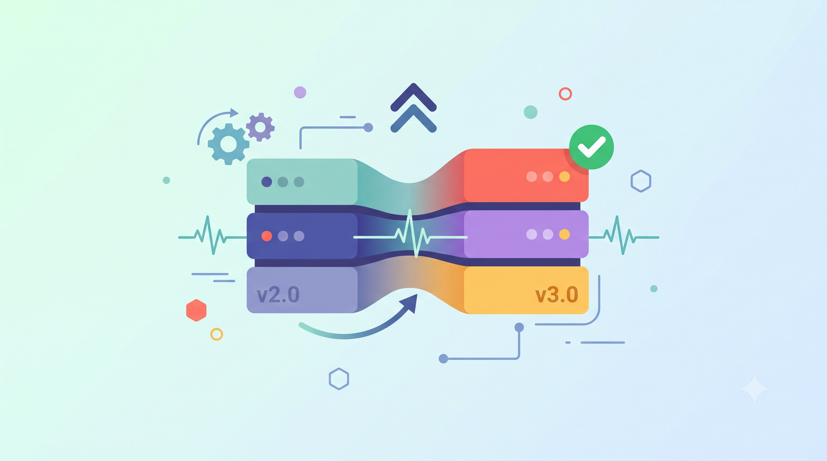
The fix is the atomic release pattern: build the new version completely, next to the old one, and switch with a single filesystem operation. We covered the general pattern in The Anatomy of a Zero-Downtime Deploy; here's how it applies specifically to a framework major.
Your directory layout:
/home/deploy/app/
├── releases/
│   ├── 20260710091500/     # Laravel 12, currently live
│   └── 20260713104500/     # Laravel 13, being built
├── shared/
│   ├── .env
│   └── storage/
└── current -> releases/20260710091500
Build Everything in the New Release First
Every expensive or risky operation happens inside the new release directory while the old one keeps serving traffic untouched:
RELEASE=/home/deploy/app/releases/20260713104500
git clone --depth 1 --branch main git@github.com:acme/app.git "$RELEASE"

ln -nfs /home/deploy/app/shared/.env "$RELEASE/.env"
rm -rf "$RELEASE/storage"
ln -nfs /home/deploy/app/shared/storage "$RELEASE/storage"

cd "$RELEASE"
composer install --no-dev --prefer-dist --optimize-autoloader --no-interaction

php artisan config:cache
php artisan route:cache
php artisan view:cache
php artisan event:cache
Notice the caches are rebuilt inside the new release, before the swap. This matters more during a framework upgrade than on any normal deploy: bootstrap/cache/config.php is a serialized artifact of the framework version that generated it. A Laravel 12 config cache read by Laravel 13 code, or the reverse, is the classic source of "it deployed fine and then everything 500'd." Because caches live per-release, the live Laravel 12 release keeps its own caches and never sees the new ones.
One deliberate omission: there is no php artisan down anywhere in this process. Maintenance mode exists for deploys that mutate shared state in place. Atomic releases don't, so the maintenance page is pure self-inflicted downtime.
Migrations: Additive-Only, and Isolated
Migrations are the one step that touches shared state, so they get their own rule for the upgrade deploy: additive changes only. New tables, new nullable columns, new indexes. Nothing renamed, nothing dropped, no column type changes.
The reason is sequencing. Migrations run before the symlink swap, which means the old Laravel 12 code serves traffic against the new schema for a window of seconds. Old code ignores a column it doesn't know about; old code crashes hard on a column that vanished. Additive migrations make that window, and your rollback, safe. Destructive cleanup ships in a separate deploy a week later, once 13 is proven.
Run them from the new release:
php artisan migrate --force --isolatedThe --isolated flag takes a cache-backed lock so that two servers deploying at once can't both run the migrations. If you deploy to multiple app servers, it's not optional.
The Swap
The cutover is one atomic rename:
ln -nfs "$RELEASE" /home/deploy/app/current-new
mv -T /home/deploy/app/current-new /home/deploy/app/current
mv -T on a symlink is atomic on Linux. Every request before it sees Laravel 12; every request after it sees Laravel 13. No request ever sees a mixture, provided your Nginx config uses $realpath_root (as in the vhost above) so PHP resolves the real release path instead of caching the current symlink. Follow the swap with a graceful systemctl reload php8.4-fpm to flush opcache, which finishes in-flight requests before recycling workers.
This releases-plus-symlink flow with per-release cache builds is exactly what Deploynix runs on every deploy, on DigitalOcean, Hetzner, Vultr, Linode, AWS, or your own VPS, with deployment hooks for the migration and cache steps. If you'd rather not maintain the bash yourself, that's the button. The definitive guide to Laravel deployment in 2026 walks through the full pipeline.
Step 5: Restart Everything That Holds Code in Memory
The symlink swap updates what Nginx and FPM serve. It does nothing for long-lived processes that loaded your code at boot and kept it in memory. This is the single most common way a "successful" Laravel 13 deploy fails in production.
Picture it: your web tier is on 13, but a Horizon worker started yesterday is still executing Laravel 12 framework code, reading jobs that your new code serialized with 13's payload expectations, resolving config through a bootstrapped 12 kernel. You get intermittent job failures that don't reproduce anywhere, because they depend on which worker picks up the job. We've seen teams chase this for days.
So the swap is immediately followed by:
# Horizon: finishes current jobs, exits, Supervisor boots it on the new code
php artisan horizon:terminate

# Plain queue workers, if you run any outside Horizon
php artisan queue:restart

# Scheduler needs nothing: each tick is a fresh process via cron
Both commands are graceful. Workers complete the job in hand before exiting, so nothing is lost mid-flight, and Supervisor restarts them inside the new release path. If Supervisor's command points at a hardcoded old release directory instead of current, fix that first; it's a rollback landmine. Deploynix manages Horizon and queue daemons through Supervisor and issues the terminate as a post-deploy step automatically; there's a full walkthrough in Running Laravel Horizon on Deploynix.
Running Octane? Same principle, different command:
php artisan octane:reloadOctane with FrankenPHP or Swoole keeps the entire framework booted in memory between requests, so a stale Octane master is even worse than a stale queue worker: it's your whole web tier serving old code after the "deploy" finished. The reload recycles workers gracefully. More on those trade-offs in PHP-FPM vs. Laravel Octane.
The Rollback Plan
You don't have a rollback plan unless you've defined it before the deploy. For an atomic-release upgrade, the plan is short because the design did the work.
Code rollback: point the symlink back.
ln -nfs /home/deploy/app/releases/20260710091500 /home/deploy/app/current-new
mv -T /home/deploy/app/current-new /home/deploy/app/current
cd /home/deploy/app/current && php artisan horizon:terminate && php artisan queue:restart
sudo systemctl reload php8.4-fpm
Fifteen seconds, and you're back on Laravel 12. This works because the old release directory is completely intact: its own vendor directory, its own composer.lock, its own config caches. You never rolled back by downgrading packages in place, which is slow, and fails at the worst possible moment. The lockfile in each release is your time machine; keep at least three old releases around. In Deploynix this is the one-click rollback button doing the same symlink move plus the worker restart.
Database rollback: don't. The schema is the real risk in any upgrade deploy, and the answer is that you already de-risked it in Step 4. Because your migrations were additive-only, Laravel 12 code runs perfectly well against the post-upgrade schema; the extra columns just sit there unread. Running migrate:rollback on a production database under incident pressure is how a five-minute code rollback becomes a data-loss postmortem. Roll code back freely; roll schema forward only.
The Pre-Flight Checklist
Print this, or paste it into the pull request description:
[ ] Production PHP verified at 8.3+ on both CLI and the FPM pool Nginx actually uses
[ ] PHP upgrade (if needed) shipped and soaked as its own deploy, days before the framework upgrade
[ ]
composer why-not laravel/framework 13.0returns nothing[ ] Framework and first-party packages (Horizon, Reverb, Sanctum, Pest) bumped in one lockfile change
[ ]
composer auditclean; lockfile diff reviewed for unfamiliar packages[ ] Full test suite green in CI on the production PHP version
[ ] Queued job serialize/deserialize covered by a test
[ ] Deploy uses atomic releases;
config:cache,route:cache,view:cacherun inside the new release before the swap[ ] No
php artisan downin the deploy script[ ] Migrations in this deploy are additive-only; destructive changes parked for a follow-up
[ ]
migrate --force --isolatedif more than one server deploys[ ] Post-swap:
horizon:terminate/queue:restart/octane:reloadas applicable, plus FPM reload[ ] Supervisor programs point at
current, not a hardcoded release path[ ] Previous release retained; rollback command written down before the deploy starts
[ ] Error tracker and server monitoring open in a tab for thirty minutes after cutover
Deploy on a quiet weekday morning, not Friday at 5 p.m. You want a full working day of real traffic on Laravel 13 while everyone's at their desk.
Where This Leaves You
Laravel 13 is the rare major version where the framework side of the upgrade is nearly free: no meaningful breaking changes, a PHP 8.3 floor, and 12's bug fixes ending in August 2026. The engineering work isn't in the version bump. It's in the rollout: knowing what PHP your FPM pool really runs, building caches per release, keeping migrations additive, and never letting a stale worker execute old code against new state.
Do it in that order and the upgrade is an anticlimax, which is exactly what a production upgrade should be. Your users see nothing. Your error tracker sees nothing. Next month, when Laravel 12's bug-fix window closes, you're already on the version that gets the fixes.
If the atomic releases, symlink swaps, Horizon restarts, and one-click rollbacks are the part you'd rather not hand-maintain in bash, that's the layer Deploynix automates on any server you point it at, from a $5 Hetzner box to your existing AWS account. The upgrade playbook stays the same either way. What matters is that you run it before August.