Building a Staging-to-Production Pipeline with Deploynix
Deploying directly to production and hoping for the best is a strategy that works until it does not. Every experienced developer has a story about the deployment that brought down the site, the migration that corrupted data, or the environment variable that was not set correctly. A staging-to-production pipeline eliminates these surprises by giving you a safe place to validate changes before they reach your users.
Deploynix makes it straightforward to build a professional staging-to-production pipeline without the complexity of traditional CI/CD platforms. By leveraging multiple servers, branch-based deployments, and custom deploy scripts, you can create a workflow that catches problems before they matter.
Why You Need a Staging Environment
A staging environment serves several critical purposes that local development and automated tests cannot fully address.
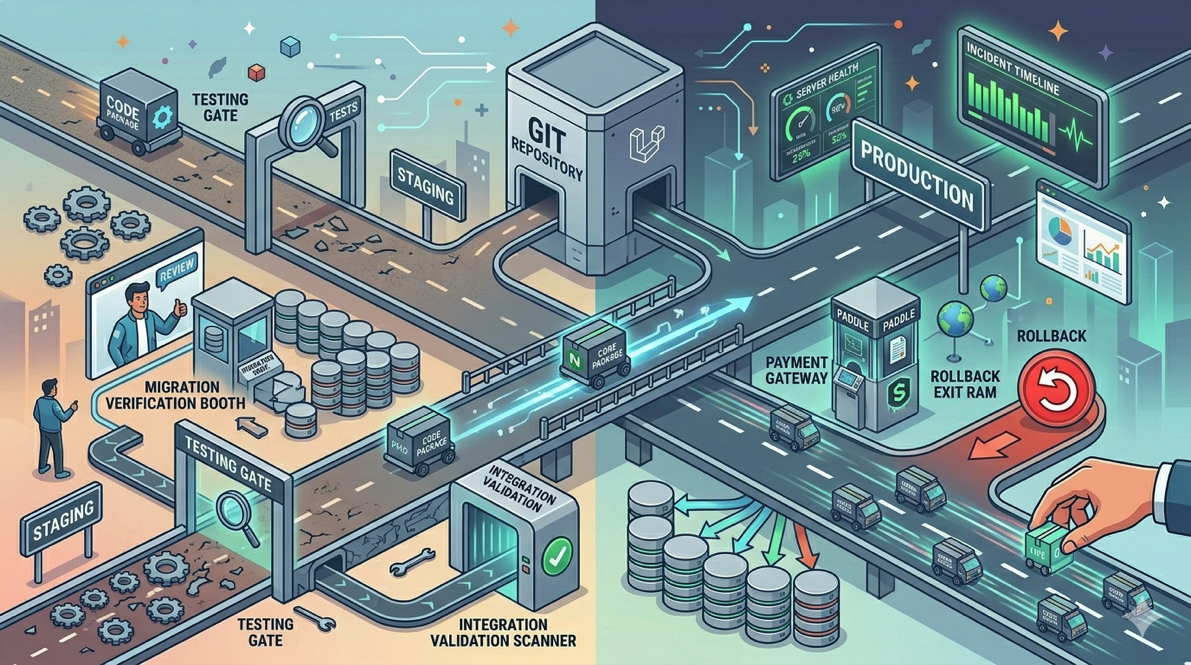
Environment parity. Your local machine is not your production server. Different PHP versions, different database configurations, different file systems, different memory limits. A staging server provisioned through Deploynix uses the same infrastructure as your production server, catching environment-specific issues before they reach users.
Migration testing. Database migrations that work against an empty test database may fail catastrophically against a database with millions of rows and real data patterns. Staging lets you test migrations against a realistic dataset.
Integration validation. Third-party integrations, payment webhooks, email delivery, and external API calls behave differently in production than in local development. Staging gives you a place to verify these integrations with real credentials in sandbox mode.
Stakeholder review. Product managers, designers, and clients can review changes on staging before they go live. A link to a staging URL is far more useful than a screenshot or a screen recording.
Architecture: Separate Servers for Staging and Production
The foundation of your pipeline is two distinct server environments managed through Deploynix.
Production Server Setup
Your production environment should be provisioned for performance and reliability. Depending on your application's needs, this might be:
A single App server running your Laravel application, Nginx, PHP-FPM, and your database
Or a multi-server setup with separate App, Database, and Cache servers
Optionally, a Worker server for queue processing and a Load Balancer for high availability
For most applications generating meaningful revenue, a dedicated database server is worth the investment. It isolates database resources from application resources and makes backups simpler.
Staging Server Setup
Your staging server should mirror your production architecture as closely as possible, but it does not need the same resources. A smaller, less expensive server works fine for staging since it will not handle real user traffic.
Provision your staging server through Deploynix with the same server type configuration as production. If production runs on an App server with a separate Database server, staging should too. If production uses MySQL 8, staging should not use MariaDB or PostgreSQL.
The staging server should be connected to the same git repository as production but configured to deploy from a different branch.
Configuring Branch-Based Deployments
The key to a clean pipeline is deploying different branches to different environments.
Production Configuration
In your Deploynix production site settings, configure the deployment branch as main (or master, depending on your convention). Only code that has been merged into main should reach production.
Connect your production site to your git provider. Deploynix supports GitHub, GitLab, Bitbucket, and custom git providers. Configure automatic deployments to trigger when changes are pushed to the main branch, or use manual deployments if you prefer more control.
Staging Configuration
Create a separate site on your staging server connected to the same repository but configured to deploy from your staging or develop branch. Enable automatic deployments for this branch so that every push triggers a new staging deployment.
Your git workflow then becomes:
Developers work on feature branches
Feature branches are merged into
stagingvia pull requestMerging triggers an automatic deployment to the staging server
After validation on staging,
stagingis merged intomainMerging triggers an automatic deployment to production
Achieving Environment Parity
Environment parity means your staging environment behaves as identically to production as possible. Here is how to achieve it with Deploynix.
PHP and System Configuration
When provisioning your staging server through Deploynix, select the same PHP version as production. If production runs PHP 8.4 with FrankenPHP as the Octane driver, staging should too.
Database Configuration
Use the same database engine and version. Deploynix supports MySQL, MariaDB, and PostgreSQL. If production uses MySQL 8, provision staging with MySQL 8.
The staging database should contain realistic data. More on syncing production data to staging in the next section.
Environment Variables
Set staging environment variables in the Deploynix dashboard to match production, with these critical differences:
APP_ENV=staging(notproduction)APP_DEBUG=true(for easier debugging)APP_URLpointing to your staging domainThird-party service credentials should use sandbox or test mode
Payment provider keys should be sandbox keys (for example, Paddle sandbox credentials)
Email should be routed to a testing service like Mailtrap or MailHog
Everything else, including database driver, cache driver, queue driver, and session driver, should match production exactly.
Cache Configuration
If production uses Valkey (the Redis-compatible cache that Deploynix supports), staging should too. Do not fall back to the file cache driver on staging if production uses Valkey. Cache behavior differences can mask bugs.
Syncing Production Data to Staging
A staging environment with an empty database is only marginally better than local development. To catch real-world issues, you need realistic data.
Database Sync Process
Create a workflow for periodically syncing production data to staging:
Create a production backup using Deploynix's backup feature. This stores the backup in your configured storage, whether AWS S3, DigitalOcean Spaces, Wasabi, or custom S3-compatible storage.
Download the backup to staging. Use the Deploynix web terminal on your staging server to pull the backup file.
Restore the backup on staging:
mysql -u deploynix -p staging_database < production_backup.sqlSanitize sensitive data. After restoring, run a sanitization script to replace real user emails, passwords, and personal information with fake data:
php artisan db:seed --class=SanitizeStagingDataSeederThis seeder should hash all passwords to a known test password, replace email addresses with test addresses, remove or anonymize personal data, and replace payment tokens with sandbox tokens.
Automating the Sync
For teams that need frequent data syncs, create an artisan command that automates this process and add it as a scheduled task or run it manually as needed. You can trigger this through the Deploynix web terminal or as a cron job.
Deploy Scripts for Each Environment
Deploynix's deploy script lets you customize what happens during deployment. Your staging and production environments should have slightly different scripts.
Staging Deploy Script
Build steps:
composer install --optimize-autoloader
npm ci && npm run build
Note that staging includes dev dependencies (no --no-dev flag) so you can run tests and debug more easily.
Activation steps:
php artisan migrate --force
php artisan config:cache
php artisan route:cache
php artisan view:cache
php artisan queue:restart
Production Deploy Script
Build steps:
composer install --no-dev --optimize-autoloader
npm ci && npm run build
Activation steps:
php artisan migrate --force
php artisan config:cache
php artisan route:cache
php artisan view:cache
php artisan queue:restart
Production uses --no-dev to exclude development dependencies, reducing the deployment footprint and improving security.
The Promotion Workflow
Promoting a release from staging to production is the core of your pipeline. Here is a reliable workflow.
Step 1: Deploy to Staging
Merge your feature branch into the staging branch. Deploynix automatically deploys the changes to your staging server.
Step 2: Validate on Staging
Run through your validation checklist on staging:
Does the application load without errors?
Do new features work as expected?
Do database migrations run cleanly?
Are there any console errors in the browser?
Do background jobs process correctly?
Do email notifications send (to your test inbox)?
Do third-party integrations work in sandbox mode?
Step 3: Run Tests Against Staging
If you have browser tests or end-to-end tests, run them against your staging environment. Pest 4 supports browser testing that can target a remote URL, making this straightforward.
Step 4: Promote to Production
Once staging is validated, merge the staging branch into main. This triggers the production deployment through Deploynix.
Monitor the deployment in the Deploynix dashboard. Watch for any migration failures, build errors, or hook failures. Deploynix's zero-downtime deployment ensures your existing site continues serving traffic until the new release is fully prepared and verified.
Step 5: Post-Deployment Verification
After the production deployment completes:
Check the Deploynix health monitoring dashboard
Verify key user flows in the production application
Monitor application logs for errors
Check that queue workers are processing jobs
Verify webhook endpoints are responding
Scheduled Deployments for Production
For teams that prefer deploying during low-traffic windows, Deploynix supports scheduled deployments. You can schedule a deployment for a specific date and time, and Deploynix will execute it automatically. This is particularly useful for deployments that include database migrations on large tables or changes that might briefly impact performance.
If something comes up before the scheduled deployment window, you can cancel it from the Deploynix dashboard.
Rollback Strategy
Even with a staging environment, things can go wrong in production. Deploynix maintains multiple deployment releases, allowing you to instantly roll back to any previous release.
Your rollback strategy should include:
Code rollback: Use Deploynix's rollback feature to revert to the previous release.
Migration rollback: If the deployment included migrations, you may need to roll back the database schema. Ensure all migrations have proper
down()methods.Communication: Notify your team and stakeholders about the rollback.
Investigation: Determine why the issue was not caught on staging and improve your validation process.
Scaling the Pipeline
As your team and application grow, you can enhance your pipeline:
Add a QA environment. Provision a third server for dedicated QA testing with its own branch and deployment configuration.
Implement feature flags. Deploy features behind flags so you can merge to main and deploy to production without exposing unfinished features to users.
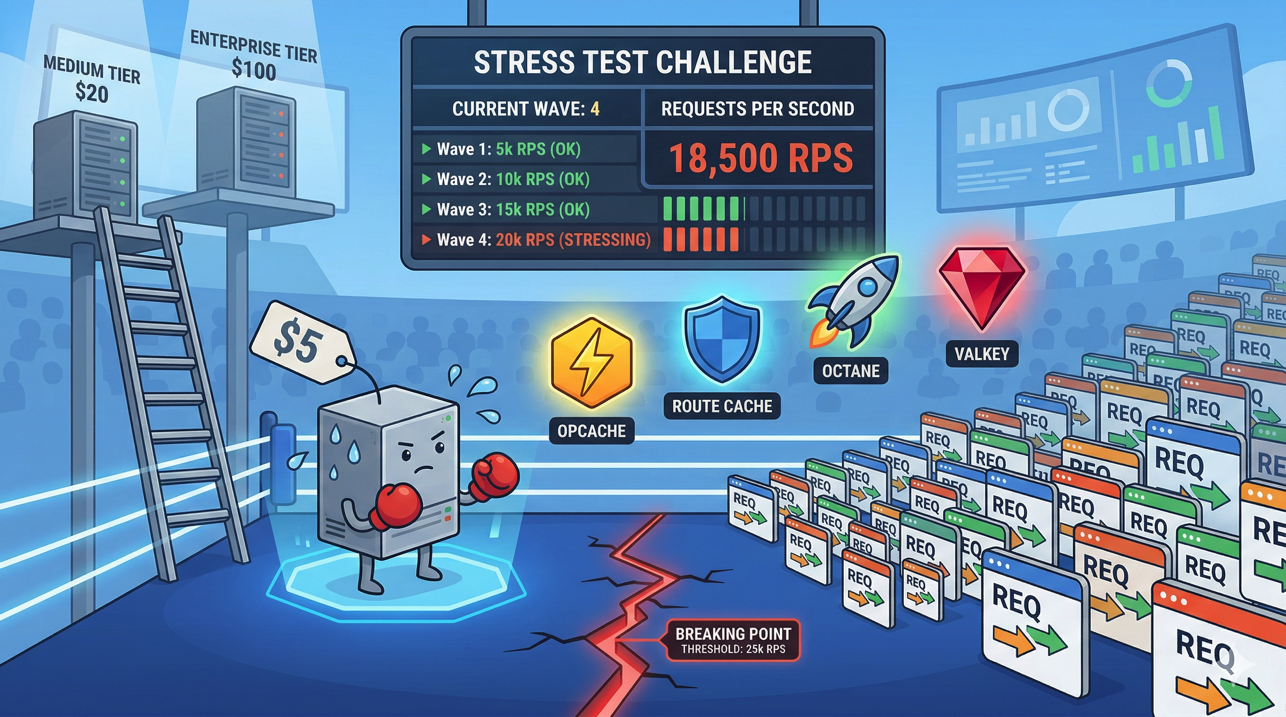
Add load testing. Before promoting changes that affect performance, run load tests against staging to verify your application handles production traffic levels.
Automate data syncing. Set up a nightly cron job that syncs sanitized production data to staging, so your staging environment always has fresh, realistic data.
Conclusion
A staging-to-production pipeline is one of the highest-leverage investments you can make in your development workflow. It catches bugs before they reach users, gives stakeholders a safe place to review changes, and provides confidence that every production deployment has been validated.
Deploynix makes building this pipeline accessible without the overhead of complex CI/CD platforms. Provision a staging server, configure branch-based deployments, set up your deploy scripts, and you have a professional deployment pipeline that scales with your team. Start with a simple two-environment setup and evolve it as your needs grow. The peace of mind that comes from never deploying blind to production is worth every minute of setup time.