The Definitive Guide to Laravel Deployment in 2026
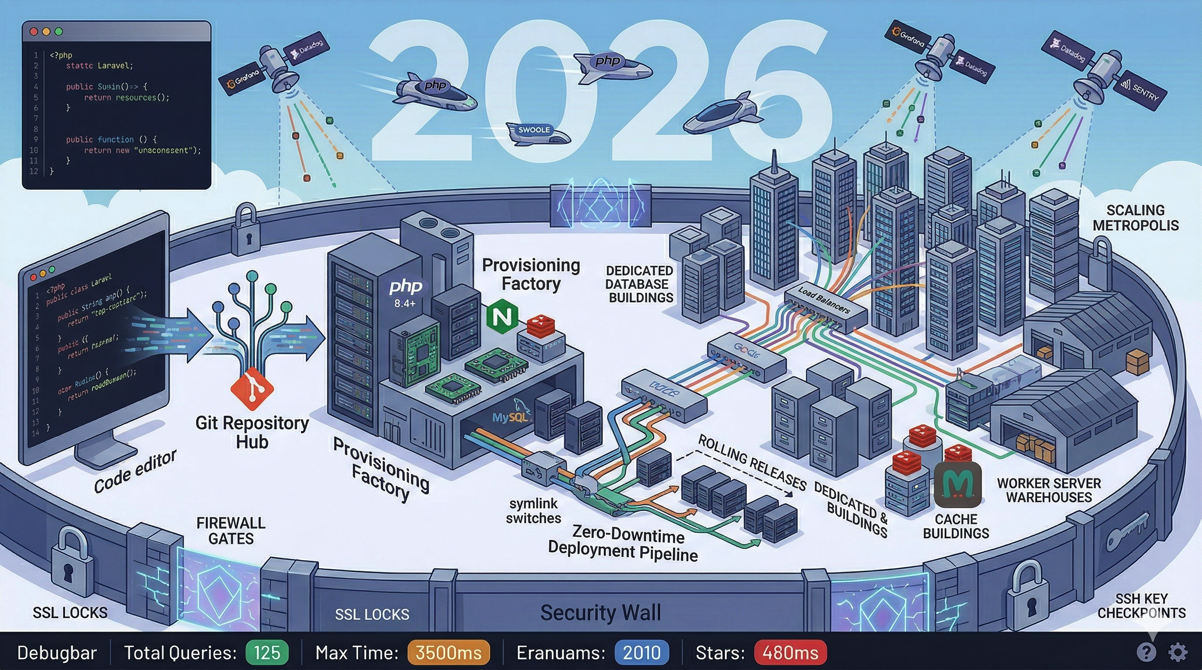
Deploying a Laravel application in 2026 looks nothing like it did five years ago. PHP-FPM is no longer the only game in town — FrankenPHP, Swoole, and RoadRunner have changed what's possible for performance. Server management platforms have matured to the point where a solo developer can run production infrastructure that would have required a DevOps team. And the Laravel ecosystem itself has introduced tools for monitoring, testing, and scaling that make the deployment story more complete than ever.
This guide covers the full journey: from your local development environment to a production deployment that's monitored, backed up, and ready to scale. Whether you're deploying your first Laravel application or rearchitecting an existing one, this is your comprehensive reference.
Part 1: Preparing Your Application for Production
Before you touch a server, your application needs to be production-ready. This means more than "it works on my machine."
Environment Configuration
Laravel uses .env files to separate configuration from code. Your production environment needs different values from development:
APP_ENV=production
APP_DEBUG=false
APP_URL=https://your-domain.com

LOG_CHANNEL=stack
LOG_LEVEL=warning

DB_CONNECTION=mysql
DB_HOST=127.0.0.1
DB_DATABASE=your_app
DB_USERNAME=your_user
DB_PASSWORD=strong_random_password

CACHE_STORE=redis
SESSION_DRIVER=redis
QUEUE_CONNECTION=redis
Critical settings:
APP_DEBUG=falseprevents stack traces from leaking to users. Leaving thistruein production is a security vulnerability.LOG_LEVEL=warningprevents your log files from filling the disk with debug information.Use Redis (or Valkey, which is Redis-compatible) for cache, sessions, and queues in production. The file and database drivers don't scale.
Optimizing for Production
Laravel provides several Artisan commands that optimize performance by caching configuration, routes, and views:
php artisan config:cache
php artisan route:cache
php artisan view:cache
php artisan event:cache
These commands serialize your configuration, routes, views, and events into cached files that load faster than parsing the original sources on every request. Run them as part of your deployment process — never manually.
Asset Compilation
Build your frontend assets for production:
npm run buildThis runs Vite in production mode, which minifies JavaScript and CSS, tree-shakes unused code, and generates versioned filenames for cache busting. Never run npm run dev on a production server — development mode includes source maps and unminified code.
Part 2: Choosing Your Server Infrastructure
Your infrastructure choices depend on your application's needs, traffic expectations, and budget.
Cloud Providers
Deploynix supports provisioning servers on DigitalOcean, Vultr, Hetzner, Linode, AWS, and custom providers. Each has trade-offs:
Hetzner offers the best price-to-performance ratio for CPU and RAM. Ideal for budget-conscious deployments.
DigitalOcean provides a polished experience with predictable pricing. Strong ecosystem of add-ons.
Vultr offers competitive pricing with good global coverage.
Linode (now Akamai) provides solid performance with straightforward pricing.
AWS gives maximum flexibility and the broadest service catalog, but with higher complexity and cost.
For most Laravel applications starting out, a $5-12/month server on Hetzner or DigitalOcean is more than sufficient. You can always scale up later.
Server Types
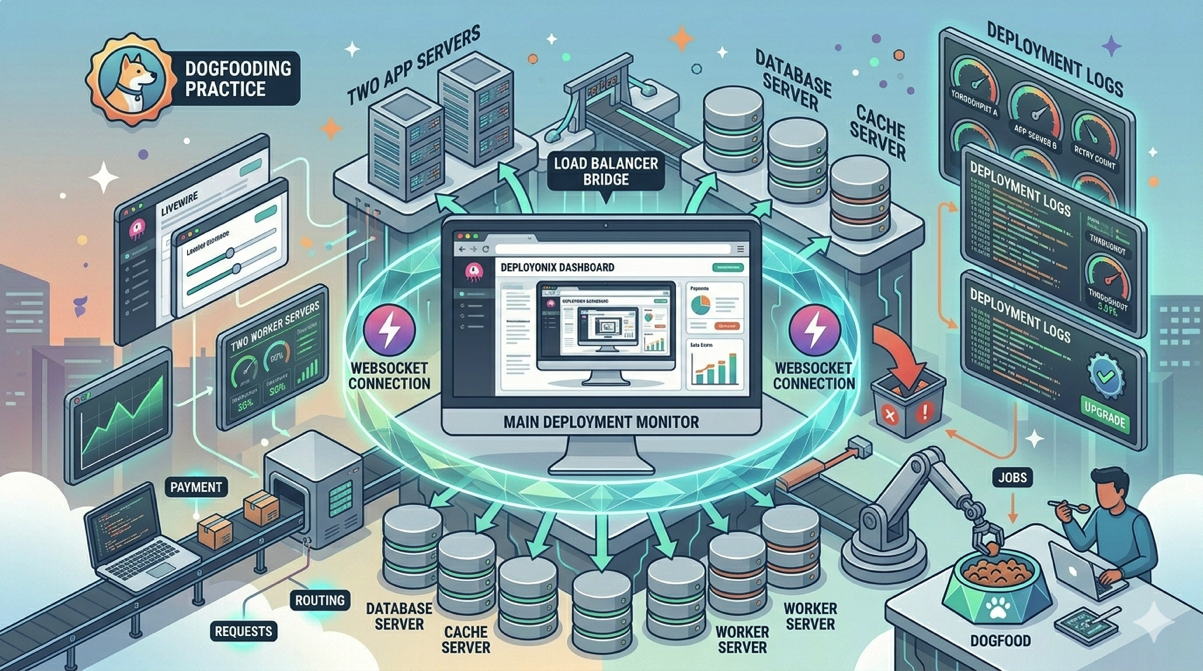
A single App server handles everything for most applications: web serving, application processing, database, cache, and queue workers. As you grow, you split these responsibilities across specialized servers.
App Server: Runs your Laravel application with Nginx, PHP, and queue workers. This is the all-in-one starting point.
Web Server: Handles HTTP requests and serves static files. In a scaled architecture, multiple web servers sit behind a load balancer.
Database Server: Dedicated MySQL, MariaDB, or PostgreSQL instance. Isolating the database gives it dedicated CPU and RAM, improving query performance.
Cache Server: Dedicated Valkey (Redis-compatible) instance for caching, sessions, and queues. Separating cache from the application server prevents cache eviction during memory pressure.
Worker Server: Runs queue workers without competing with web requests for resources. Essential when you process heavy background jobs.
Load Balancer: Distributes traffic across multiple web servers. Deploynix supports round robin, least connections, and IP hash load balancing methods.
Choosing a PHP Runtime
Traditional PHP-FPM remains reliable and well-understood, but modern runtimes offer significant performance improvements:
FrankenPHP is a modern PHP application server built on Caddy. It supports worker mode (keeping your application in memory between requests), HTTP/3, and Early Hints. It's becoming the default recommendation for new Laravel deployments.
Swoole keeps your application bootstrapped in memory, eliminating the per-request overhead of loading the framework. It provides dramatic performance improvements but requires careful attention to memory leaks and static state.
RoadRunner is a Go-based application server that communicates with PHP workers over a binary protocol. It offers performance between FPM and Swoole with simpler debugging.
Deploynix supports deploying with any of these Octane drivers. For most applications, FrankenPHP provides the best balance of performance and developer experience.
Part 3: Provisioning and Configuration
Provisioning with Deploynix
Deploynix provisions servers by connecting to your cloud provider's API. You select a provider, region, server size, and type — Deploynix handles the rest: installing the OS, configuring the web server, setting up PHP, installing the database, configuring the firewall, and setting up SSL.
The provisioning process installs everything your Laravel application needs:
Nginx (configured for your chosen Octane driver or PHP-FPM)
PHP 8.4 with essential extensions
MySQL, MariaDB, or PostgreSQL
Valkey for caching and queues
Composer
Node.js and npm for asset compilation
Supervisor for queue workers and daemons
UFW firewall with sensible defaults
Connecting Your Git Repository
Deploynix integrates with GitHub, GitLab, Bitbucket, and custom Git providers. Connect your repository, select a branch, and Deploynix configures the deployment pipeline.
Your deployment workflow becomes: push to your branch, trigger a deploy (manually or automatically), and Deploynix handles the rest.
SSL Certificates
Every production application needs HTTPS. Deploynix provisions SSL certificates automatically through Let's Encrypt when you add a domain to your site. For wildcard certificates, Deploynix supports DNS validation through Cloudflare, DigitalOcean, AWS Route 53, and Vultr DNS.
Deploynix also provides vanity domains (*.deploynix.cloud) with pre-configured wildcard SSL certificates — useful for staging environments and quick deployments before your custom domain is configured.
Certificate renewal is handled automatically. Deploynix monitors certificate expiration and renews before they expire.
Part 4: The Deployment Process
Zero-Downtime Deployments
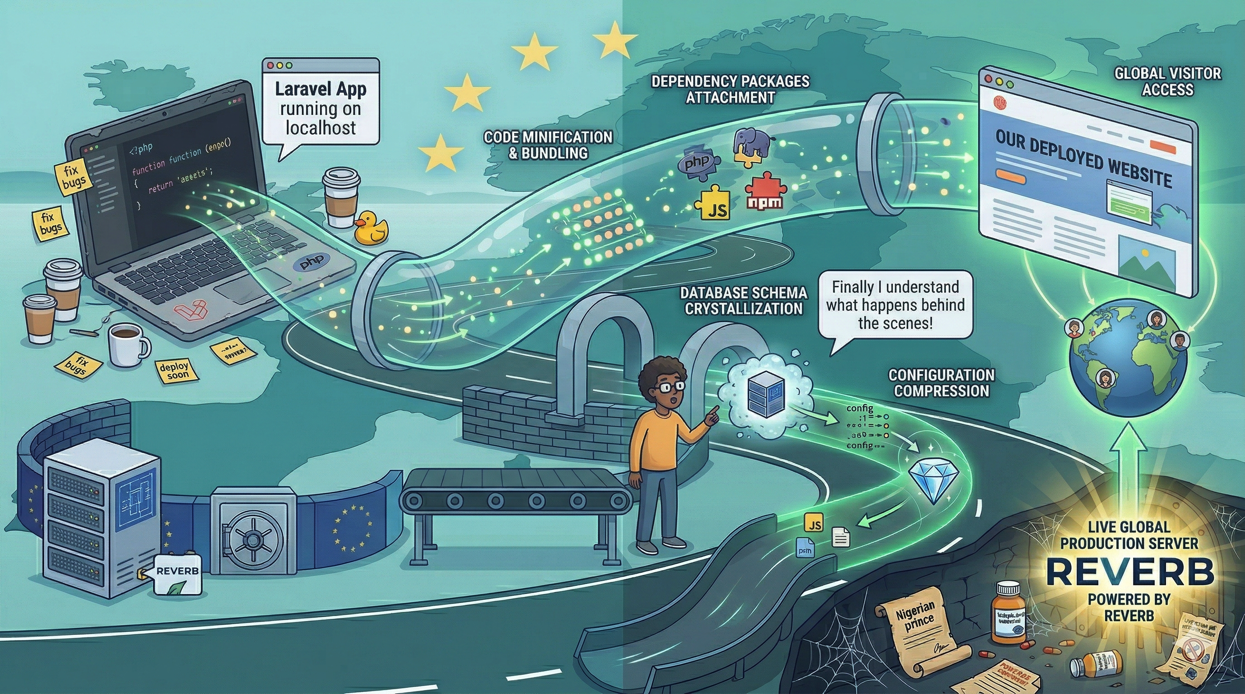
Deploynix uses a release-based deployment strategy that eliminates downtime:
A new release directory is created
Your repository is cloned or updated
Composer dependencies are installed
npm dependencies are installed and assets are built
Your deploy script runs (migrations, cache clearing, etc.)
The symlink switches from the old release to the new one
PHP-FPM/Octane workers are reloaded
The symlink switch is atomic — your application serves the old version until the exact moment it switches to the new one. There's no period where the application is partially deployed.
Deploy Script
Deploynix lets you define a custom deploy script that runs as part of the deployment process, inside the new release directory before the symlink swap:
composer install --no-dev --optimize-autoloader
npm ci && npm run build
php artisan migrate --force
php artisan config:cache
php artisan route:cache
php artisan view:cache
php artisan event:cache
php artisan queue:restart
All steps complete before the new release goes live, ensuring users never see a partially prepared release.
Scheduled Deployments
Deploynix supports scheduling deployments for a future time. This is useful for coordinating releases with marketing launches or deploying during low-traffic windows. Scheduled deployments can be cancelled before their execution time.
Rollback
When a deployment introduces a bug, Deploynix can roll back to any previous release instantly. The rollback switches the symlink back to a previous release directory — the same atomic operation as a forward deployment.
Keep enough release directories to allow meaningful rollbacks. Deploynix retains configurable number of releases, automatically pruning older ones.
Part 5: Database Management
Running Migrations
Run migrations as part of your deploy script:
php artisan migrate --forceThe --force flag is required in production. Without it, Artisan prompts for confirmation — which hangs in an automated deployment.
Database Backups
Deploynix supports automated database backups to AWS S3, DigitalOcean Spaces, Wasabi, and any S3-compatible storage. Configure backup frequency, retention period, and storage destination.
Backup strategy recommendations:
Hourly backups for applications with high write volume
Daily backups for most applications
Store backups in a different region than your primary server
Test restoring from backups periodically — an untested backup is not a backup
Database Optimization
For production MySQL databases:
Enable the slow query log to identify performance problems
Set
innodb_buffer_pool_sizeto 60-80% of available RAM on a dedicated database serverUse connection pooling if your application creates many short-lived connections
Monitor query performance through Deploynix's server metrics and Laravel Pulse
Part 6: Queue Workers and Background Processing
Configuring Queue Workers
Deploynix manages Supervisor configuration for your queue workers. Configure the number of worker processes, the queues they process, and restart policies.
For most applications, start with 2-3 workers processing all queues:
Queue: default,notifications,emails
Processes: 3
As your application grows, dedicate workers to specific queues based on priority:
Worker 1: payments (1 process, high priority)
Worker 2: default,notifications (3 processes)
Worker 3: exports,reports (2 processes, can be slow)
Daemon Processes
Beyond queue workers, you might need long-running processes: WebSocket servers (Laravel Reverb), schedule runners, or custom daemons. Deploynix manages these through its daemon feature, which configures Supervisor to keep them running and restart them on failure.
Part 7: Monitoring and Alerting
Server Monitoring
Deploynix provides real-time monitoring for every managed server:
CPU usage: Sustained high CPU indicates resource contention or runaway processes
Memory usage: Track consumption trends to predict when you need to scale
Disk usage: Running out of disk space causes cascading failures
Network I/O: Unusual spikes might indicate a DDoS attack or a deployment pulling large dependencies
Health Alerts
Configure health alerts to notify you when metrics cross thresholds:
CPU above 90% for more than 10 minutes
Memory above 85%
Disk usage above 80%
Deploynix sends alerts through your configured notification channels, giving you time to investigate before users are affected.
Application-Level Monitoring
Complement Deploynix's infrastructure monitoring with application-level tools:
Laravel Pulse for production performance trends, slow queries, and queue throughput
Laravel Telescope (filtered) for capturing exceptions and failed jobs in production
Custom health check endpoints that verify database, cache, queue, and external API connectivity
Part 8: Security
Firewall Configuration
Deploynix configures UFW (Uncomplicated Firewall) with sensible defaults: SSH (port 22), HTTP (port 80), and HTTPS (port 443) are open. Everything else is closed.
Add custom rules for:
Database access from specific IP addresses (if you connect remotely)
Application-specific ports (WebSockets on port 6001, etc.)
Blocking known bad IP ranges
SSH Security
Deploynix provisions servers with key-based SSH authentication. Password authentication is disabled by default. Never re-enable it.
Application Security Essentials
Keep PHP, Nginx, MySQL, and all system packages updated
Run
composer auditregularly to check for vulnerable dependenciesUse Sanctum for API authentication with granular token scopes
Implement rate limiting on authentication and API endpoints
Store sensitive values in environment variables, never in code
Part 9: Scaling
Vertical Scaling (Scaling Up)
The simplest scaling approach: give your server more resources. Deploynix makes this easy — resize your server through your cloud provider, and your application continues running with more CPU, RAM, and disk.
Vertical scaling works until you hit the cloud provider's largest instance size or until cost becomes unreasonable. Most Laravel applications can serve thousands of concurrent users on a single well-configured server.
Horizontal Scaling (Scaling Out)
When a single server isn't enough, distribute the load across multiple servers:
Separate your database onto a dedicated server. This is usually the first scaling step and provides the biggest impact.
Separate your cache (Valkey) onto a dedicated server. This prevents cache eviction during application memory pressure.
Add worker servers for queue processing. This keeps background jobs from competing with web requests for CPU.
Add web servers behind a load balancer. Deploynix's load balancer supports round robin, least connections, and IP hash methods.
Scaling Checklist
Before scaling horizontally, ensure your application is stateless:
Sessions stored in Redis/Valkey (not file)
Cache in Redis/Valkey (not file)
File uploads on external storage (S3, not local disk)
Queues using Redis/Valkey (not the database or sync driver)
No local file writes that other servers need to access
If your application writes anything to the local filesystem that other servers need to read, you'll have inconsistency across servers. Move shared state to external services before adding servers.
Part 10: The Deployment Checklist
Use this checklist for every new Laravel production deployment:
Before First Deploy
[ ]
APP_DEBUG=falseandAPP_ENV=productionare set[ ] Database credentials use a strong, unique password
[ ] Session, cache, and queue drivers are set to Redis/Valkey
[ ] SSL certificate is provisioned
[ ] Firewall rules are configured
[ ] Backup schedule is configured and tested
[ ] Health monitoring is enabled
[ ] Queue workers are configured and running
Every Deploy
[ ] Tests pass before deployment
[ ] Migrations are tested against a copy of production data
[ ] Assets are compiled for production
[ ] Config, route, view, and event caches are refreshed
[ ] Queue workers are restarted to pick up new code
[ ] Deployment is verified by checking the application's health endpoint
Post-Deploy Verification
[ ] Application responds correctly to key user flows
[ ] Queue workers are processing jobs
[ ] No new errors appearing in logs
[ ] Server metrics (CPU, memory, disk) are within normal ranges
[ ] Scheduled tasks are running as expected
Conclusion
Laravel deployment in 2026 is more powerful and more accessible than ever. Modern PHP runtimes like FrankenPHP deliver performance that would have been unthinkable a few years ago. Platforms like Deploynix eliminate the ops burden of server management, letting you focus on building your application.
The key principles haven't changed: automate everything, monitor proactively, back up regularly, and scale intentionally. What has changed is the tooling — you no longer need a dedicated DevOps engineer to run production infrastructure. A solo developer with Deploynix can provision, deploy, monitor, and scale a Laravel application that serves millions of requests.
Start simple. A single App server with zero-downtime deployments, automated backups, and health monitoring handles more traffic than most applications will ever see. Scale when the metrics tell you to, not when your anxiety does. And always, always test your backups.
Your deployment pipeline is not a one-time setup — it's a living system that evolves with your application. Review it regularly, keep your dependencies updated, and invest in monitoring. The best deployment is the one you don't have to think about because everything is automated and every failure triggers an alert before your users notice.