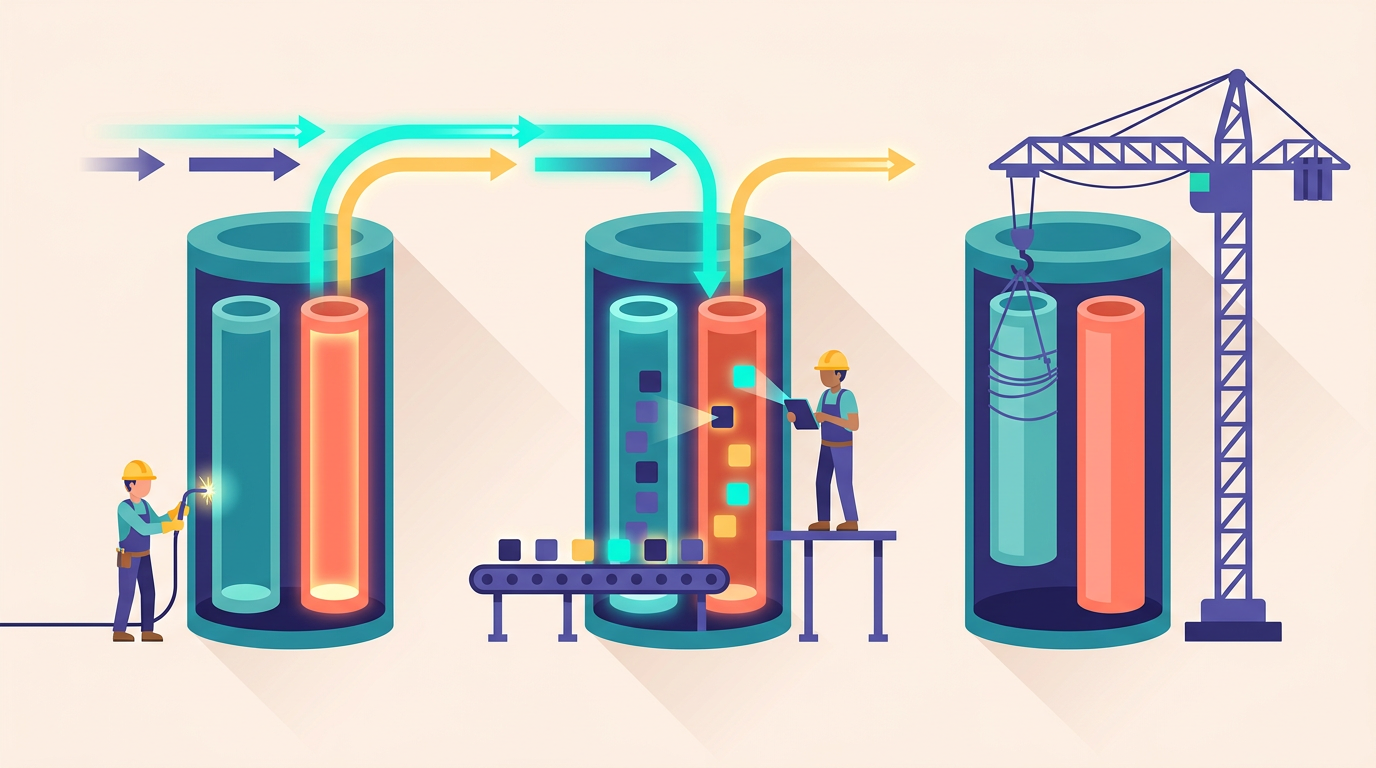
PHP 8.5 in Production: The Pipe Operator, and Upgrading PHP-FPM Without Downtime

PHP 8.5 was released in November 2025 with the pipe operator, backtraces on fatal errors, closures in constant expressions, and the long-overdue array_first() and array_last() functions (Phoronix). Nine months later, in August 2026, the ecosystem has mostly caught up. Laravel, Symfony, and WordPress all run on it, and the major extension maintainers have shipped compatible builds (adoption guide).
So the question for most teams is no longer "does it work?" It's two more practical questions. First: which 8.5 features actually earn their place in a Laravel codebase, and which are syntax novelty? Second: how do you move a production PHP-FPM fleet from 8.4 to 8.5 without dropping a single request, and with a rollback you can execute in under a minute if something breaks?
We've upgraded a lot of servers through PHP version transitions, and we've watched the same mistakes repeat: in-place upgrades that remove the old runtime, extension mismatches discovered at 2 a.m., and queue workers silently running a different PHP version than the web tier. This post covers both halves: an honest review of what's useful in 8.5 for Laravel developers, and the exact Ubuntu 24.04 playbook for a side-by-side upgrade with instant rollback.
If you followed our PHP 8.4 upgrade guide last year, the mechanics here will feel familiar. The features, though, are a bigger deal this time.
Key Takeaways
- PHP 8.5 (released November 2025) ships the pipe operator, fatal error backtraces,
array_first()/array_last(), and constant expression improvements (Phoronix) - Fatal error backtraces alone justify the upgrade for production debugging - Adopt the pipe operator in greenfield code with an agreed style; hold off in legacy codebases - Upgrade side-by-side: install 8.5 next to 8.4, cut over per site at the nginx level, keep 8.4 for instant rollback
What Did PHP 8.5 Actually Ship?
PHP 8.5 landed on November 20, 2025 with five headline items: the pipe operator (|>), backtraces on fatal errors, closures and first-class callables in constant expressions, casts in constant expressions, and array_first()/array_last() (Phoronix). That's a heavier feature list than 8.4's, which leaned on property hooks and asymmetric visibility.
Here's the short version of what matters for a Laravel application, before we go deeper on each:
Feature | What it does | Production impact | |
|---|---|---|---|
Pipe operator `\ | >` | Passes the left expression as the first argument to the right callable (Zend) | Readability for transform chains; zero runtime cost vs nested calls |
Fatal error backtraces | Fatal errors (OOM, timeouts) now include a stack trace | Big. Turns "which request died?" into "which line died?" | |
| First/last value without touching the internal pointer | Removes a class of | |
Closures in constant expressions | Static closures and first-class callables in defaults, constants, attributes | Cleaner attribute-driven validation and config | |
Casts in constant expressions |
| Minor, but removes awkward workarounds |
Notice what's not on the list: there's no single "your app gets 20% faster" feature this cycle. The 8.5 release is about ergonomics and observability, not raw throughput. If you're chasing performance, your time is still better spent on OPcache configuration than on any syntax in this release.
One version-support fact to anchor the rest of this post: as of August 2026, PHP 8.5 is the current stable release, 8.4 is the previous release, and Laravel 13 (current since March 2026) requires PHP 8.3 as its minimum. So every supported Laravel version runs happily on 8.5. There's no framework reason to wait.
How Does the Pipe Operator Work in Real Laravel Code?
The pipe operator takes the expression on its left and passes it as the first argument to the callable on its right (Zend). Each stage must be a callable that accepts one argument, which is why you'll usually see first-class callable syntax (trim(...)) or short closures in a chain ([php[architect]](https://www.phparch.com/2026/06/php-8-5-pipe-operator/)). That's the entire semantic. No magic, no autoloading tricks, no runtime dispatch overhead beyond a normal function call.
Collection-style transforms without Collection overhead
Laravel developers already think in pipelines. We reach for collect() or Str::of() even for three-step string transforms, because chained methods read better than nested calls. The pipe operator gives you that reading order on plain values, without allocating a Collection or Stringable object per step:
use Illuminate\Support\Str;

$slug = $request->input('title', '')
    |> trim(...)
    |> Str::squish(...)
    |> Str::slug(...);
Compare the pre-8.5 equivalents. Nested calls read inside-out: Str::slug(Str::squish(trim($title))). The fluent version, Str::of($title)->squish()->slug()->value(), reads fine but allocates intermediate objects. In a hot path that runs thousands of times per request, say normalizing rows in an import, the pipe version has the readability of the fluent API with the cost profile of the nested one.
Is that overhead ever your actual bottleneck? Honestly, almost never. Choose pipes for readability first and treat the allocation savings as a bonus.
Normalizing request data
The other place pipes shine is input normalization, where each step is a small, testable transform:
$phone = $request->input('phone', '')
    |> trim(...)
    |> (static fn (string $v): string => preg_replace('/[^0-9+]/', '', $v))
    |> (static fn (string $v): string => str_starts_with($v, '00')
        ? '+' . substr($v, 2)
        : $v);
Each stage does one thing, in reading order. When a bug report says "phone numbers starting with 00 aren't converting", you know exactly which line to look at. With a single dense preg_replace plus ternary soup, you don't.
Where pipes get ugly
The pipe operator only passes one argument, always in the first position. The moment a function wants your value in the second position, explode() is the classic offender, you're wrapping it in a closure anyway. Chains that are 80% closure wrappers read worse than the code they replaced. Multi-argument stages, conditional branches mid-chain, and anything with side effects belong in a named method, not a pipe. Our rule of thumb: if more than one stage in the chain needs a closure with a body longer than one expression, refactor to a method instead.
Are array_first() and array_last() Worth Caring About?
Yes, more than they look. PHP 8.5 added array_first() and array_last() as part of the same release (Phoronix), and they replace two of the oldest footguns in the language: reset() and end().
The problem with the old functions is that they take their argument by reference and mutate the array's internal pointer. That has two consequences you've probably hit. You can't call them on a function return value without a "notice: only variables should be passed by reference", so you create a throwaway variable. And they return false for an empty array, which is indistinguishable from a stored false.
// Before: temp variable, pointer mutation, false-vs-empty ambiguity
$errors = $validator->errors()->all();
$firstError = reset($errors);

// PHP 8.5: direct, no mutation, null on empty
$firstError = array_first($validator->errors()->all());
array_first() returns the first value or null if the array is empty, and it never touches the internal pointer. In Laravel code you already have Arr::first(), so the practical win is smaller than in framework-free code. But native functions work in constant expressions, in packages that avoid the framework, and without the helper's closure-support overhead. It's also one less place where new team members ask "wait, why is there a reset() here?"
Small feature, real quality-of-life gain. Nobody upgrades for this, but everybody uses it within a week.
How Do Fatal Error Backtraces Change Production Debugging?
This is the sleeper feature of the release, and in our experience it's the strongest single argument for upgrading production servers. PHP 8.5 adds backtraces to fatal errors (Phoronix), controlled by the new fatal_error_backtraces ini setting, which is enabled by default.
Before 8.5, the two most common production killers, memory exhaustion and max execution timeouts, died with a single line:
PHP Fatal error: Allowed memory size of 536870912 bytes exhausted
(tried to allocate 262144 bytes) in
/var/www/app/vendor/laravel/framework/src/Illuminate/Support/Collection.php on line 138
That tells you a Collection method allocated the final straw. It tells you nothing about which controller, job, or command built the collection that ate 512 MB. Teams have historically debugged these by binary-searching log timestamps against access logs. On 8.5, the same failure logs a full stack trace:
PHP Fatal error: Allowed memory size of 536870912 bytes exhausted ...
Stack trace:
#0 /var/www/app/app/Services/ReportBuilder.php(88): Illuminate\Support\Collection->map()
#1 /var/www/app/app/Jobs/GenerateMonthlyReport.php(41): App\Services\ReportBuilder->build()
#2 ...
Now you know it's the monthly report job, and you know it's the map() call on line 88 hydrating too many models at once. What used to be an afternoon of archaeology is now a two-minute read of the FPM error log. Since these traces land in php8.5-fpm's error log, this pairs naturally with log-based alerting: if your monitoring tails FPM logs, your alerts just got dramatically more actionable.
One caveat worth knowing: building a backtrace during memory exhaustion requires a small reserved buffer, and in pathological OOM cases the trace can be truncated. A truncated trace still beats no trace.
What Changed in Constant Expressions?
PHP 8.5 allows closures and first-class callables in constant expressions, and it allows casts there too (Phoronix). "Constant expressions" means the places PHP evaluates at compile time: class constants, default parameter values, property defaults, and attribute arguments.
The practical wins are in defaults and attributes. Before 8.5, a parameter couldn't default to a closure, so you wrote nullable-plus-fallback boilerplate:
// Before 8.5
public function sanitize(string $value, ?Closure $cleaner = null): string
{
    $cleaner ??= static fn (string $v): string => trim($v);

    return $cleaner($value);
}

// PHP 8.5
public function sanitize(
    string $value,
    Closure $cleaner = static fn (string $v): string => trim($v),
): string {
    return $cleaner($value);
}
Attributes gain the most. Validation and mapping attributes can now carry behavior instead of just configuration strings:
final class WebhookPayload
{
    #[EnsureThat(static fn (mixed $v): bool => is_string($v) && $v !== '')]
    public string $signature;
}
Only static closures are allowed (no $this capture, no use imports), which is the right constraint: compile-time values shouldn't depend on runtime state. Casts in constant expressions are a smaller courtesy, so public const int TIMEOUT_MS = (int) 2.5e3; now just works instead of forcing you to precompute the literal.
Will you use this daily? Probably not. Package authors will, though, and you'll feel it in cleaner APIs from the validation and serialization libraries you depend on.
Should You Adopt PHP 8.5 in 2026?
For the runtime itself: yes. Laravel, Symfony, and WordPress are all compatible, and by mid-2026 the ecosystem has had three release cycles to shake out extension issues (adoption guide). The fatal error backtraces and the security-support clock both push in the same direction. Running the current stable release means five more years before your next forced migration.
The syntax is a separate decision, and this is where we'd urge some restraint. The adoption guidance that's emerged in 2026 matches our experience: the pipe operator is worth adopting in greenfield projects where the team agrees on a style up front, and worth holding off on in legacy codebases where reviewers don't read it fluently yet (adoption guide). A codebase where 5% of transforms use pipes and 95% use fluent chains isn't more modern, it's just less consistent. Style consistency beats syntax novelty every time someone new reads your code.
Strengths: Fatal error backtraces improve production debugging immediately with zero code changes. The pipe operator and array_first() remove real friction. Full framework compatibility means no blocker for Laravel 13 apps, and upgrading now resets your security-support window.
Best for: Teams already on PHP 8.4 with a green test suite, greenfield projects that can set pipe-operator conventions from day one, and anyone planning a Laravel 13 upgrade who'd rather do one runtime migration than two.
Considerations: Legacy codebases gain little from new syntax until the whole team reads it fluently. Niche PECL extensions may still lag (more on that below). And if you're on PHP 8.2 or earlier, jumping two-plus versions at once multiplies deprecation risk; step through 8.4 first.
If the runtime answer is yes, the remaining question is purely operational. So let's do the upgrade properly.
The Zero-Downtime PHP-FPM Upgrade Playbook (Ubuntu 24.04)
The entire playbook rests on one architectural decision: install PHP 8.5 alongside 8.4, never on top of it. Ubuntu's ondrej/php PPA packages every PHP version with its own binaries, config tree, FPM service, and socket, specifically so multiple versions coexist. Your cutover then becomes a one-line nginx change, and your rollback is the same line reversed.
Why not upgrade in place? Let's compare honestly.
In-place upgrade | Side-by-side install | |
|---|---|---|
Downtime | Seconds to minutes while FPM swaps | Zero (graceful nginx reload) |
Rollback | Reinstall 8.4, restore configs | Revert one nginx line, reload |
Disk/memory cost | None | ~150 MB disk, one mostly idle FPM master |
Per-site cutover | No, all sites move at once | Yes, migrate one site at a time |
Strengths: In-place is simpler and leaves nothing to clean up. Side-by-side gives zero downtime, per-site granularity, and a sub-minute rollback.
Best for: In-place suits throwaway or single-tenant staging boxes. Side-by-side is the right call for any production server, and it's non-negotiable for servers hosting multiple sites.
Considerations: Side-by-side means two config trees to keep in sync until you retire 8.4, and it's easy to forget that cron jobs and workers use the CLI binary, which cuts over separately from the web tier.
Side-by-side wins for production. Here's the sequence.
Step 1: Install 8.5 next to 8.4
On Ubuntu 24.04 with the ondrej/php PPA (add it first if this server doesn't have it):
sudo add-apt-repository ppa:ondrej/php -y
sudo apt update
sudo apt install -y php8.5-fpm php8.5-{mysql,redis,mbstring,xml,curl,zip,gd,intl,bcmath}
sudo systemctl enable --now php8.5-fpm
You now have two FPM masters running: php8.4-fpm listening on /run/php/php8.4-fpm.sock and php8.5-fpm on /run/php/php8.5-fpm.sock. Each has its own pool config under /etc/php/8.5/fpm/pool.d/. Copy over any pool tuning you've done for 8.4, pm.max_children, pm.max_requests, memory limits, because the 8.5 packages ship stock defaults. If you haven't tuned pools before, our PHP-FPM tuning guide for Laravel covers the sizing math.
An idle FPM master costs a few megabytes of memory. Running both for weeks is fine.
Step 2: Audit extension parity
The single most common upgrade failure isn't a language change, it's a missing extension. The 8.4 install accumulated extensions over years; the fresh 8.5 install has only what you just listed. Diff them:
diff <(php8.4 -m | sort) <(php8.5 -m | sort)Every line prefixed with < is loaded on 8.4 but missing on 8.5. Install the php8.5-* package for each one before going further. Pay special attention to anything that came from PECL rather than apt: APM agents, imagick, mongodb, swoole. Those need builds compiled against the 8.5 API, and vendors lag by weeks or months after a PHP release. If one of your must-have extensions has no 8.5 build yet, stop here. That's your blocker, not the language.
Step 3: Run the Composer platform check
Your composer.lock encodes PHP version constraints for every dependency. Verify the whole tree accepts 8.5 by running the check under the 8.5 binary:
cd /var/www/your-app
php8.5 /usr/local/bin/composer check-platform-reqs
Any failed row means a dependency pins php: ^8.4 or below, or requires an extension the 8.5 runtime doesn't have. Fix those in a normal dependency-update PR before touching production traffic. While you're in there, set "config": {"platform": {"php": "8.4.0"}} if you want Composer to keep resolving for your oldest deployed runtime during the transition window.
Step 4: Soak on staging
Point a staging environment (same stack as production, ideally provisioned from the same recipe as your production Laravel stack) at the 8.5 socket and run it for a few days. Run the full test suite with php8.5 vendor/bin/pest, then watch two things in real traffic: the FPM error log for deprecations you've never seen, and response-time percentiles for regressions. Boring staging weeks are the goal. If nothing surfaces in three to five days of realistic traffic, you're ready.
Step 5: Cut over one site at the nginx level
For each site, the cutover is a single directive in its nginx server block:
location ~ \.php$ {
    include snippets/fastcgi-php.conf;
    # was: fastcgi_pass unix:/run/php/php8.4-fpm.sock;
    fastcgi_pass unix:/run/php/php8.5-fpm.sock;
}
Then validate and reload:
sudo nginx -t && sudo systemctl reload nginxreload is graceful: existing nginx workers finish their in-flight requests against the 8.4 socket while new workers route to 8.5. No connection is dropped, which is exactly the property that makes this zero-downtime. Start with your lowest-risk site, watch logs and metrics for a day, then roll through the rest. Don't forget the CLI side: schedule entries and any scripts calling bare php follow update-alternatives, so switch the default deliberately with sudo update-alternatives --set php /usr/bin/php8.5 once the web tier is stable, and update Supervisor programs for Horizon or queue workers to call /usr/bin/php8.5 explicitly, followed by php8.5 artisan queue:restart.
Step 6: Warm OPcache before real traffic hits
The fresh php8.5-fpm service starts with an empty OPcache, so the first request to every file pays full compilation cost. On a large Laravel app that's a noticeable latency spike right after cutover. Warm it by curling your five to ten highest-traffic routes immediately after the reload, or configure opcache.preload in /etc/php/8.5/fpm/conf.d/ so the framework is compiled at FPM start. Also re-apply your OPcache tuning to the 8.5 ini tree; the stock opcache.memory_consumption=128 is too small for most Laravel apps, as we covered in our OPcache configuration guide.
Step 7: Keep the rollback path warm
This is why 8.4 stays installed. If error rates climb after cutover, rollback is the same edit in reverse: point fastcgi_pass back at /run/php/php8.4-fpm.sock, run sudo nginx -t && sudo systemctl reload nginx, and you're back on the old runtime in under thirty seconds, with OPcache still warm because the 8.4 master never stopped. Keep 8.4 installed and running for at least two to four weeks of clean 8.5 traffic before you remove it. The same "old version stays hot" principle underpins fast application rollbacks too, which we've written up in how to roll back a failed deployment in 30 seconds.
What Breaks Most Often During the Upgrade?
Almost never the pipe operator. New syntax is additive; it can't break existing code. The breakage patterns we see are older sins surfacing under a stricter runtime, plus ecosystem lag. Here's the honest list, roughly in order of frequency:
Breakage | Symptom | Fix |
|---|---|---|
PECL extension lag | FPM won't start, or | Wait for an 8.5 build, or pin that server to 8.4 until it ships |
Deprecations promoted to errors | Code that logged deprecation notices on 8.4 now throws | Fix the deprecations on 8.4 first, before switching |
Copied-but-stale ini config | Memory limits, upload sizes, OPcache silently back to defaults | Diff |
Workers on the wrong binary | Web tier on 8.5, Horizon still on 8.4 (or vice versa) | Pin explicit binaries in Supervisor configs, then |
The deprecation one deserves emphasis because it's the most preventable. Each PHP release promotes some of the previous cycle's deprecations into hard errors, so the cheapest 8.5 preparation is grepping your 8.4 logs for Deprecated: entries and fixing them while they're still warnings. A codebase that runs deprecation-clean on 8.4 almost always runs clean on 8.5.
The PECL problem is the one you can't fix with code. In the first months after November 2025, several commercial APM agents and niche extensions had no 8.5 builds, and teams that upgraded anyway lost observability precisely when they needed it most. By August 2026 the mainstream extensions have all shipped, but if your stack includes anything unusual, verify the 8.5 build exists before you schedule the upgrade, not after.
Running Multi-Version PHP on Deploynix
Everything in the playbook above is exactly how we built PHP management into Deploynix, because we got tired of doing it by hand. Servers provisioned through Deploynix, on DigitalOcean, Vultr, Linode, Hetzner, AWS, or a custom VPS, install PHP versions side-by-side from the ondrej/php PPA, each with its own FPM pool and socket, matching the layout described above.
The cutover step becomes a per-site setting: each site on a server selects its PHP version independently, and switching a site from 8.4 to 8.5 rewrites the fastcgi_pass directive, validates the config, and gracefully reloads nginx for you. That per-site granularity is the point. You can move your staging site today, your smallest production site on Thursday, and your main app next week, all on the same server, with 8.4 still running underneath as the rollback path.
Queue workers pin a PHP version explicitly, so the "Horizon quietly running the old binary" failure mode can't happen by accident: when you move a site's workers to 8.5, the Supervisor program is rewritten and restarted with the right binary. Server monitoring watches both FPM services through the transition, which is where those new 8.5 fatal error backtraces end up being genuinely useful. None of this is magic; it's the playbook above, automated so the fifth server is as careful as the first.
FAQ
Is PHP 8.5 stable enough for production in August 2026?
Yes. PHP 8.5 shipped in November 2025 (Phoronix), which means nine months of patch releases and ecosystem hardening. Laravel, Symfony, and WordPress are all compatible (adoption guide). The remaining risk is stack-specific: niche PECL extensions and unfixed deprecations in your own code.
Can I run PHP 8.4 and 8.5 on the same server?
Yes, and you should during the transition. The ondrej/php PPA on Ubuntu 24.04 installs each version with its own binaries, config tree, FPM service, and socket. Both FPM masters run concurrently for a few megabytes of idle memory, and each nginx site chooses its version via fastcgi_pass.
Does the pipe operator make my code faster?
Marginally, at best. Piping through named functions avoids the intermediate object allocations of Str::of() or collect() chains, but that overhead is rarely measurable in real requests. Adopt |> for readability, with a team-agreed style ([php[architect]](https://www.phparch.com/2026/06/php-8-5-pipe-operator/)), not as a performance play.
What's the minimum PHP version for Laravel 13?
Laravel 13, current since March 2026, requires PHP 8.3 or newer, so it runs on 8.3, 8.4, and 8.5. If you're planning both upgrades, move PHP to 8.5 first while still on your current Laravel version, then upgrade the framework. One variable at a time makes failures diagnosable.
How long should I keep PHP 8.4 installed after cutting over?
Two to four weeks of clean 8.5 traffic, minimum. The old FPM master is your instant rollback: reverting is one nginx directive and a graceful reload, with 8.4's OPcache still warm. Only after monthly jobs and reports have run cleanly on 8.5 should you apt remove the old packages.
Where to Start This Week
PHP 8.5 is the rare release where the best feature requires no code changes at all: fatal errors with backtraces will pay for the upgrade the first time a job exhausts memory in production. The pipe operator and array_first() are worth adopting deliberately, greenfield first, with a style your whole team has agreed to read. And the upgrade itself carries very little risk if you refuse to do it in place: side-by-side installs, an extension parity audit, a Composer platform check, a staging soak, per-site cutover, and 8.4 kept warm as the rollback.
Your next step takes five minutes and touches nothing: run sudo apt install php8.5-fpm alongside your current runtime on a staging server, then run the diff <(php8.4 -m | sort) <(php8.5 -m | sort) extension audit. That diff is your entire upgrade backlog, written out for you. Everything after that is just working the list.