Laravel Reverb's New Database Driver: Real-Time WebSockets Without Redis
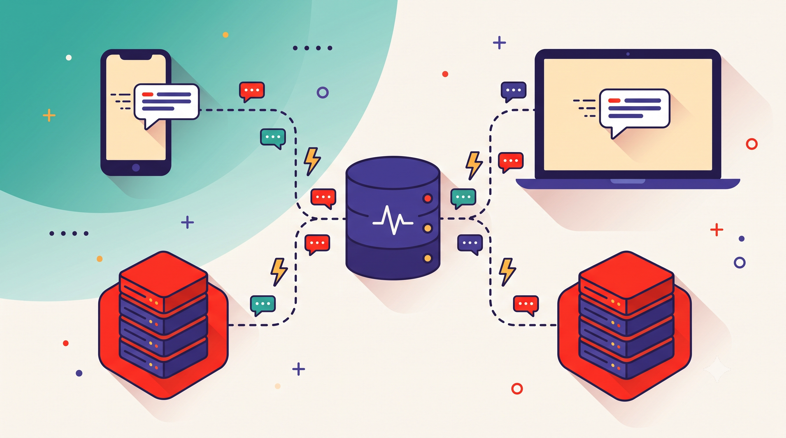
Until this year, every Laravel team that wanted to scale Reverb past a single process ended up having the same conversation. Someone would say "we just need a second Reverb worker," and someone else would answer "then we need Redis." Not because the app used Redis for anything else, but because Reverb's scaling mode only spoke Redis pub/sub. For a lot of small and mid-sized apps, that meant installing, securing, and monitoring an entire extra service to pass a few hundred messages per minute between two PHP processes.
Laravel 13, released on March 17, 2026, quietly removed that requirement. The release added a database driver to Reverb's scaling layer, so real-time features can now run across multiple processes without a Redis dependency, which meaningfully simplifies infrastructure for smaller deployments (Laravel News, PHP Everyday). Your MySQL or PostgreSQL server, the one you already back up and monitor, becomes the message bus.
That raises a genuinely interesting question: when should you use it? The database driver isn't a free lunch, and Redis (or Valkey) still wins in specific scenarios. We run a lot of Reverb in production for our own platform and for customers, and in this post we'll walk through how Reverb scaling actually works, what the new driver changes, an honest decision framework for choosing between the three options, and the full production setup either way. If you're newer to this topic, our WebSockets primer for Laravel developers covers the fundamentals before you get into scaling questions.
How Reverb Scaling Works Under the Hood
To understand why the database driver matters, you need to understand what problem the scaling layer solves in the first place. Reverb is a long-running PHP process built on an event loop. When a browser opens a WebSocket connection, that connection lives inside one specific Reverb process. The process holds it in memory, tracks its channel subscriptions, and answers its ping frames.
When your Laravel app broadcasts an event, say OrderShipped, it doesn't talk to the browser directly. It sends an HTTP request to Reverb's Pusher-compatible API, and Reverb then pushes the payload down every open connection subscribed to that channel. With a single Reverb process, this is beautifully simple. One process knows about every connection, so every subscriber gets the message. No coordination required, no backplane, no extra config.
The moment you run two Reverb processes, that guarantee breaks. Picture process A on port 8080 and process B on port 8081, with Nginx load balancing between them. Alice's browser connects to process A. Bob's browser connects to process B. Your app broadcasts OrderShipped, and the HTTP request happens to land on process A. Alice gets the event instantly. Bob gets nothing, because process B never heard about it. His connection is sitting in a different process's memory, invisible to A.
This is the fan-out problem, and it's why Reverb has a scaling mode at all. When you set REVERB_SCALING_ENABLED=true, each Reverb process stops assuming it knows about every subscriber. Instead, every broadcast is also published to a shared backplane, and every process subscribes to that backplane. Process A receives the event, delivers it to its local connections, and publishes it to the bus. Process B picks it up from the bus and delivers it to Bob. Same story across multiple servers: the backplane is what lets a Reverb process on server one reach a browser connected to server two.
Historically, that backplane had exactly one implementation: Redis pub/sub. It's an excellent fit technically, since Redis pushes messages to subscribers with sub-millisecond latency and handles enormous throughput. But it made Redis a hard dependency the moment you needed more than one process. Even a modest two-process setup for redundancy dragged a new service into your stack. That's the assumption Laravel 13 finally relaxed.
What Does the Laravel 13 Database Driver Actually Change?
The change itself is easy to describe: Reverb's scaling layer is now driver-based, and database joins redis as a first-party option (Laravel News). Instead of publishing inter-process messages through Redis pub/sub, each Reverb process writes broadcast payloads to a table in your existing database and polls that table on a short interval for messages published by its siblings. Each process keeps a cursor of the last message it applied, delivers new rows to its local connections, and old rows get pruned automatically so the table stays small.
Mechanically it resembles how Laravel's database queue driver relates to the Redis queue driver. Same contract, different transport, different performance envelope. The write path adds one insert per broadcast, and the read path adds a cheap indexed query per polling tick per process. For an app broadcasting dozens or even hundreds of events per minute, that load is a rounding error on any reasonably sized MySQL or PostgreSQL instance.
What you gain is operational subtraction. One less service to install and patch. One less port to firewall. One less thing to monitor at 3 a.m., and one less line item on your smallest client's VPS. Your database is already backed up, already monitored, and already part of your mental model. The PHP Everyday upgrade guide calls this out specifically as a simplification aimed at smaller deployments that want multi-process Reverb without growing their stack (PHP Everyday).
What you trade away is push semantics. Redis pub/sub delivers messages to subscribers the instant they're published. A polling driver, by definition, delivers them on the next tick. In practice the interval is a fraction of a second, so a chat message crossing processes arrives tens of milliseconds later than it would over Redis. Users won't notice on a notification bell or a dashboard widget. A multiplayer cursor overlay is a different story, and we'll get to that in the decision framework.
One thing that doesn't change at all: your application code. Broadcasting events, channel authorization, Echo on the frontend, presence channels, whispers, all of it is identical. The scaling driver is invisible above the transport layer. If you're planning the jump to Laravel 13 to get this feature, our guide to upgrading to Laravel 13 in production with zero downtime walks through the full process.
Which Scaling Backplane Should You Choose?
Here's the framework we use when customers ask. It comes down to three honest options, and the right answer depends on your connection count, your latency sensitivity, and how much infrastructure you want to own.
Option 1: A Single Reverb Process, No Backplane at All
This option gets skipped in most scaling discussions, which is a shame, because it's the correct choice for the majority of Laravel apps. A single Reverb process on a modern VPS comfortably handles thousands of concurrent connections. If your app serves a few hundred simultaneous users, one process has enormous headroom, and with no second process there's no fan-out problem to solve. Leave REVERB_SCALING_ENABLED unset and move on.
Strengths: Zero coordination overhead, zero extra latency, zero additional services. The simplest possible thing that works, and simple things fail less.
Best for: Apps with up to a few thousand concurrent connections, internal tools, dashboards, SaaS products in their first years, and anyone who hasn't yet measured a reason to scale.
Considerations: One process is one failure domain. If it crashes, everyone disconnects until Supervisor restarts it (Echo reconnects automatically, more on that below). You're also capped by a single CPU core for WebSocket work, so this stops being viable at genuinely large connection counts.
Option 2: The Database Driver
This is the new middle path. You run two or more Reverb processes, on one server or several, and coordinate them through the database you already operate. It's the option Laravel 13 built for teams that outgrew a single process but never wanted the Redis conversation.
Strengths: Horizontal scaling and process redundancy with no new services. Uses infrastructure you already back up, secure, and monitor. Trivial to set up: enable scaling, set the driver, run the migration.
Best for: Moderate scale, roughly the range where you want two to a handful of Reverb processes for redundancy or multi-server topologies, with broadcast volumes in the hundreds of messages per minute. Also ideal for agencies running many small client apps where every extra service multiplies across the fleet.
Considerations: Cross-process delivery latency is bounded by the polling interval, so it's tens of milliseconds slower than pub/sub. Every broadcast adds database writes, and every process adds polling reads, so very high message volumes will make your database work for a living. High-frequency events like live cursors or typing indicators across processes will feel the lag.
Option 3: Redis or Valkey Pub/Sub
The original backplane, and still the performance king. Messages move between processes with sub-millisecond latency, and a modest Redis or Valkey instance shrugs off tens of thousands of messages per second.
Strengths: Lowest possible cross-process latency, effectively unlimited fan-out throughput for anything a Laravel app will realistically produce, and battle-tested behavior at scale.
Best for: High fan-out workloads: busy chat products, live auctions, collaborative editing, real-time games, anything broadcasting high-frequency events to large audiences across multiple servers. Also the natural pick if Redis or Valkey is already in your stack for cache and queues, since the marginal cost is zero.
Considerations: It's another service with its own memory limits, persistence settings, and security posture. If it's only there for Reverb, you've added operational surface for one feature. On licensing and compatibility, Valkey is a drop-in replacement and our default recommendation; we compared the two in Valkey vs Redis for Laravel caching and queues.
The Three Options Side by Side
Single process | Database driver | Redis / Valkey | |
|---|---|---|---|
Extra services required | None | None (reuses your DB) | Redis or Valkey instance |
Cross-process delivery latency | Not applicable | Polling interval (tens of ms) | Sub-millisecond push |
Fan-out ceiling | One process's capacity | Moderate message volume | Very high |
Horizontal scaling | No | Yes | Yes |
Process redundancy | No | Yes | Yes |
Operational overhead | Lowest | Low | Moderate |
Best fit | Most apps, honestly | Moderate scale, simple ops | High-frequency, high fan-out |
A reasonable growth path: start with a single process, move to the database driver when you need redundancy or a second server, and reach for Valkey only when message frequency or audience size demands it. Each step is a config change, not a rewrite.
The Full Production Setup
Whichever backplane you pick, the surrounding production setup is identical, and this is where most real-world Reverb problems actually live. We've debugged more broken WebSocket deployments caused by Nginx timeouts and file descriptor limits than by anything in Reverb itself. Here's the complete checklist we apply, assuming Ubuntu 24.04, PHP 8.5, and Nginx, the same baseline as our production-ready Laravel stack guide.
Environment Configuration
Your .env defines the Reverb app credentials, the local bind address, and the public hostname the browser connects to. For a database-driver setup:
BROADCAST_CONNECTION=reverb

REVERB_APP_ID=482913
REVERB_APP_KEY=your-app-key
REVERB_APP_SECRET=your-app-secret

REVERB_HOST=ws.example.com
REVERB_PORT=443
REVERB_SCHEME=https

REVERB_SERVER_HOST=127.0.0.1
REVERB_SERVER_PORT=8080

REVERB_SCALING_ENABLED=true
REVERB_SCALING_DRIVER=database
For Redis or Valkey, swap the last two lines:
REVERB_SCALING_ENABLED=true
REVERB_SCALING_DRIVER=redis
REDIS_HOST=10.0.0.4
REDIS_PORT=6379
Two details trip people up here. First, REVERB_HOST and REVERB_PORT are what the browser sees (your public TLS endpoint on 443), while REVERB_SERVER_HOST and REVERB_SERVER_PORT are where the Reverb process binds locally. Reverb itself should listen on 127.0.0.1 and let Nginx terminate TLS in front of it. Second, when using the database driver, run your migrations after upgrading; the scaling table ships with the framework's Reverb migrations, and forgetting it produces confusing "works locally, silent in staging" behavior.
Supervisor: Keeping the Process Alive
Reverb is a long-running process, and long-running processes need a supervisor. Here's the stanza we generate for a two-process setup:
[program:reverb]
command=php /home/deploynix/example.com/current/artisan reverb:start --host=127.0.0.1 --port=80%(process_num)02d --no-interaction
process_name=%(program_name)s_%(process_num)02d
numprocs=2
autostart=true
autorestart=true
user=deploynix
stopasgroup=true
killasgroup=true
stopwaitsecs=15
stdout_logfile=/home/deploynix/.logs/reverb.log
redirect_stderr=true
The stopasgroup=true and killasgroup=true lines matter more than they look. Without them, Supervisor signals only the parent process on restart, and any children keep running as orphans holding the port. That's the classic "address already in use" loop after a deploy. With numprocs=2, Supervisor runs reverb_00 on port 8000 and reverb_01 on port 8001, and Nginx can balance across both. If you're running a single process, drop numprocs and hardcode the port.
Nginx: TLS Termination and the WebSocket Upgrade Block
WebSocket connections start life as an HTTP request with an Upgrade header, and Nginx will not forward that handshake unless you tell it to. This config handles TLS, the upgrade, and load balancing across two local Reverb processes:
map $http_upgrade $connection_upgrade {
    default upgrade;
    ''      close;
}

upstream reverb {
    server 127.0.0.1:8000;
    server 127.0.0.1:8001;
}

server {
    listen 443 ssl;
    http2 on;
    server_name ws.example.com;

    ssl_certificate     /etc/letsencrypt/live/ws.example.com/fullchain.pem;
    ssl_certificate_key /etc/letsencrypt/live/ws.example.com/privkey.pem;

    location / {
        proxy_pass http://reverb;
        proxy_http_version 1.1;
        proxy_set_header Upgrade $http_upgrade;
        proxy_set_header Connection $connection_upgrade;
        proxy_set_header Host $host;
        proxy_set_header X-Real-IP $remote_addr;
        proxy_set_header X-Forwarded-For $proxy_add_x_forwarded_for;
        proxy_set_header X-Forwarded-Proto $scheme;
        proxy_read_timeout 300s;
        proxy_send_timeout 300s;
    }
}
Three lines do the WebSocket-specific work. proxy_http_version 1.1 is required because the upgrade mechanism doesn't exist in HTTP/1.0, which is Nginx's default for upstream connections. The Upgrade and Connection headers are hop-by-hop, so Nginx strips them unless you explicitly re-add them. The map block is a small refinement worth keeping: it sends Connection: upgrade for WebSocket handshakes but Connection: close for plain HTTP requests to the same endpoint, which keeps Reverb's Pusher-protocol HTTP API working through the same server block.
The proxy_read_timeout Gotcha
This one deserves its own section because it produces the most confusing symptom in WebSocket operations: connections that work perfectly, then die after exactly sixty seconds of quiet. Nginx's proxy_read_timeout defaults to 60 seconds, and it measures the time between successive reads from the upstream. A WebSocket that hasn't sent anything for a minute looks, to Nginx, like a dead upstream, and Nginx closes it.
Reverb's protocol-level ping frames usually keep traffic flowing inside that window, so many teams never hit this. But "usually" isn't a plan. A paused laptop, a delayed ping, or a saturated event loop is enough to cross the threshold, and then your users see mysterious reconnect churn that never reproduces in testing. Set proxy_read_timeout (and proxy_send_timeout) well above the ping interval; we use 300 seconds as a sane default. The client reconnects gracefully either way, but there's no reason to burn reconnects on a timeout you control.
File Descriptor Limits
Every WebSocket connection is an open file descriptor, and Linux defaults assume you won't need many. A stock Ubuntu 24.04 process gets a soft limit of 1,024 descriptors, which means your "handles thousands of connections" Reverb process actually caps out around a thousand, then starts refusing connections with EMFILE errors.
Raise the limit in three places so it survives every path a process can start from. In /etc/security/limits.conf:
deploynix soft nofile 65535
deploynix hard nofile 65535
In the Supervisor main config, since Supervisor sets its own limit and children inherit it:
[supervisord]
minfds=65535
And check the kernel ceiling with sysctl fs.file-max, though on modern systems it's rarely the constraint. Remember Nginx holds a descriptor per proxied connection too, so bump worker_rlimit_nofile and worker_connections in nginx.conf to match. We covered the full Reverb hardening pass, including these limits, in our earlier deep-dive on running Reverb in production.
How Do You Monitor Reverb in Production?
The first number to watch is concurrent connections, because it's the number that predicts every other problem: file descriptor exhaustion, memory pressure, and the moment you need a second process. Laravel Pulse ships first-party Reverb cards that chart connection counts and message throughput per process, and for most teams that's the right starting point. It answers "how close are we to needing option two or three" with an actual graph instead of a guess.
When you want ground truth from the server itself, the kernel already knows. Count established connections on Reverb's port:
ss -tn state established '( sport = :8000 )' | wc -lOr count the process's open descriptors directly, which catches the EMFILE cliff before you fall off it:
ls /proc/$(pgrep -f reverb:start | head -1)/fd | wc -lAlert on trends, not absolutes. A connection count that doubles week over week is your early warning to plan the backplane move while it's still a calm config change. If you're on the database driver, add two database-side checks: the size of the scaling table (pruning should keep it small, so sustained growth means something's wrong) and write latency on the broadcast path. If broadcasts start queueing behind slow inserts, your message volume has outgrown polling, and that's your signal that the Valkey conversation has finally earned its place on the agenda.
Also watch memory per process. Reverb's event loop holds per-connection state, so memory grows roughly linearly with connections. A process that grows without connection growth is leaking, and autorestart=true in Supervisor is your safety net, not your fix.
What Happens During Deploys and Restarts?
Here's the part that surprises teams coming from stateless HTTP: a WebSocket server can't do a truly zero-downtime handoff of its connections. Each connection lives in a specific process's memory, and when that process exits, the connection goes with it. A deploy that restarts Reverb disconnects every client, full stop. The good news is that the ecosystem is built around this reality, and handled properly, users never notice.
After a deploy, signal the running servers with:
php artisan reverb:restartThis publishes a restart instruction over your scaling backplane (the database or Redis, whichever you've configured), and each Reverb process finishes its in-flight work, closes its connections cleanly, and exits. Supervisor sees the exit and immediately starts fresh processes running your new code. The stopwaitsecs=15 in the stanza above gives the graceful path room to complete before Supervisor escalates to SIGKILL.
On the client side, Echo's underlying Pusher protocol client treats disconnection as normal weather. It reconnects automatically with exponential backoff, re-subscribes to every channel, re-authorizes private and presence channels, and rejoins presence member lists. The typical gap is one to a few seconds. Your job is to make that gap harmless: don't treat the WebSocket as a source of truth. Fetch current state on page load and on reconnect, and use broadcasts as invalidation hints rather than the only copy of the data. Events broadcast during the gap are not replayed, so any UI that must not miss updates should re-sync when Echo fires its reconnected state change.
One more note for multi-process setups: reverb:restart is another reason the backplane matters. With scaling enabled, one command gracefully cycles every process on every server. Without it, you're restarting processes one by one and hoping you didn't miss any.
Reverb on Deploynix: The Redis Question Is Already Answered
We'll be direct about where our platform fits, because this post exists partly due to how often the "do I need Redis for Reverb?" question lands in our support inbox. On Deploynix, an app server ships with Valkey installed and configured out of the box, alongside Nginx, PHP-FPM, MySQL, and Supervisor. So the decision framework above gets simpler in practice: the Redis-class backplane is already there, already secured, already maintained. Whether you point Reverb's scaling driver at your database or at the local Valkey instance is purely a latency-versus-load decision, not an infrastructure project. That's true on every provider we support: DigitalOcean, Vultr, Linode, Hetzner, AWS, or any custom VPS.
Running the process itself is a daemons job. In the server's Daemons UI, add php artisan reverb:start --host=127.0.0.1 --port=8080 with your app's directory, set the process count, and pick the stop signal. Under the hood we write a Supervisor program with the same stopasgroup and killasgroup safety rails shown earlier, and the daemon survives reboots and crashes without you touching a config file over SSH. Free SSL via certbot covers the ws. subdomain, and server monitoring with alerts gives you the early warning on connection and memory trends we described above.
When you do outgrow a single box, the pieces are already shaped for it. A dedicated cache server type runs Valkey with TLS enabled for exactly this backplane role, and the load balancer server type forwards WebSocket upgrade headers correctly out of the box, so multi-server Reverb doesn't require hand-editing proxy configs. If you're deciding how to split things up, our breakdown of seven server types and when to use each maps these roles onto real application shapes.
FAQ
Does the database scaling driver work with MySQL, PostgreSQL, and SQLite?
It targets your default database connection, so MySQL and PostgreSQL are both fully supported in production. SQLite technically works and is handy for local multi-process testing, but its single-writer model makes it a poor backplane under real broadcast volume. Use whatever production database you already run; that's the entire point of the driver.
Do I still need Redis or Valkey for queues and cache if Reverb uses the database driver?
No, the choices are independent. Reverb's scaling driver, your queue driver, and your cache driver are three separate settings. Plenty of Laravel 13 apps now run entirely Redis-free: database queues, database cache, and database-backed Reverb scaling. That said, if Valkey is already in your stack for queues, pointing Reverb at it costs nothing.
How many concurrent connections can one Reverb process handle?
There's no fixed number, since payload size and message frequency matter as much as connection count. As a rough planning figure, a single process on a 2 vCPU server with proper file descriptor limits comfortably holds thousands of mostly-idle connections. Measure with Pulse under your real traffic before assuming you need a backplane at all.
Will switching scaling drivers require any frontend changes?
None. Echo, channel authorization, presence channels, and your broadcast events are all unchanged, because the scaling driver operates below the Pusher protocol layer. Moving from single-process to database to Valkey is an .env change plus a process restart. Clients disconnect briefly during the restart and Echo reconnects and re-subscribes automatically.
What happens to messages broadcast while a client is reconnecting?
They're gone, on every driver. Reverb delivers to currently connected clients and doesn't replay missed events. Design for it: fetch authoritative state on load and on Echo's reconnect event, and treat broadcasts as prompts to update, not as the system of record. This matters most during deploys, when every client reconnects at once.
Where to Go Next
The database driver doesn't make Redis obsolete; it makes Redis optional, which is a more useful kind of progress. Single process for most apps, database driver when you need redundancy without new services, Valkey when fan-out and latency genuinely demand it. Each step up is a config change you can make the week you need it, not an architecture decision you have to get right on day one.
If you want to put this into practice, the concrete next step is a staging run: provision an app server, add reverb:start as a daemon, flip REVERB_SCALING_DRIVER=database with two processes, and watch the connection graphs while you send real traffic through it. An afternoon of that will tell you more about your app's real-time profile than any decision table, ours included.