Laravel 13's First-Party JSON:API Support: Standards-Compliant APIs Without Packages
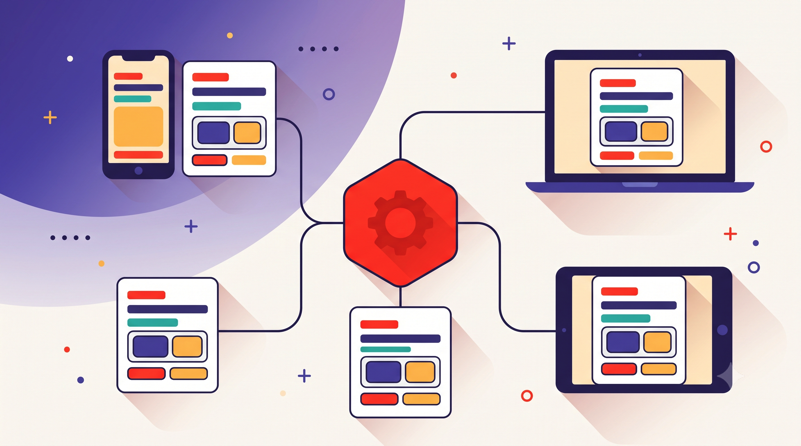
Every Laravel team that has shipped a standards-compliant API knows the tax: a third-party package like laravel-json-api/laravel, its config files, a custom schema directory, and hundreds of lines of glue code holding the response format together. Laravel 13 moves that entire layer into the framework, behind resource classes that look almost exactly like the Eloquent API Resources every Laravel developer already knows. For teams running those packages today, the migration is mostly deletion — though as with any format swap consumed by mobile clients, you'll want contract tests proving the output matches before anything ships.
That's the practical story behind one of Laravel 13's headline features. The release, which shipped on March 17, 2026, requires PHP 8.3 or higher and introduces no breaking changes to application code (Laravel News). Tucked in alongside the usual quality-of-life improvements is first-party JSON:API support: new resource classes that handle response serialization, relationship inclusion, sparse fieldsets, links, and compliant response headers automatically (PHP Everyday). Before this, standards-compliant APIs in Laravel meant third-party packages or a lot of hand-rolled convention documents that every new hire had to absorb.
One caveat before the code: the samples below reflect the API surface as described in release coverage and our early usage. Exact class and method names can shift between minor releases, so treat them as the shape of the feature and confirm against the official docs for your installed version.
We provision and deploy a lot of Laravel APIs at Deploynix, so we've spent real time with the new JSON:API layer since the release. This post covers what the specification buys you, how the new resource classes compare to classic Eloquent API Resources, how to handle includes and sparse fieldsets without wrecking your query count, and what changes at the server level when you take a compliant API to production.
Why Does JSON:API Compliance Matter for a Laravel API?
JSON:API is a specification for building HTTP APIs in JSON, maintained at jsonapi.org. It defines the shape of every response your API returns: how resources are structured, how relationships are expressed, how errors are formatted, how clients request related data, and how pagination links are exposed. In other words, it answers all the questions your team currently answers in a Notion doc titled "API Conventions" that nobody has updated since 2024.
That sounds bureaucratic until you've maintained an API consumed by more than one client. Every unspecified decision becomes a negotiation. Should errors be {"error": "..."} or {"errors": [...]}? Are timestamps ISO 8601 or Unix epochs? Does the mobile team get a slimmed-down payload, or do they download the full resource and throw most of it away over a cellular connection? Multiply those debates across five endpoints and three client teams and you've burned a sprint on formatting.
Compliance pays off in three concrete ways. First, client tooling: because the document structure is standardized, generic JSON:API client libraries exist for TypeScript, Swift, Kotlin, and most other client-side ecosystems, so frontend teams deserialize your responses without writing bespoke mapping code. Second, standardized errors: the spec's errors array with status, title, detail, and source.pointer members means validation failures render identically everywhere, and client error handling gets written once. Third, sparse fieldsets: clients ask for exactly the attributes they need, which trims payloads meaningfully for list endpoints on mobile networks.
What a compliant response actually looks like
Here's a minimal JSON:API document for a single article with its author included:
{
  "data": {
    "type": "articles",
    "id": "42",
    "attributes": {
      "title": "Zero-downtime deploys, explained",
      "published_at": "2026-07-14T09:30:00+00:00"
    },
    "relationships": {
      "author": {
        "data": { "type": "users", "id": "7" }
      }
    },
    "links": {
      "self": "https://api.example.com/v1/articles/42"
    }
  },
  "included": [
    {
      "type": "users",
      "id": "7",
      "attributes": { "name": "Rana Farouk" }
    }
  ]
}
Every resource carries a type and a string id. Relationships are expressed as linkage objects rather than nested blobs, and related resources travel in a top-level included array so each one appears exactly once, no matter how many resources reference it. Responses are served with the application/vnd.api+json media type. None of this is hard to produce by hand. It's just tedious, and tedious formats drift. A framework-level implementation is what keeps them from drifting.
What Ships in Laravel 13 for JSON:API?
Laravel 13's contribution is a set of resource classes that sit next to the classic JsonResource family. Extend the JSON:API base class instead of the classic one and the framework takes over the spec's mechanical obligations: it wraps your data in the correct document structure, resolves include query parameters into the included array, applies fields[type] sparse fieldsets, generates self and pagination links, and sets the application/vnd.api+json content type on the way out (PHP Everyday).
Because Laravel 13 has no application-code breaking changes (Laravel News), your existing classic resources keep working untouched. The JSON:API classes are additive. That matters for adoption: you can upgrade the framework first, then move endpoints to the new resources one route group at a time. If you haven't done the framework upgrade yet, we walked through the mechanics in upgrading to Laravel 13 in production with zero downtime, and the short version is that this is the calmest major upgrade since Laravel 10.
The new resource classes at a glance
A JSON:API resource looks like a classic resource that's been split into intent-revealing methods. Instead of one toArray() returning everything, you declare attributes, relationships, and links separately, and the framework assembles the document:
<?php

namespace App\Http\Resources\V1;

use Illuminate\Http\Request;
use Illuminate\Http\Resources\JsonApi\JsonApiResource;

class ArticleResource extends JsonApiResource
{
    /**
     * @return array<string, mixed>
     */
    public function toAttributes(Request $request): array
    {
        return [
            'title' => $this->title,
            'excerpt' => $this->excerpt,
            'body' => $this->body,
            'published_at' => $this->published_at?->toIso8601String(),
        ];
    }

    /**
     * @return array<string, callable>
     */
    public function toRelationships(Request $request): array
    {
        return [
            'author' => fn (): UserResource => UserResource::make($this->author),
            'comments' => fn () => CommentResource::collection($this->comments),
        ];
    }
}
Notice the closures in toRelationships(). Relationships are lazy: they only execute when a client actually asks for the relationship via ?include=author, so you never serialize data nobody requested. The resource's type is inferred from the model name by convention, and the id is cast to a string for you, which closes off two of the most common hand-rolled compliance bugs we see in customer codebases.
JSON:API Resources vs Classic Eloquent API Resources: Which Should You Use?
The honest answer is that most apps will end up with both, at least for a while. Here's how the options stack up now that the framework covers the standards-compliant path itself:
Concern | Classic | Laravel 13 JSON:API resources |
|
|---|---|---|---|
Response shape | Whatever you write | Spec-compliant document | Spec-compliant document |
Sparse fieldsets | Manual | Automatic via | Automatic |
Relationship inclusion | Manual | Automatic via | Automatic, schema-driven |
Pagination links | Laravel's default | JSON:API | JSON:API |
Content type |
|
|
|
Learning curve | Already known | Minutes if you know resources | Days; separate schema layer |
Maintenance risk | Yours | Framework release cycle | Third-party release cycle |
Strengths: Classic resources are infinitely flexible and every Laravel developer can read them. The new JSON:API resources give you the spec for roughly the same effort as a classic resource, with the framework's backward-compatibility promise behind them. The community package remains the most feature-complete implementation, covering corners of the spec like atomic operations that the first-party classes don't attempt.
Best for: Classic resources fit internal APIs, backend-for-frontend endpoints serving a single SPA you also control, and webhook payloads with contractually fixed shapes. The first-party JSON:API resources are the right default for any public API or any API with two or more client teams. The package still earns its keep in large existing installs already built on its schema system, where a migration would cost more than it returns.
Considerations: Moving an endpoint from classic resources to JSON:API resources changes the response shape, so it's a breaking change for consumers and belongs behind a new API version rather than in a point release. And if your team has heavy customization hanging off the community package, don't rush; the package continues to work fine on Laravel 13, and you can migrate opportunistically.
Migrating an existing resource without a rewrite
The mechanical translation is pleasantly boring. Your classic toArray() splits in two: scalar values move to toAttributes(), and every whenLoaded() call becomes a lazy relationship in toRelationships(). Conditional attributes via when() work the same way they always have. What disappears is the defensive code: the manual data wrapping, the string casts on IDs, the hand-built links blocks, and the middleware you wrote to force the content type header.
Our advice is to migrate by route group, not by resource. Stand up /api/v2 with JSON:API resources while /api/v1 keeps serving the old shapes from the same models. Both resource families can coexist in one codebase indefinitely, which is the same incremental posture we recommended when Laravel 12 changed its deployment defaults: move deliberately, keep the old path alive until traffic proves the new one.
When plain resources are still the right call
Don't force the spec where it adds no value. If your API's only consumer is your own Nuxt frontend and the payloads are bespoke view models, JSON:API's indirection buys you compound-document plumbing your one client will never exercise. The same goes for outbound webhooks, where consumers have already coded against your exact JSON and stability beats standards. Compliance is a tool for coordination across teams. One team doesn't need it.
How Do You Handle Relationship Inclusion Without N+1 Queries?
The include parameter is the spec's best feature and its biggest performance trap. When a client sends GET /api/v1/articles?include=author,comments, the framework will happily serialize those relationships, and if you haven't eager loaded them, it will do so one query at a time per article. Fifty articles with two includes becomes a hundred extra queries. The serialization layer went first-party; the query discipline is still on you.
Our rule: the include parameter must drive your eager loading, and it must be whitelisted. Both jobs belong in a Form Request, which keeps the controller honest and gives clients a proper 422 when they ask for a relationship you don't expose:
<?php

namespace App\Http\Requests\Api\V1;

use Illuminate\Foundation\Http\FormRequest;

class ListArticlesRequest extends FormRequest
{
    private const ALLOWED_INCLUDES = ['author', 'comments', 'comments.author'];

    public function authorize(): bool
    {
        return true;
    }

    /**
     * @return array<string, array<int, string>>
     */
    public function rules(): array
    {
        return [
            'include' => ['sometimes', 'string'],
            'page.number' => ['sometimes', 'integer', 'min:1'],
            'page.size' => ['sometimes', 'integer', 'between:1,100'],
        ];
    }

    /**
     * @return list<string>
     */
    public function includes(): array
    {
        $requested = array_filter(explode(',', (string) $this->query('include', '')));

        abort_unless(
            array_diff($requested, self::ALLOWED_INCLUDES) === [],
            422,
            'Unsupported include parameter.'
        );

        return array_values($requested);
    }
}
The controller then feeds the validated includes straight into with():
<?php

namespace App\Http\Controllers\Api\V1;

use App\Http\Requests\Api\V1\ListArticlesRequest;
use App\Http\Resources\V1\ArticleResource;
use App\Models\Article;
use Illuminate\Http\Resources\JsonApi\JsonApiResourceCollection;

class ArticleController extends Controller
{
    public function index(ListArticlesRequest $request): JsonApiResourceCollection
    {
        $articles = Article::query()
            ->with($request->includes())
            ->latest('published_at')
            ->paginate($request->integer('page.size', 25));

        return ArticleResource::collection($articles);
    }
}
Because relationships in the resource are lazy closures, an article's comments closure simply never runs when the client didn't include it. Eager loading and lazy serialization meet in the middle, and the query count stays flat regardless of what the client asks for. We also strongly recommend Model::preventLazyLoading(! app()->isProduction()) in your AppServiceProvider. It turns any include you forgot to whitelist into a loud exception in staging instead of a silent N+1 in production.
One more discipline point: cap your include depth. comments.author is reasonable. comments.author.team.members.roles is a database stress test that a stranger on the internet can trigger with one GET request. The whitelist makes that decision explicit and reviewable in a pull request.
Sparse Fieldsets: Do They Actually Save Bandwidth?
Yes, and more than you'd guess for list endpoints. Sparse fieldsets let a client request GET /api/v1/articles?fields[articles]=title,published_at, and the framework strips every other attribute from the response. Your resource class doesn't change at all; the filtering happens in the serialization layer.
Think about what a typical article listing actually needs: a title, a date, maybe an excerpt. Without fieldsets, every row also drags its full body over the wire because that field lives in toAttributes(). Run the arithmetic on a 25-row index page where each body averages 8 KB: that's roughly 200 KB of payload the list view never renders, versus a few kilobytes for the fields it does. On a cellular connection, that's the difference between a list that renders instantly and one that visibly loads — and the client team can make that optimization without a single backend deploy, which is precisely the point of a standardized parameter.
Two cautions from production experience. First, sparse fieldsets multiply the number of distinct response shapes per URL, so if you cache responses, the full query string, including fields and include, must be part of your cache key. Getting that wrong means one client's slim payload gets served to another client expecting the full document. Second, don't treat fieldsets as an authorization mechanism. The spec makes them a bandwidth optimization the client controls. If an attribute is sensitive, it should never enter toAttributes() for that user, fieldsets or not; that's a job for your policies and conditional attributes.
Pagination and Links: What Does the Framework Generate for You?
Return a paginator from your controller, as in the example above, and the JSON:API collection class emits the spec's links object with first, last, prev, and next members, plus a meta block with totals. The links preserve the rest of the query string, so a client walking next links keeps its includes and fieldsets without reassembling URLs. Packages like spatie/laravel-json-api-paginate existed to bolt the spec's page[number]/page[size] parameter style onto Laravel's paginator; for new Laravel 13 apps that dependency can simply not be installed.
The spec's page[number] and page[size] parameter family is what the first-party layer expects, which is why our Form Request validated page.number and page.size above. Bound the size. Always. An unbounded page[size]=100000 is the cheapest denial-of-service request there is, and between:1,100 in a Form Request is the cheapest fix. For feeds that grow quickly, cursor pagination is the better engine underneath: Laravel's cursor paginator slots into the same links structure with opaque cursors, and clients that follow links rather than constructing page numbers won't notice the swap. That "follow the links" habit is worth stating in your API docs explicitly, because it's what lets you change pagination strategy later without breaking anyone.
Each resource also gets a self link derived from your route definitions, which client-side caches use for identity. It's a small thing, but it's another block of boilerplate you no longer write or test.
What's a Sane Versioning Strategy for a JSON:API Backend?
Adopting the new resources is the natural moment to fix your versioning story, because the response shape is changing anyway. The spec itself is versioning-neutral, so the choice is yours:
Strategy | Example | Trade-off |
|---|---|---|
URI prefix |
| Visible, cache-friendly, trivial routing; "ugly" URLs |
Header-based |
| Clean URLs; invisible in logs, easy for clients to forget |
Media type parameters |
| Spec-adjacent; poor tooling support, confuses proxies |
Strengths: URI prefixes make the version obvious in every access log, every CDN rule, and every curl reproduction a customer pastes into a support ticket. Header versioning keeps URLs stable across versions, which some teams value for bookmarkable resources.
Best for: URI prefixes fit almost everyone, and they're what we run for the Deploynix API itself. Header or date-based versioning suits platforms with many small breaking changes and sophisticated client SDKs that pin versions automatically.
Considerations: Media-type parameter versioning looks principled on paper but fights real-world tooling; several proxies and client libraries mishandle parameters on application/vnd.api+json, and debugging that is nobody's idea of a good week.
Whatever you choose, map versions to route groups backed by separate resource namespaces (App\Http\Resources\V1, App\Http\Resources\V2). Models and business logic stay shared; only the serialization layer forks. When v1 traffic finally dies, you delete a folder and a route file. We covered the operational side of running multiple API versions behind one deploy pipeline in the definitive guide to Laravel deployment in 2026, and the advice there holds unchanged for JSON:API backends.
Testing JSON:API Endpoints with Pest
Compliance you don't test is compliance you'll lose in a refactor. The good news is that Pest and Laravel's JSON assertions already speak this dialect fluently, and the first-party resources mean you're asserting framework behavior plus your whitelist, not a hand-rolled serializer:
<?php

use App\Models\Article;

it('returns a compliant article listing', function () {
    Article::factory()->count(3)->create();

    $response = $this->getJson('/api/v1/articles');

    $response->assertOk()
        ->assertHeader('Content-Type', 'application/vnd.api+json')
        ->assertJsonStructure([
            'data' => [
                ['type', 'id', 'attributes' => ['title', 'published_at']],
            ],
            'links' => ['first', 'last'],
        ]);
});

it('includes authors without extra queries per article', function () {
    Article::factory()->count(20)->create();

    $this->getJson('/api/v1/articles?include=author')
        ->assertOk()
        ->assertJsonStructure(['included']);
})->expectsDatabaseQueryCount(3);

it('rejects includes that are not whitelisted', function () {
    Article::factory()->create();

    $this->getJson('/api/v1/articles?include=secrets')
        ->assertUnprocessable();
});

it('honours sparse fieldsets', function () {
    Article::factory()->create(['title' => 'Queues in depth']);

    $this->getJson('/api/v1/articles?fields[articles]=title')
        ->assertOk()
        ->assertJsonPath('data.0.attributes.title', 'Queues in depth')
        ->assertJsonMissingPath('data.0.attributes.body');
});
The query-count assertion is the one we'd call non-negotiable. It's the test that catches the intern (or, let's be honest, the senior) who adds a relationship to the whitelist without adding it to the eager-load path. Shape tests catch drift; count tests catch cost. You want both, and a dataset over your allowed includes keeps the suite short.
Production Concerns: Caching, Rate Limiting, and CORS
A standards-compliant API changes a few things at the infrastructure layer, and they're worth handling before launch rather than after the first incident.
Caching first. JSON:API responses are highly cacheable because GETs are pure functions of the URL, but only if your cache respects the whole query string. include and fields combinations are distinct documents, so whether you cache in Valkey at the application layer or at a CDN, the normalized full URL is the key. Sort the query parameters before hashing, or ?include=author,comments and ?include=comments,author will fill your cache with duplicate entries. ETags pair beautifully with this setup: hash the serialized document, return 304s to clients that revalidate, and mobile clients on flaky connections will thank you.
Rate limiting deserves more thought than a blanket throttle:60,1, because JSON:API requests have wildly uneven costs. A sparse-fieldset listing is cheap; a three-level include is not. Weight your limiter buckets accordingly, and give unauthenticated traffic a much tighter budget than authenticated clients. We wrote up our full approach, including limiter design and edge protection, in rate limiting and DDoS protection for Laravel apps on Deploynix.
CORS is the classic launch-day surprise for API-only apps. Browsers won't send Content-Type: application/vnd.api+json cross-origin without a preflight, so your config/cors.php needs your frontend origins listed and the OPTIONS route reachable without authentication. Test this from a real browser on your staging domain, not just from curl, because curl doesn't preflight and will cheerfully tell you everything is fine.
Finally, deploys. Config cache, route cache, and OPCache resets are already table stakes; the JSON:API-specific wrinkle is that your API now has consumers with retry logic and SLAs of their own, so a 30-second php artisan down window during releases is no longer acceptable. That's a solved problem, which brings us to the next section.
Running a Laravel 13 JSON:API on Deploynix
Here's how we'd stand up a production home for an API-only Laravel 13 app on Deploynix, start to finish. Provision an app server on your provider of choice (we support DigitalOcean, Hetzner, Vultr, Linode, AWS, or any custom VPS) running Ubuntu 24.04 LTS. Pick PHP 8.5, the current stable; Laravel 13's floor is PHP 8.3 (Laravel News), but there's no reason to start a new API on anything but current. The app server type gives you Nginx, PHP-FPM, Supervisor, and a local Valkey instance in one pass, which covers a small API completely. As traffic grows, you split out a dedicated database server (MySQL, MariaDB, or PostgreSQL), a Valkey cache server for your response and rate-limiter storage, and worker servers for queues, without changing your application code.
Give the API its own subdomain. Create the site as api.yourapp.com, point DNS, and Deploynix issues the SSL certificate automatically; if you're running per-customer or per-environment subdomains, wildcard certificates are included too. A dedicated API host keeps your CORS story clean and lets you set API-specific Nginx behavior, like client body size limits and JSON error pages, without touching your marketing site. If your frontend is a separate Next.js or Nuxt app, the pattern we described in deploying a Laravel API with a separate frontend on Deploynix applies directly, with the JSON:API layer slotting in as the contract between the two.
The deploy path is where compliance meets operations. Deploynix deploys are zero-downtime by default: each deploy builds a fresh release directory, runs your hooks (composer install, config cache, route cache, migrations), and then swaps an atomic symlink. PHP-FPM never serves a half-updated codebase, and your API consumers never see a 502 during a release. That matters more for an API than for a website, because your consumers are retry loops and mobile apps, not patient humans with a reload button. If a release goes sideways, rollback is the same symlink swap in reverse, so the bad version's exposure window is seconds. Queue workers for your API's async work, plus the scheduler's cron entry, are configured from the UI and supervised automatically, so a deploy also restarts workers and they pick up the new code instead of serving stale classes.
Wire it into CI and the whole thing becomes a merge-to-deploy pipeline: run your Pest suite, including those compliance and query-count tests, in GitHub Actions, then trigger the deploy through the Deploynix API on green. The full recipe is in CI/CD for Laravel with GitHub Actions and the Deploynix API. Round it out with monitoring alerts on the server and automated database backups to any S3-compatible storage, and the operational side of your standards-compliant API is roughly a morning's work.
FAQ
Do I have to migrate my existing API Resources when upgrading to Laravel 13?
No. Laravel 13 introduces no application-code breaking changes (Laravel News), and classic JsonResource classes keep working exactly as before. The JSON:API resource classes are additive. Upgrade the framework first, then adopt the new resources per route group, ideally behind a new API version since the response shape changes.
Which PHP version do I need for the new JSON:API support?
Laravel 13 requires PHP 8.3 at minimum (Laravel News). We recommend deploying on PHP 8.5, the current stable release, and Deploynix servers can run multiple PHP versions side by side, so you can move an older site to 8.5 independently of everything else on the box.
Can JSON:API resources and classic resources coexist in one application?
Yes, and that's the migration path we recommend. Keep /api/v1 on classic resources and build /api/v2 with JSON:API resources in a separate namespace. Both share the same models, policies, and Form Requests. Consumers migrate on their own schedule, and you retire v1 when its traffic reaches zero.
Does the first-party support replace packages like laravel-json-api/laravel entirely?
For most apps, yes: serialization, includes, sparse fieldsets, links, and headers are covered (PHP Everyday). The community package still goes further in areas like atomic operations and schema-driven filtering. If you depend on those, staying on the package is a perfectly good decision; it runs fine on Laravel 13.
Ship the First Endpoint This Week
The best way to evaluate Laravel 13's JSON:API layer isn't another article; it's one endpoint. Pick your most-consumed list route, build a v2 version with a JSON:API resource, a Form Request whitelist, and the four Pest tests above, and put it in front of one client team. In our experience the conversation that follows is short, because the payloads answer most of the questions.
When it's time to give that endpoint a production home, provision an Ubuntu 24.04 app server, point api. at it, and let the release-and-symlink deploy flow keep your consumers blissfully unaware that you ship on Fridays now. The spec handles the contract. The server should be just as boring.