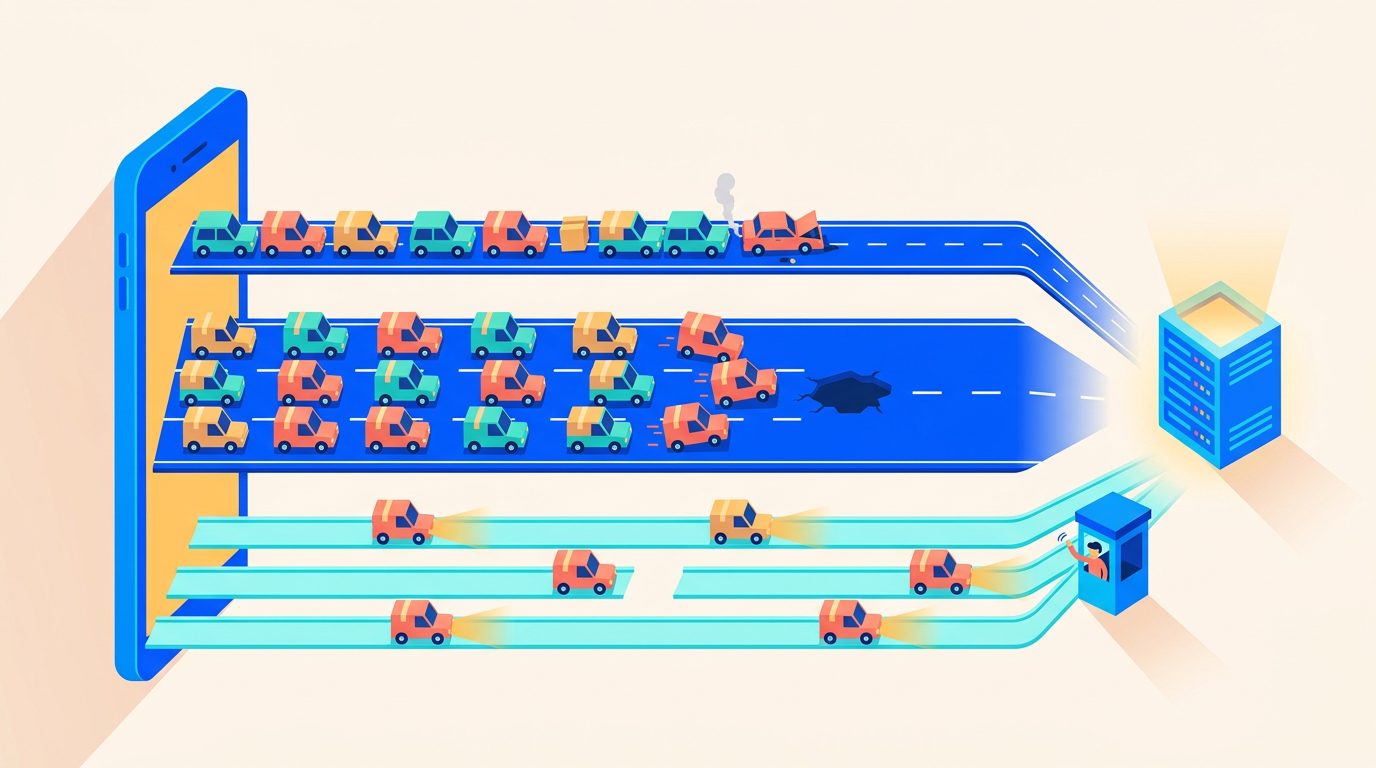
Building an MCP Server in Laravel: Let AI Agents Talk to Your App Safely
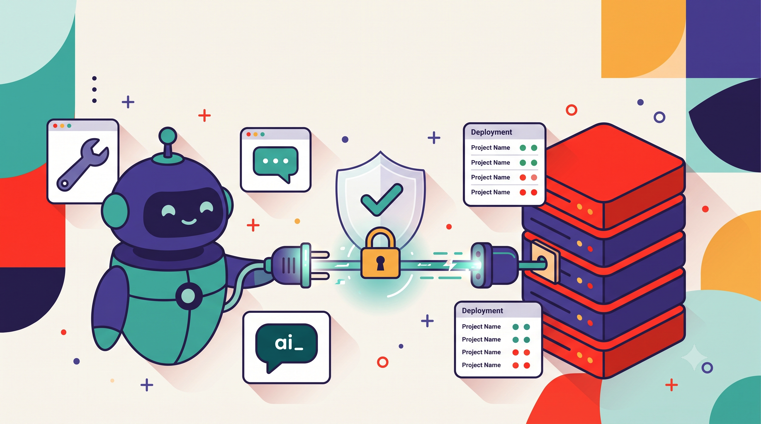
Picture a support engineer pasting a customer email into Claude and asking, "Why did this customer's last deployment fail?" Six months ago, the answer involved tab-switching between an admin panel, a log viewer, and a database client. Now the agent calls a tool named list-recent-deployments, reads the failed step's output through a second tool, and drafts a reply with the actual error attached. Nobody exported a CSV. Nobody ran a raw SQL query against production. The agent talked to the Laravel app directly, through a narrow, authenticated, audited interface that we designed for it.
That interface is an MCP server. The Model Context Protocol was introduced by Anthropic as an open standard in November 2024, and the interoperability story is the whole point: any MCP-compatible client, whether Claude, Cursor, or GitHub Copilot, can connect to any MCP server (Laravel MCP docs, Laravel's MCP guide). Laravel shipped first-party support through the official laravel/mcp package (Packagist), so you define tools the same way you define controllers, jobs, and policies: as small classes with validation and authorization built in.
Here's the tension, though. An MCP server is an API that a probabilistic system calls on behalf of a human. Agents in 2026 aren't autocomplete anymore; they run for minutes or hours and get delegated whole tasks (The New Stack). An agent with a badly scoped tool will eventually do something you didn't intend, not out of malice, but out of statistics. So this guide treats security as the backbone, not an afterthought. We'll build a working MCP server on Laravel 13 and PHP 8.5, then spend most of our time on the parts that keep it from becoming your most dangerous endpoint.
Key Takeaways
-
laravel/mcpis the official first-party package; tools are classes with schemas, validation, and authorization (Packagist). - Any MCP client (Claude, Cursor, Copilot) can connect to any MCP server, per the open standard Anthropic released in November 2024. - Treat agents as untrusted callers: Sanctum auth, per-tool policies, rate limits, audit logs, and confirmation gates for anything destructive.
Why Would You Let AI Agents Talk to Your Laravel App at All?
The honest answer: because your team is already using agents, and the alternative is worse. When an agent can't reach your app through a sanctioned interface, people improvise. They paste production data into chat windows. They hand agents database credentials "just for this one query." They screenshot admin panels. An MCP server replaces that improvisation with an interface you control, validate, and log.
We see three use cases that justify the effort, and we've built for all three internally.
Support tooling is the easiest win. A support agent (human or AI) needs read access to a customer's recent activity: orders, deployments, invoices, error events. These are read-only queries with obvious tenant boundaries. An MCP tool that accepts a customer ID, checks authorization, and returns a structured summary saves hours per week and leaks nothing beyond what the caller was already allowed to see.
Internal ops is the second tier. Think "requeue this failed job," "resend this webhook," or "toggle this feature flag for one team." These are write operations, but they're small, reversible, and already exposed in your admin panel. Wrapping them in MCP tools means an on-call engineer can ask an agent to triage an incident at 2 a.m. instead of clicking through five screens half-asleep. In our experience, the audit trail actually improves here, because every tool call is logged with arguments, while admin-panel clicks often aren't.
Customer-facing agent features are the third tier and the highest stakes. If your product exposes an MCP server to customers, their agents can integrate your product into their workflows without you building a bespoke plugin for every client. This is where MCP's client-agnostic design pays off: you build one server, and Claude, Cursor, and Copilot users all get the integration for free. It's also where every security control in this article stops being optional.
What about the counterargument, that a REST API already covers this? [UNIQUE INSIGHT] A REST API is documentation-shaped: a human reads the docs, writes glue code, handles pagination, and ships an integration. An MCP server is decision-shaped: it hands the client a menu of typed, described actions that a model can choose between mid-conversation, with no glue code in between. You'll likely want both, and they'll share the same policies underneath. The difference is who the consumer is and how much ceremony sits between intent and execution.
What Are MCP Tools, Resources, and Prompts?
MCP defines three primitives a server can expose, and picking the right one for each capability matters more than it first appears. Getting this wrong usually means shipping a tool that should have been a resource, which inflates your writable surface for no benefit.
Primitive | Direction | What it's for | Laravel analogy |
|---|---|---|---|
Tool | Agent calls it with arguments | Actions and parameterized queries: "create X," "list Y for Z" | A controller action with a Form Request |
Resource | Agent reads it | Reference material: docs, config, schema descriptions, reports | A read-only route serving a document |
Prompt | Agent requests a template | Reusable, server-authored instructions for common workflows | A Blade template for model instructions |
Tools are the workhorses. Each tool has a name, a natural-language description, and a typed argument schema. The description is not decoration: it's how the model decides when to call the tool, so write it like you'd write for a sharp junior engineer who skims. Vague descriptions produce misfired calls.
Resources are content the agent can pull into context: your API changelog, a runbook, a schema reference. If a capability takes no arguments and changes nothing, make it a resource, not a tool. Fewer tools means fewer wrong choices for the model and a smaller surface for you to authorize.
Prompts are server-provided templates. If every "triage an incident" conversation should start with the same instructions and the same data-gathering sequence, ship that as a prompt so users don't reinvent it badly. We've found that prompts are the most underused primitive; teams put workflow instructions in a wiki that agents never read, when the server itself could serve them.
One design rule we'd push hard: model your tools around intents, not tables. resend-failed-webhook is a good tool. update-webhook-row is a bad one, because it forces the model to understand your schema and gives it write access far beyond the intent. Narrow tools are easier to authorize, easier to describe, and much harder to misuse.
How Do You Build One with laravel/mcp?
The official package makes this feel like normal Laravel work, which is exactly what you want. Install it and publish the routes file:
composer require laravel/mcp
php artisan vendor:publish --tag=ai-routes
That gives you routes/ai.php, a dedicated routes file for MCP servers, deliberately separate from web.php and api.php. Then generate a server and a first tool:
php artisan make:mcp-server OpsServer
php artisan make:mcp-tool ListRecentDeployments
Defining the server
A server class declares its identity, its instructions to connecting clients, and its capabilities. Instructions matter: they're the system-level guidance every client receives, so use them to state what the server is for and what it will refuse to do.
<?php

namespace App\Mcp\Servers;

use App\Mcp\Tools\ListRecentDeployments;
use App\Mcp\Tools\RetryDeployment;
use Laravel\Mcp\Server;

class OpsServer extends Server
{
    protected string $name = 'Acme Ops';

    protected string $version = '1.0.0';

    protected string $instructions = <<<'TEXT'
        Read and act on deployment data for sites the authenticated
        user can access. Destructive operations are not exposed here.
        Always confirm the target site with the user before retrying
        a deployment.
        TEXT;

    protected array $tools = [
        ListRecentDeployments::class,
        RetryDeployment::class,
    ];
}
Defining a tool with validated arguments and authorization
A tool is a class with three jobs: describe itself, declare its argument schema, and handle the call. Validation and authorization live inside the tool, so there is no path to the business logic that skips them.
<?php

namespace App\Mcp\Tools;

use App\Models\Site;
use Illuminate\JsonSchema\JsonSchema;
use Laravel\Mcp\Request;
use Laravel\Mcp\Response;
use Laravel\Mcp\Server\Tool;
use Laravel\Mcp\Server\Tools\Annotations\IsReadOnly;

#[IsReadOnly]
class ListRecentDeployments extends Tool
{
    protected string $description = 'List the most recent deployments for a site, '
        .'including status, commit hash, and duration. Read-only.';

    public function schema(JsonSchema $schema): array
    {
        return [
            'site_id' => $schema->integer()
                ->description('The ID of the site to inspect.')
                ->required(),
            'limit' => $schema->integer()
                ->description('How many deployments to return, between 1 and 20.'),
        ];
    }

    public function handle(Request $request): Response
    {
        $validated = $request->validate([
            'site_id' => ['required', 'integer', 'exists:sites,id'],
            'limit' => ['nullable', 'integer', 'min:1', 'max:20'],
        ]);

        $site = Site::query()->findOrFail($validated['site_id']);

        if ($request->user()->cannot('view', $site)) {
            return Response::error('You are not authorized to view this site.');
        }

        $deployments = $site->deployments()
            ->latest()
            ->limit($validated['limit'] ?? 5)
            ->get(['id', 'status', 'commit_hash', 'created_at', 'finished_at']);

        return Response::text($deployments->toJson(JSON_PRETTY_PRINT));
    }
}
Three details are load-bearing here. First, $request->validate() uses the same rules engine as the rest of your app, so an agent that hallucinates 'limit' => 5000 gets a validation error, not a 5,000-row response. Second, the authorization check goes through your existing SitePolicy, the same one your controllers use. Third, the #[IsReadOnly] annotation tells clients this tool has no side effects, which well-behaved clients use to decide whether to ask the human before calling.
Registering routes: local (stdio) versus HTTP transports
MCP supports two transports, and routes/ai.php registers both in one place:
<?php

use App\Mcp\Servers\OpsServer;
use Laravel\Mcp\Facades\Mcp;

Mcp::local('ops', OpsServer::class);

Mcp::web('/mcp/ops', OpsServer::class)
    ->middleware(['auth:sanctum', 'throttle:mcp']);
Local (stdio) transport. The client launches php artisan mcp:start ops as a subprocess and talks to it over stdin/stdout.
Strengths: No network exposure at all; inherits the developer's local environment; zero TLS or token management; ideal for tools that touch the codebase itself.
Best for: Developer tooling on a single machine, such as an agent that inspects local migrations or seeds test data during development.
Considerations: Runs with the full permissions of the local user; useless for shared or hosted scenarios; each developer runs their own instance, so there's no central audit trail.
HTTP (web) transport. The server is a route in your deployed application, and remote clients connect over HTTPS.
Strengths: One server, many clients; full middleware stack (authentication, throttling, logging); centralized audit logs; works for teammates and customers, not just you.
Best for: Support tooling, internal ops, and any customer-facing agent feature. This is the production transport.
Considerations: It's an internet-facing endpoint, so everything in the next section applies. You also need to think about long-running tool calls and PHP-FPM worker occupancy, which we cover under production concerns.
During development, php artisan mcp:inspector gives you an interactive client for poking at your server before any real agent connects. Use it the way you'd use a REST client against a new API endpoint.
Security Is the Whole Job
Here's the mental model we'd ask you to adopt: an MCP server is an admin panel where the user is a language model. You wouldn't ship an admin panel without authentication, authorization, rate limits, and logs. The difference with agents is that the "user" will occasionally do something strange with full confidence, so your controls have to assume confused-but-authenticated callers as the normal case, not the edge case.
We think about this constantly because Deploynix ships a browser web terminal for managed servers, and the way we kept that safe shapes how we build MCP tools. [PERSONAL EXPERIENCE] The terminal doesn't pass arbitrary input to a root shell; it checks every command against an allowlist before execution. php artisan queue:restart passes. rm -rf /var/www never reaches the server. The lesson transfers directly: don't build one powerful generic tool and try to filter bad inputs out. Build narrow tools that can only express the actions you've already decided to allow. An allowlist of intents beats a blocklist of strings every time.
Authentication: Sanctum tokens, scoped per agent
Every HTTP-transport MCP server should sit behind authentication, and Sanctum's token abilities map naturally onto agent capabilities:
$token = $user->createToken('support-agent', ['mcp:read'])->plainTextToken;Issue one token per agent integration, never a shared team token, and give each token only the abilities its agent needs. A support agent gets mcp:read. An ops agent gets mcp:read and mcp:ops-write. Nothing gets a wildcard. Inside tools, check abilities alongside policies:
if (! $request->user()->tokenCan('mcp:ops-write')) {
    return Response::error('This token cannot perform write operations.');
}
Treat these tokens like any other production secret: rotate them on a schedule, revoke them when an integration is retired, and keep them out of .env files that get copied around. Our approach to storing and rotating credentials like these is covered in secrets management for Laravel. If you're building a customer-facing MCP server, laravel/mcp also supports OAuth via Passport, which is the right choice when third parties need to authorize their own agents without you handing out tokens manually.
Authorization: policies on every tool, no exceptions
Authentication answers "who is calling." Authorization answers "may this caller do this to this record," and it must be evaluated inside every tool, against the same policy classes your controllers use. This is the single most important line of defense against cross-tenant leaks, because agents are excellent at enumerating IDs. If a model decides the answer might be on site 42 instead of site 41, it will simply try site 42. A policy check turns that from a data leak into a polite error the agent can relay.
Resist the temptation to authorize once at the middleware layer and trust tools from there. Middleware can verify the token; it can't know that site_id => 42 belongs to another organization. Per-record checks belong next to the query, exactly as in the ListRecentDeployments example above.
Rate limiting: budget the agent, not just the abuser
Agents fail in loops. A model that misreads an error message may retry the same tool call fifteen times in a minute, burning CPU and filling logs, with no attacker in sight. Define a named limiter and attach it to the MCP route group:
use Illuminate\Cache\RateLimiting\Limit;
use Illuminate\Http\Request;
use Illuminate\Support\Facades\RateLimiter;

RateLimiter::for('mcp', function (Request $request): Limit {
    return Limit::perMinute(30)->by(
        $request->user()?->currentAccessToken()?->id ?? $request->ip()
    );
});
Keying by token ID rather than user ID means one runaway agent integration gets throttled without locking out the user's other agents. Thirty calls per minute is generous for support workflows and stingy enough to contain a retry loop. Tune per server: a read-heavy support server can afford more than an ops server that mutates state. For the broader picture of throttling internet-facing Laravel endpoints, including protecting against deliberate abuse rather than confused agents, see our guide to rate limiting and DDoS protection for Laravel apps.
Audit logging: every call, every argument, every outcome
When an agent does something surprising, "what exactly happened" must be answerable in one query. Log every tool invocation with the token, tool name, arguments, outcome, and duration. A dedicated table beats scattering this through laravel.log:
McpToolCall::query()->create([
    'token_id' => $request->user()->currentAccessToken()->id,
    'tool' => static::class,
    'arguments' => $validated,
    'outcome' => 'ok',
    'duration_ms' => $durationMs,
]);
[UNIQUE INSIGHT] The audit log earns its keep beyond incident response: it's your tool-design feedback loop. When the same tool shows a high error rate, the description is probably misleading the model. When agents chain the same three tools in sequence hundreds of times, that sequence wants to become one purpose-built tool. We've reworked internal tool descriptions twice based purely on argument patterns in call logs, and both times the misfire rate dropped immediately.
Least privilege and confirmation gates
Scope every agent to the minimum set of tools it needs by splitting servers, not by hoping the model picks correctly. A SupportServer with read-only tools and an OpsServer with write tools, each behind different token abilities, is architecturally boring and operationally safe. An agent whose token can't reach the ops server cannot be talked into calling ops tools, no matter how creative the prompt injection in a customer's support ticket gets.
And some operations should never complete in a single call. Deleting a site, dropping data, force-releasing a lock: for these, expose a two-step gate. The first tool call returns a summary of what would happen plus a short-lived confirmation token; a second call must present that token to execute. The agent physically cannot skip the step where a human sees the plan. This mirrors how we think about deployment pipelines generally: any system that turns text into production actions is a target, and your deploy pipeline is an attack surface walks through the same reasoning for CI/CD. Better still, keep truly destructive operations out of MCP entirely. Absence is the strongest confirmation gate there is.
How Do You Test MCP Tools with Pest?
Like any Laravel endpoint: happy path, failure path, and the weird paths agents actually take. The package ships test helpers that call tools directly against a server class, so tests run fast and hit your real validation and policies.
<?php

use App\Mcp\Servers\OpsServer;
use App\Mcp\Tools\ListRecentDeployments;
use App\Models\Deployment;
use App\Models\Site;
use App\Models\User;

it('lists recent deployments for an authorized site', function () {
    $user = User::factory()->create();
    $site = Site::factory()->for($user->currentTeam)->create();
    Deployment::factory()->count(3)->for($site)->create();

    $response = OpsServer::actingAs($user)
        ->tool(ListRecentDeployments::class, ['site_id' => $site->id]);

    $response->assertOk()->assertSee('commit_hash');
});

it('refuses sites belonging to another team', function () {
    $user = User::factory()->create();
    $foreignSite = Site::factory()->create();

    $response = OpsServer::actingAs($user)
        ->tool(ListRecentDeployments::class, ['site_id' => $foreignSite->id]);

    $response->assertHasErrors();
});

it('rejects an out-of-range limit', function () {
    $user = User::factory()->create();
    $site = Site::factory()->for($user->currentTeam)->create();

    $response = OpsServer::actingAs($user)
        ->tool(ListRecentDeployments::class, [
            'site_id' => $site->id,
            'limit' => 5000,
        ]);

    $response->assertHasErrors();
});
Notice what the second test protects: tenant isolation. In our view that's the one test no MCP tool should ship without, because it's the failure mode agents trigger most naturally. Datasets work well here too; feed one test a list of malformed argument payloads (wrong types, missing keys, absurd values) and assert every one produces a validation error rather than a query. Your test suite is documentation of what the tool refuses to do, which is at least as important as what it does.
What Changes When You Deploy MCP to Production?
An MCP endpoint inherits every production concern your API routes have, plus a few of its own. Four deserve specific attention.
HTTPS is a requirement, not a preference. MCP clients transmit bearer tokens on every request, and remote MCP clients generally refuse plain-HTTP endpoints outright. Terminate TLS properly, redirect nothing, and treat certificate expiry as an outage. There's no "we'll add SSL after launch" phase for an endpoint whose entire traffic is authenticated tool calls.
Slow tools belong on the queue. A tool that triggers a report generation or a large export shouldn't hold a PHP-FPM worker for ninety seconds while an agent waits. Dispatch a queued job, return a job identifier immediately, and expose a small check-task-status tool the agent can poll. Agents handle this pattern well; they're patient pollers. This is the same class of problem as streaming AI responses through FPM, and the worker-occupancy math is identical to what we laid out in deploying AI-powered Laravel apps: every second a request occupies a worker is a second that worker can't serve anyone else.
Monitor tool call volume like a product metric and an alarm. Baseline your normal calls-per-hour per tool, then alert on deviation in either direction. A spike can mean a retry loop, a prompt-injection attempt, or a genuinely popular new workflow; you want to know which within minutes, and your audit log table makes the query trivial. Silence is a signal too: a tool whose volume drops to zero after a client update probably has a schema change the client can't parse anymore.
Version your tools like the API surface they are. Renaming a tool or tightening its schema breaks every connected client silently; the model just stops finding the tool it knew. Prefer additive changes, keep old argument shapes accepted where you can, and when you must break something, run old and new tools side by side for a deprecation window. The audit log tells you when the old one is finally unused.
Beyond these four, the standard hardening rules apply unchanged: keyed SSH only, a firewall that exposes 80 and 443 and nothing else, fail2ban on the rest. If you want the full pre-launch sweep, we keep a production security checklist for Laravel current for exactly this purpose.
Running an MCP-Enabled Laravel App on Deploynix
Everything above is plain Laravel, so it deploys like plain Laravel. Here's how we'd lay it out on our own platform, mostly as a worked example of the production section.
Provision an app server on whichever provider you use (DigitalOcean, Vultr, Linode, Hetzner, AWS, or a custom VPS) running Ubuntu 24.04 with PHP 8.5. The default hardening covers the baseline from the checklist: UFW, fail2ban, and key-only SSH out of the box. We like giving the MCP endpoint its own subdomain, mcp.yourapp.com, pointed at the same application. It keeps agent traffic visually separate in Nginx logs, lets you apply stricter rate limits at the vhost level later, and makes "turn off agent access" a one-line server block change instead of an application deploy. Free SSL covers it either way, and a wildcard certificate means new per-environment MCP subdomains don't need individual issuance.
Queue-backed slow tools need workers, which you can configure from the UI; Supervisor keeps them alive, and zero-downtime deploys with rollback mean a bad tool release is a one-click revert rather than an incident. Server monitoring and alerts handle the machine-level side of the volume monitoring discussed above, while your audit table handles the per-tool side.
There's a second, more interesting connection here. [PERSONAL EXPERIENCE] Deploynix itself exposes a token-authenticated REST API for provisioning and deployments, and designing it taught us most of what this article preaches: narrow intents, per-token scoping, and logging every mutating call, because we always assumed machines would be the main consumers. That's proven out; teams now point their agents at it so a coding assistant can trigger a deploy after merging, then read back the deployment status. If you want to see what a machine-facing API looks like in practice before designing your own MCP surface, using the Deploynix API to automate your deployment workflow is a concrete reference: same philosophy, REST-shaped.
FAQ
Do I need Laravel 13 to use laravel/mcp?
No. The package supports recent Laravel versions, and the official documentation currently lives under the 12.x docs (Laravel MCP docs). That said, if you're starting an MCP server today on Laravel 13 and PHP 8.5, you're on the current, fully supported path, and the code in this article assumes it.
Is it safe to expose an MCP server to the public internet?
It can be, under the same conditions as any authenticated API: HTTPS only, Sanctum or OAuth on every request, per-record policy checks inside every tool, rate limiting keyed per token, and full audit logging. What's not safe is a "temporary" unauthenticated MCP endpoint for testing. Agents index and reuse endpoints they've seen; temporary has a way of becoming permanent.
Should I build an MCP server or just give the agent my REST API docs?
Both have a place. Agents can call REST APIs, but each integration needs glue and the model must interpret documentation correctly every time. MCP gives the model typed, described, discoverable tools with validation and authorization enforced server-side, so there's less room for interpretation and no client-side glue. If machine callers matter to you, MCP is the purpose-built option; the standard exists precisely so one server works across Claude, Cursor, Copilot, and whatever ships next.
How do I stop an agent from doing something destructive?
In layers. Don't expose destructive operations as tools at all where possible. Where you must, split them onto a separate server behind a separate token ability, require a two-step confirmation flow so no single call can execute the action, and mark read-only tools with #[IsReadOnly] so clients ask humans before anything that mutates. Then audit-log everything so you can reconstruct any surprise in one query.
What about tools that take minutes to run?
Don't run them inline. Dispatch a queued job from the tool, return a task identifier immediately, and expose a status-check tool for polling. Long-running agents are comfortable with this pattern, your PHP-FPM workers stay free, and a stuck job becomes a queue observability problem, which you already have dashboards for, instead of a mystery timeout inside an agent conversation.
Where to Go from Here
MCP took about eighteen months to go from an Anthropic announcement to a first-party Laravel package with artisan generators and Pest helpers, which tells you where the ecosystem thinks agent integration is headed. The teams getting value from it aren't the ones with the most tools; they're the ones with the narrowest tools, the strictest policies, and the most boring audit logs. Build the read-only support server first. Let it run for a few weeks, read the call logs, and let real usage tell you which write operations deserve to exist.
Your next step is small: install laravel/mcp, build one read-only tool behind your existing policies, and point php artisan mcp:inspector at it this week. Once it's boring locally, put it behind Sanctum on a real server and let one agent use it in anger. You'll learn more from fifty real tool calls than from any amount of planning, and every control in this article will make immediate sense the first time you read your own audit log.