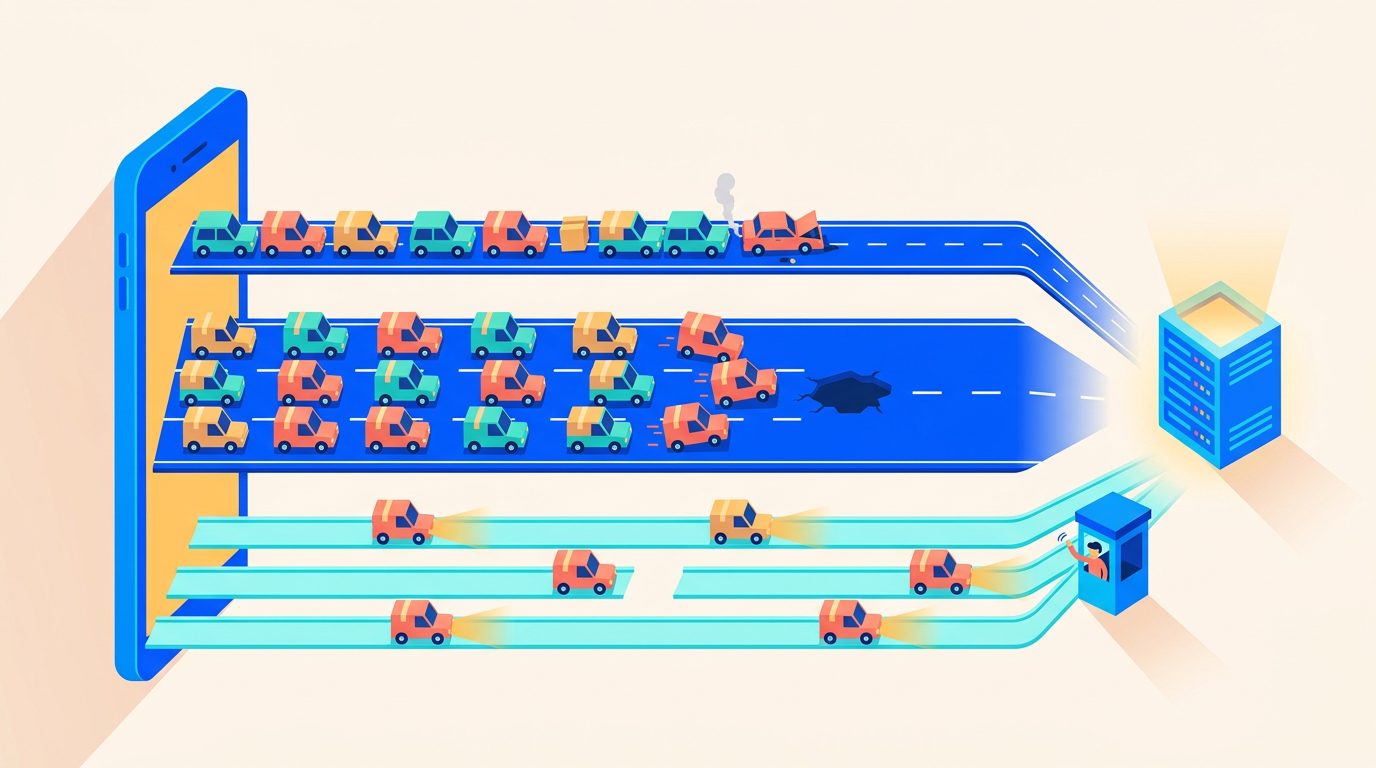
Deploying AI-Powered Laravel Apps: Queues, Streaming, Timeouts
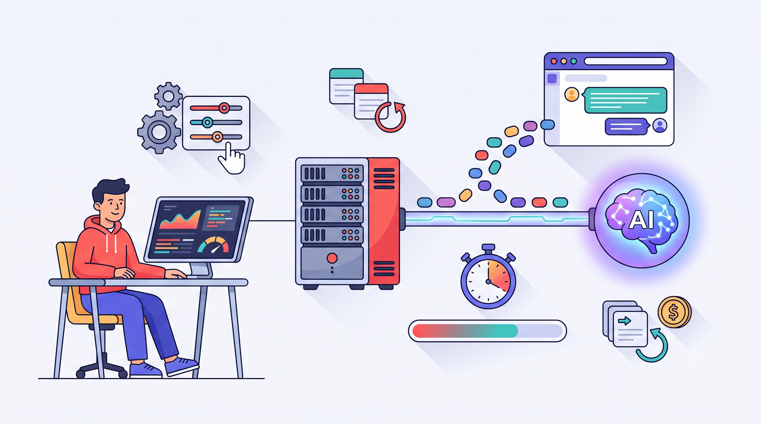
Somewhere in the Laravel app you're running right now, there's a good chance an HTTP call goes out to OpenAI, Anthropic, or a local model. A chat feature, a summarizer, an agent that triages support tickets. Laravel 13 shipped in March 2026 with first-party AI primitives and the framework now literally brands itself as being for "Artisans and agents". The application layer has never been easier.
The server layer is another story. An LLM call breaks almost every assumption your default server config makes. Requests that last 30 to 120 seconds instead of 200 milliseconds. Responses that arrive token by token instead of all at once. Failures that are retry-able but cost real money every time you retry them. Nobody's hosting docs cover this, so here's the guide we wish existed: the actual server-side ops of running LLM workloads on a Laravel VPS.
Why LLM Calls Break Your Server's Defaults
Your stack was tuned for short requests. Every layer between the browser and the LLM API has a timeout or a buffer, and nearly all of them are wrong for AI workloads:
Layer | Default | Why it breaks |
|---|---|---|
PHP | A 45-second completion dies mid-request | |
Nginx | Nginx returns a 504 while the model is still thinking | |
Nginx FastCGI buffering | On | Streamed tokens sit in a buffer; the user sees nothing, then everything |
Laravel HTTP client | Long completions throw | |
Queue | A 2-minute job gets handed to a second worker and billed twice |
That last row is the expensive one, and we'll spend a whole section on it. But first, the rule that prevents most of these problems from mattering at all.
Rule #1: LLM Calls Belong in Queued Jobs
Never make an LLM call inside a web request if you can possibly avoid it. A synchronous call ties up a PHP-FPM worker for the full duration of the completion. With the default pm.max_children on a small VPS, a dozen users triggering AI features simultaneously can exhaust your entire FPM pool, and now your login page is timing out because your summarizer is slow.
Queued jobs fix the architecture. The web request dispatches a job and returns in milliseconds. A dedicated worker makes the slow call. The result comes back to the user via polling, broadcasting, or a stream (more on that below).
Here's a job skeleton with every LLM-specific concern handled:
<?php

namespace App\Jobs;

use App\Models\Document;
use Illuminate\Contracts\Queue\ShouldQueue;
use Illuminate\Foundation\Queue\Queueable;
use Illuminate\Queue\Middleware\WithoutOverlapping;
use Illuminate\Support\Facades\Http;

class SummarizeDocument implements ShouldQueue
{
    use Queueable;

    public int $timeout = 180;

    public int $tries = 4;

    public function __construct(public Document $document)
    {
        $this->onQueue('ai');
    }

    /**
     * Escalating backoff: rate limits need breathing room,
     * not three hammer-blows in ten seconds.
     */
    public function backoff(): array
    {
        return [15, 60, 180];
    }

    public function middleware(): array
    {
        return [
            (new WithoutOverlapping($this->document->id))->releaseAfter(200),
        ];
    }

    public function handle(): void
    {
        if ($this->document->summary !== null) {
            return; // A previous attempt already paid for this. Don't pay twice.
        }

        $response = Http::timeout(150)
            ->connectTimeout(10)
            ->withHeaders([
                'x-api-key' => config('services.anthropic.key'),
                'anthropic-version' => '2023-06-01',
            ])
            ->post('https://api.anthropic.com/v1/messages', [
                // model, max_tokens, messages...
            ]);

        $response->throw();

        $this->document->update([
            'summary' => $response->json('content.0.text'),
            'input_tokens' => $response->json('usage.input_tokens'),
            'output_tokens' => $response->json('usage.output_tokens'),
        ]);
    }
}
A few deliberate choices worth calling out.
Retries handle 429s and 529s. Rate limits (429) and provider overload responses (Anthropic's 529) are transient by design. The $tries and backoff() combination lets the queue absorb them without human intervention. Resist the urge to also stack Http::retry() inside the job: inner retries multiply with queue retries, and four tries times three inner retries is twelve API attempts. Pick one layer and let the queue own it.
Idempotency is your job, not the API's. Most LLM APIs won't deduplicate requests for you. The dangerous failure mode is a job that succeeds at the API, then crashes before persisting the result: the retry re-runs the completion and you're billed twice for one summary. The guard clause at the top of handle() checks whether a previous attempt already stored a result, and WithoutOverlapping stops two workers from processing the same document concurrently. Cheap insurance against double-billing.
Timeouts are explicit at every level. The HTTP timeout (150s) is shorter than the job timeout (180s), so the job fails with a clean exception instead of being killed mid-flight. We cover the full timeout chain later.
If queue fundamentals like connections, tries, and failed-job handling are fuzzy, read our guide to Laravel queue connections, workers, and retry strategies first. Everything below builds on it.
Horizon Configuration for a Dedicated AI Queue
Long jobs and short jobs don't belong in the same pool. If your default queue processes emails, broadcasts, and 90-second LLM jobs together, a burst of AI work will starve everything else. Password reset emails will sit behind a queue of chat completions. The fix is a dedicated Horizon supervisor for the ai queue:
// config/horizon.php
'environments' => [
    'production' => [
        'supervisor-default' => [
            'connection' => 'redis',
            'queue' => ['default', 'mail', 'broadcasts'],
            'balance' => 'auto',
            'maxProcesses' => 10,
            'timeout' => 60,
            'tries' => 3,
        ],
        'supervisor-ai' => [
            'connection' => 'redis-ai',
            'queue' => ['ai'],
            'balance' => 'simple',
            'maxProcesses' => 6,
            'timeout' => 240,
            'tries' => 3,
            'memory' => 256,
        ],
    ],
],
Note the separate connection. That's not decoration, it's the mechanism for the single most important setting in this article.
The retry_after Trap: How a Default Setting Doubles Your API Bill
Every queue connection in config/queue.php has a retry_after value, defaulting to 90 seconds. It means: if a job has been reserved by a worker for longer than this, assume the worker died and release the job to another worker.
Now picture a 120-second LLM job on a connection with retry_after => 90. At the 90-second mark, the job is still running fine on worker A, but Redis considers it abandoned and hands a copy to worker B. Both complete. You've made two identical API calls, paid for both, and possibly saved conflicting results. Nothing errors. Nothing logs. Your bill just quietly doubles on your longest jobs.
The rule, straight from the Laravel queue docs: retry_after must be greater than the longest $timeout on that connection. That's exactly why the AI supervisor gets its own connection:
// config/queue.php
'connections' => [
    'redis' => [
        'driver' => 'redis',
        'connection' => 'default',
        'queue' => 'default',
        'retry_after' => 90,
    ],
    'redis-ai' => [
        'driver' => 'redis',
        'connection' => 'default',
        'queue' => 'ai',
        'retry_after' => 300, // must exceed the 240s supervisor timeout
        'block_for' => null,
    ],
],
Timeout 240, retry_after 300. The 60-second gap gives a finishing job room to release its reservation. Keep this inequality true forever: HTTP timeout < job timeout < retry_after. Tattoo it somewhere if you have to.
On the process-management side, Horizon itself needs to run as a daemon under Supervisor. If you're on Deploynix, that's the built-in Horizon daemon toggle; the setup details are in Running Laravel Horizon on Deploynix.
Streaming Tokens to the Browser
Queued jobs solve reliability, but chat UIs live and die on perceived latency. Users expect the first token in under a second and a steady stream after that. You have two solid options, and one of them doesn't hold an HTTP connection open at all.
Option 1: Server-Sent Events from Laravel
SSE is the simple path: one long-lived GET request, text/event-stream content type, tokens flushed as they arrive.
Route::get('/ai/stream/{conversation}', function (Conversation $conversation) {
    return response()->stream(function () use ($conversation) {
        foreach (app(ChatStreamer::class)->stream($conversation) as $chunk) {
            echo 'data: '.json_encode(['delta' => $chunk])."\n\n";

            if (ob_get_level() > 0) {
                ob_flush();
            }
            flush();
        }

        echo "data: [DONE]\n\n";
        flush();
    }, 200, [
        'Content-Type' => 'text/event-stream',
        'Cache-Control' => 'no-cache',
        'X-Accel-Buffering' => 'no',
    ]);
})->middleware('auth');
The PHP side is the easy half. The reason most first attempts at SSE show a frozen screen followed by the entire response at once is Nginx: FastCGI buffering is on by default, so Nginx collects your carefully flushed tokens into a buffer and ships them when it feels like it. And at the 60-second mark, the default fastcgi_read_timeout kills the connection entirely.
The X-Accel-Buffering: no header above tells Nginx to disable buffering for that specific response, which handles most setups. To make it explicit and fix the timeout too, give the streaming route its own location block:
# Inside your site's server block, BEFORE the generic PHP location
location ~ ^/ai/stream {
    include fastcgi_params;
    fastcgi_pass unix:/var/run/php/php8.4-fpm.sock;
    fastcgi_param SCRIPT_FILENAME $realpath_root/index.php;

    fastcgi_buffering off;
    fastcgi_read_timeout 300s;
    gzip off;
}
Scope matters here. Bump the timeout for this location only. Raising fastcgi_read_timeout server-wide means every slow request anywhere in your app can hold an FPM worker for five minutes, which is exactly the failure mode rule #1 exists to prevent.
If you're running Octane instead of FPM, Nginx is a reverse proxy rather than a FastCGI gateway, so the equivalent block uses the proxy directives:
location ~ ^/ai/stream {
    proxy_pass http://127.0.0.1:8000;
    proxy_http_version 1.1;
    proxy_set_header Connection '';

    proxy_buffering off;
    proxy_cache off;
    proxy_read_timeout 300s;
}
Add the block to your site's Nginx config over SSH (it lives at the usual /etc/nginx/sites-available path), then reload Nginx to apply it.
Option 2: Queue the Job, Stream Over Reverb
There's a structural objection to SSE: it holds one PHP worker per streaming user for the entire completion. Fifty concurrent chats means fifty occupied FPM workers doing nothing but relaying bytes. There's a better shape for that problem, and you probably already have the infrastructure for it.
Dispatch the LLM call as a queued job (rule #1 again), and have the job broadcast progress over WebSockets as tokens arrive:
// Inside the queued job's handle(), as chunks arrive from the API:
broadcast(new ChatTokenReceived($this->conversation, $chunk));
With Laravel Reverb handling the WebSocket side, the browser subscribes to a private channel and renders tokens as events land. The HTTP request that started the chat returned in 50 milliseconds. No held connections, no Nginx buffering games, and the retry/timeout machinery from the queue sections applies unchanged. Reverb runs fine as a Supervisor-managed daemon alongside your app, and it's a first-class citizen on Deploynix.
Use SSE when you want minimum moving parts and traffic is modest. Use the queue-plus-Reverb pattern when concurrent streams grow or when you already run Reverb for other real-time features.
Your End-to-End Timeout Budget
Timeouts form a chain: browser, Nginx, PHP, HTTP client, provider. The chain only behaves if each outer layer waits longer than the layer inside it. Otherwise the outer layer gives up first and you get 504s and orphaned API calls that you still pay for.
Here's a coherent budget for a stack whose longest completion is around two minutes:
Layer | Default | Set it to |
|---|---|---|
Laravel HTTP client timeout | 30s | 150s, explicitly, in the job |
HTTP client | 10s | 10s (connection failures should fail fast) |
Job | 60s (Horizon) | 180s |
Connection | 90s | job timeout + 60s |
Nginx read timeout (SSE route only) | 300s | |
| 30s | Leave it. Workers run under CLI, where it's already unlimited |
A note on that last row: the SSE route survives under FPM because max_execution_time counts CPU time, not time blocked on I/O, so a streaming response that spends most of its life waiting on the API doesn't trip it.
Two habits matter more than the specific numbers. First, never rely on an HTTP client default: Laravel's 30-second default is too short for big completions, and raw Guzzle's default of no timeout at all is worse, because a hung connection then occupies a worker until the job timeout reaps it. Set timeout() and connectTimeout() on every LLM call, every time. Second, when you raise any timeout, re-verify the whole chain. A single value raised in isolation is how the retry_after trap gets sprung months after everyone forgot the config existed.
Tracking Cost and Failures
A slow query costs you milliseconds. A misbehaving LLM job costs you dollars, and the failure modes are new: a prompt change that doubles output tokens, a retry loop quietly re-billing completions, one power user generating half your monthly spend. Standard APM won't surface any of that. You need cost observability, and it's cheap to build.
Log token usage per job. The providers return exact usage with every response; the job skeleton above already persists input_tokens and output_tokens. For anything beyond a single feature, promote this to a dedicated table:
Schema::create('ai_requests', function (Blueprint $table) {
    $table->id();
    $table->string('feature');        // 'chat', 'summarize', 'triage'
    $table->string('model');
    $table->unsignedInteger('input_tokens');
    $table->unsignedInteger('output_tokens');
    $table->unsignedBigInteger('cost_micros'); // cost in millionths of a dollar
    $table->unsignedInteger('duration_ms');
    $table->foreignId('user_id')->nullable();
    $table->timestamps();
});
Storing cost in micro-dollars as an integer avoids float drift and makes aggregation trivial. With this table, per-feature cost attribution is a groupBy('feature') away, and "which customer costs us the most" is one more query.
Alert on spend anomalies. A scheduled command that compares today's spend to the trailing 7-day average and notifies you past a threshold takes an hour to write and will eventually pay for itself hundreds of times over. Prompt regressions and retry storms show up as spend spikes long before anyone notices in the product.
Review failed jobs like a ledger, not a log. Every row in failed_jobs on the AI queue is a user who didn't get their result, and possibly money spent with nothing to show for it. Horizon's dashboard makes the failed list visible; check it as part of your weekly routine and re-dispatch what's safe to retry (your idempotency guard makes that a non-event). For the application-level view, Laravel Nightwatch's free tier covers 200,000 events per month, with Pro at $20/month, and slow-outgoing-request tracking maps neatly onto LLM calls. Server-level metrics and alerting are covered in Monitoring Your Laravel App in Production.
Capacity Planning: Slow Jobs Occupy Workers
A worker processing 200ms jobs handles 300 jobs a minute. A worker processing 60-second LLM jobs handles one. That's the entire capacity planning problem in two sentences, and it's why the dedicated supervisor from earlier isn't optional.
The sizing math is short. Workers needed equals arrival rate times average duration:
workers ≈ jobs per second × average job duration in seconds

0.2 jobs/sec × 45s average  →  9 workers
If your chat feature peaks at 12 requests a minute (0.2/sec) and completions average 45 seconds, you need roughly 9 workers just to keep the queue from growing, so maxProcesses => 12 gives you headroom. Measure your real arrival rate and duration from the ai_requests table; guessing is how queues back up at 2 p.m. every day.
The good news: LLM jobs are I/O-bound. The worker spends 95% of its life waiting on a socket, so CPU is nearly irrelevant and memory is the real constraint. Each worker holds a fully booted framework in memory, so measure your own with ps -o rss= -p <pid> and multiply by your worker count before sizing the box. A modest VPS runs a surprisingly large AI queue, provided the RAM is there. Watch two signals: queue wait time in Horizon (rising wait means add processes) and memory pressure on the box (swapping workers means add RAM before processes).
And keep balance => 'simple' on the AI supervisor. Auto-balancing shines with mixed short jobs; for a pool of uniformly slow jobs, a fixed process count is more predictable.
Deploying While AI Jobs Are In Flight
Deploys and long-running jobs have a tense relationship. When you deploy, workers must restart to pick up new code. php artisan horizon:terminate handles this gracefully: it signals Horizon to stop accepting new jobs, waits for in-flight jobs to finish, then exits so Supervisor can boot a fresh instance on the new release.
"Waits for in-flight jobs to finish" is the part that changes with AI workloads. With 240-second timeouts, a deploy triggered mid-completion can take four minutes to fully roll workers. Three consequences to plan for:
Don't inflate timeouts "just in case." Every extra minute of job timeout is an extra minute your deploys can stall. If your longest legitimate completion is 2 minutes, a 4-minute timeout is generous; a 30-minute timeout is a deploy hazard.
Expect version skew. Old workers finish on old code while the web tier already serves the new release. Keep job payloads backward-compatible for at least one deploy cycle: renaming a constructor property while jobs referencing it sit in Redis is a classic post-deploy failure spike.
Sequence the restart correctly. Symlink swap first, then
horizon:terminateas a post-deploy step, so restarted workers boot into the new release directory. Deploynix's atomic deployments handle the ordering with deployment hooks; the mechanics are laid out in The Anatomy of a Zero-Downtime Deploy.
A Word on Local Models
Running your own model on a VPS with Ollama is genuinely viable in 2026 for narrow cases: small quantized models handling classification, extraction, or routing, where latency tolerance is high and privacy requirements are strict. But be honest about the hardware. A €7.99/month 4 GB Hetzner box is a superb Laravel app server and a hopeless inference server; useful models want serious RAM at minimum and realistically a GPU, and now you're managing model updates, VRAM, and inference throughput as an ops discipline of its own.
API-first is the sane default. You get frontier-quality output, someone else's GPUs, and a per-token bill that the observability section above keeps honest. Revisit local inference when a specific feature has the volume and the narrow scope to justify it, and give the model its own dedicated server rather than colocating it with PHP-FPM.
Where This Leaves You
LLM workloads aren't exotic anymore; they're just a class of traffic your server wasn't tuned for. The checklist that gets you production-ready:
Every LLM call runs in a queued job on a dedicated
aiqueue, with explicit$timeout,$tries, andbackoff().retry_afteron the AI connection exceeds the longest job timeout. This is the double-billing bug; check it today.Idempotency guards make retries safe: check for an existing result before calling, use
WithoutOverlapping.Streaming goes through an SSE location block with buffering off and a scoped timeout bump, or better, through queued jobs broadcasting over Reverb.
Explicit HTTP client timeouts on every call. Never trust defaults.
Token usage logged per job, spend anomaly alerts, failed jobs reviewed weekly.
A dedicated Horizon supervisor sized by arrival rate times duration, so slow AI jobs never starve your mail queue.
Deploys use
horizon:terminateafter the symlink swap, and timeouts stay tight enough that deploys don't stall.
None of this requires new infrastructure, just deliberate configuration of pieces you already run: Nginx, PHP-FPM, Redis, Horizon, maybe Reverb. That's also the pitch for managing it on Deploynix: Horizon and Reverb run as supervised daemons out of the box, the SSE block is a quick SSH edit to the site's Nginx config, deployment hooks sequence the worker restart, and server monitoring flags the memory pressure before your AI queue feels it. The AI parts of your app are new. The ops discipline underneath them is the same one that's always separated apps that scale from apps that page you at night.