Database Connection Pooling for Laravel: When You Need It and How to Set It Up

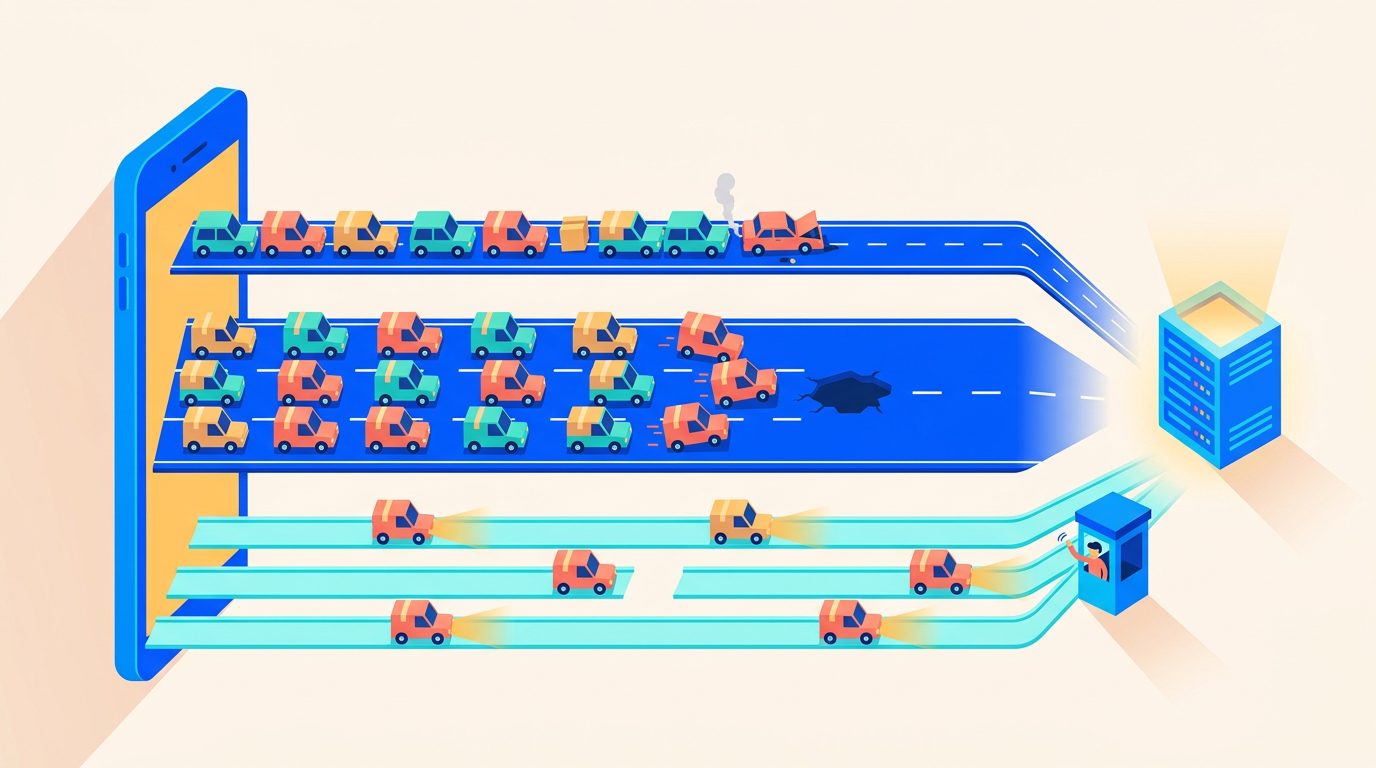
It usually happens during a traffic spike, a deploy, or a queue backlog you're frantically draining. The app that ran fine for months suddenly starts throwing FATAL: sorry, too many clients already on every third request, and your error tracker lights up while you're trying to figure out what changed. Nothing changed, really. You just crossed a line that was always there: PostgreSQL's default cap of 100 connections, or MySQL's 151. Every Laravel app running on more than one server is quietly walking toward that line.
The frustrating part is that connection exhaustion looks like a database problem but is really an architecture problem. PHP-FPM doesn't share database connections between workers the way a JVM app shares a pool. Every FPM worker opens its own connection for the duration of each request. Multiply that across app servers, queue workers, Horizon, the scheduler, and maybe Octane and Reverb, and the numbers get big fast, even when your actual query load is modest.
Connection pooling, via PgBouncer for PostgreSQL or ProxySQL for MySQL, is the standard fix. But in our experience it's reached for too early about as often as it's reached for too late. Pooling adds a moving part, and transaction-mode pooling in particular breaks a handful of things Laravel developers use without thinking about them, like advisory locks and session variables.
This post walks through the whole decision: why Laravel apps hit connection limits, what to fix before you install a pooler, when pooling genuinely becomes the answer, and how to set up PgBouncer end-to-end on Ubuntu 24.04 without breaking your migrations.
Key Takeaways
- PHP-FPM gives every worker its own DB connection, so connection count scales with worker count, not query load. - PostgreSQL forks a process per connection (historically ~5-10MB+ each) and defaults to 100 max connections (PostgreSQL docs). - Fix pm.max_children, idle transactions, and slow queries before installing a pooler. - PgBouncer in transaction mode is the right default for multi-server Postgres setups; ProxySQL matters later for MySQL.
Why Do Laravel Apps Run Out of Database Connections?
The root cause is PHP's execution model. A Java or Go application runs as one long-lived process that maintains a small internal pool of connections, maybe 10 or 20, shared across thousands of concurrent requests. PHP-FPM works differently: each worker process handles one request at a time, opens its own database connection (or reuses a persistent one), and holds it for the entire request. There is no application-level pool. Twenty busy FPM workers means twenty database connections, full stop.
That model is fine on a single small server. It stops being fine the moment you scale horizontally, because every process you add anywhere in your stack brings its own connection with it. Have you ever actually added up everything that connects to your database? Most teams haven't until the day it fails.
The Connection Multiplication Problem
Here's the math for a fairly ordinary two-app-server Laravel setup:
App server 1:  pm.max_children = 30      → up to 30 connections
App server 2:  pm.max_children = 30      → up to 30 connections
Worker server: Horizon, 20 processes     → 20 connections (held constantly)
Scheduler:     overlapping tasks         → 2-5 connections in bursts
Reverb:        websocket server          → 1-2 connections
Deploy window: migrations, cache warm    → 2-3 connections
                                          -------------------------------
Practical peak:                            ~85-90 connections
Against PostgreSQL's default max_connections = 100, that leaves almost no headroom. One traffic spike that pushes both FPM pools to their limits, one queue backlog that makes every Horizon worker busy simultaneously, and you're at the ceiling. The next connection attempt gets FATAL: sorry, too many clients already, and it doesn't discriminate: your health checks, your deploy migrations, and your psql debugging session all get refused too.
Note what's absent from that math: query volume. You can hit this wall at 50 requests per second or 500. Connection count tracks process count, which is why the problem tends to appear right after you split your stack across servers. We cover that transition in detail in our guide to multi-server Laravel architecture, and connection budgeting is one of the first things it forces you to think about.
Queue workers deserve special mention because they're the silent consumers. An FPM worker releases its connection between requests, at least logically, but a queue worker is a long-running process that holds its connection for hours. Twenty Horizon processes are twenty connections around the clock, even at 3 a.m. when they're processing nothing.
Why Are PostgreSQL Connections So Expensive?
PostgreSQL's connection cost is the reason this topic is mostly a Postgres conversation. Postgres forks a dedicated operating system process for every single connection. Each backend process has historically consumed roughly 5-10MB or more of memory depending on workload, work_mem settings, and what it has touched, and the fork itself costs real CPU time. This per-process design is also why the default max_connections is a conservative 100 (PostgreSQL docs).
The process model has real advantages, isolation being the big one, but it means idle connections are not free. A Postgres server with 300 connections, of which 250 are idle, is still carrying 300 processes worth of memory and scheduler overhead. Past a few hundred connections, throughput can degrade even when most of those connections do nothing.
MySQL is a different story. MySQL uses a thread per connection rather than a process, and threads are much cheaper to create and carry. The default max_connections is 151, and raising it into the several-hundreds range is routine and mostly safe on reasonable hardware (MySQL docs). This is why MySQL shops often go years without thinking about pooling, while Postgres shops hit the wall in month six. If you're still choosing an engine, this trade-off is one of several we compare in MySQL vs MariaDB vs PostgreSQL on Deploynix.
The asymmetry shapes the advice in the rest of this post: for PostgreSQL, pooling is a when, not an if, once you run multiple servers. For MySQL, it's a tool you reach for later, and often for reasons beyond raw connection counts.
What Should You Try Before Installing a Pooler?
A pooler is another daemon to configure, monitor, and debug. Before adding one, it's worth an hour checking whether you have a real capacity problem or just waste. We've found that maybe half of "we need PgBouncer" conversations end with one of the four fixes below instead.
Right-Size pm.max_children
FPM worker counts are the biggest lever, and they're frequently set by copy-paste rather than measurement. If your app server has pm.max_children = 50 but never serves more than 15 concurrent requests, you've reserved 50 potential database connections to cover load that needs 15. Size FPM from actual memory usage and real concurrency, not from a blog post's default. Our PHP-FPM tuning guide walks through the measurement process; the connection budget falls out of it almost for free.
The same logic applies to queue workers. Ten Horizon processes that are busy 5% of the time are ten permanent connections you could cut to four with no throughput loss.
Raise max_connections, But Do the Memory Math
Raising max_connections is legitimate as a first response, if you do it with a calculator rather than hope. The rough budget for Postgres:
Server RAM:               8 GB
shared_buffers:           2 GB
OS + page cache reserve:  2 GB
Remaining for backends:   4 GB

At ~10 MB per active backend:
4096 MB / 10 MB ≈ 400 theoretical max
Safe setting with margin:  max_connections = 200-250
Doubling from 100 to 200 on an 8GB dedicated database server is reasonable and buys real headroom. Going from 100 to 1,000 is not; you'd be one busy afternoon away from the OOM killer choosing your database as its victim. If the math says you need 500+ connections on Postgres, that's the signal that you've outgrown raising limits and need a pooler.
Kill Idle-in-Transaction Leaks
Connections stuck in idle in transaction are pure waste with extra damage: they hold locks and block vacuum. They usually come from application code that opens a transaction and then does slow work, an HTTP call, a file upload, a long loop, before committing. Find them:
SELECT pid, state, now() - state_change AS stuck_for, query
FROM pg_stat_activity
WHERE state = 'idle in transaction'
ORDER BY stuck_for DESC;
Then set a server-side backstop so leaks can't accumulate: idle_in_transaction_session_timeout = '60s'. In Laravel code, the fix is keeping DB::transaction() closures tight. Do slow work outside the transaction, then transact only around the writes.
Fix the Slow Queries Holding Connections
Connection demand is concurrency times duration. A query that takes 2 seconds holds a connection 40 times longer than one that takes 50ms, so a handful of slow queries can inflate your concurrent connection count dramatically at the same request rate. Before buying capacity for slow queries, make them fast. We've written a full workflow for finding and fixing slow queries before they hit production, and for MySQL specifically, proper indexing is usually where the biggest wins hide.
When Does Pooling Become the Actual Answer?
Once you've right-sized workers and cleaned up leaks, the remaining question is structural: does your legitimate peak process count exceed what your database can comfortably hold? For PostgreSQL, that tends to happen at two-plus app servers. Here's our honest read on when to bother:
Your setup | Postgres | MySQL/MariaDB |
|---|---|---|
1 app server, no separate workers | No pooler. Tune FPM, defaults are fine | No pooler |
1 app server + Horizon worker server | Probably not yet; raise | No pooler |
2-3 app servers + workers | Yes, PgBouncer in transaction mode | Usually still no; raise |
4+ app servers, autoscaling, or Octane fleet | Definitely, non-negotiable | ProxySQL worth evaluating (pooling + read/write split) |
Serverless/ephemeral compute against Postgres | Always, from day one | ProxySQL or managed proxy from day one |
The other trigger is connection churn rather than count. Because Postgres forks per connection, an app opening and closing hundreds of connections per second burns meaningful CPU on connection setup alone. PgBouncer turns that churn into cheap reuse of a small warm pool. FPM without persistent connections generates exactly this pattern under load.
What a pooler buys you, concretely: your 90 client connections from the earlier math collapse onto perhaps 20-25 actual Postgres backends, because at any instant only a fraction of those clients are mid-query. The database does the same work with a quarter of the processes, and you gain enormous headroom for adding app servers without touching max_connections again.
Which PgBouncer Pooling Mode Should You Use?
PgBouncer (pgbouncer.org) sits between your app and Postgres, maintaining a small pool of real server connections and multiplexing client connections onto them. How aggressively it multiplexes depends on the pooling mode, and choosing the mode is the single most important configuration decision.
Mode | Server connection assigned for | Multiplexing benefit | Session state safe? |
|---|---|---|---|
| The client's entire connection lifetime | Minimal (mostly saves connect/fork cost) | Yes, everything works |
| One transaction at a time | High, the sweet spot | No, breaks session-level features |
| One statement at a time | Maximum | No, even multi-statement transactions break |
Strengths: Session mode is fully transparent; nothing in your app needs auditing. Transaction mode delivers the actual consolidation, letting hundreds of clients share tens of backends. Statement mode squeezes out slightly more sharing for pure autocommit workloads.
Best for: Session mode fits apps that need session features (LISTEN/NOTIFY, advisory locks) but want cheaper connection setup. Transaction mode is the right default for Laravel behind FPM, and it's what the rest of this guide assumes. Statement mode is a niche tool; almost no Laravel app should use it, since it forbids explicit transactions entirely.
Considerations: Transaction mode means consecutive queries from the same client may run on different server connections. Anything that assumes "my connection remembers me" breaks: SET session variables, advisory locks held across transactions, LISTEN/NOTIFY, and, before PgBouncer 1.21, server-side prepared statements. PgBouncer 1.21+ added protocol-level prepared statement tracking, which removed the biggest Laravel pain point. More on the audit below.
How Do You Set Up PgBouncer on Ubuntu 24.04?
The recommended placement is on the database server itself, next to Postgres, listening on port 6432. One pooler, one place to configure and monitor, and it protects the database from every current and future client. (We'll discuss the alternative, a PgBouncer per app server, in the Deploynix section.)
Install and Authenticate
sudo apt update && sudo apt install -y pgbouncerUbuntu 24.04 ships PgBouncer 1.21+, so you get native prepared statement support. Authentication is the fiddly part. PgBouncer authenticates clients itself, then logs into Postgres on their behalf. With modern Postgres defaulting to SCRAM-SHA-256, you have two workable options.
Option one, auth_file: put the SCRAM verifier (not the plaintext password) in /etc/pgbouncer/userlist.txt. Extract it from Postgres:
SELECT usename, passwd FROM pg_shadow WHERE usename = 'laravel';"laravel" "SCRAM-SHA-256$4096:...paste the full verbatim value..."Option two, auth_query, which scales better with multiple users: create a dedicated pgbouncer role in Postgres with a SECURITY DEFINER function that looks up verifiers, and let PgBouncer query for them on demand. The PgBouncer docs have the canonical function. For a single-app server with one database user, auth_file is simpler and fine.
The pgbouncer.ini That Matters
[databases]
myapp = host=127.0.0.1 port=5432 dbname=myapp

[pgbouncer]
listen_addr = 10.0.0.5          ; private network IP of the DB server
listen_port = 6432
auth_type = scram-sha-256
auth_file = /etc/pgbouncer/userlist.txt

pool_mode = transaction
default_pool_size = 20          ; real Postgres backends per user/db pair
min_pool_size = 5
reserve_pool_size = 5           ; emergency backends under burst
reserve_pool_timeout = 3
max_client_conn = 500           ; total app-side connections accepted
max_prepared_statements = 200   ; PgBouncer 1.21+ prepared stmt tracking

log_connections = 0
log_disconnections = 0
The sizing logic: default_pool_size is how many actual Postgres backends this pool may use, so it must fit within max_connections alongside anything else connecting directly. Twenty backends comfortably serve the 90-client scenario from earlier because clients only occupy a backend while a transaction is in flight. max_client_conn = 500 gives your FPM fleet room to grow several-fold before you touch this file again. Start with default_pool_size around 20-25 and adjust from SHOW POOLS data, not guesswork.
Restart and verify: sudo systemctl restart pgbouncer, then connect through it with psql -h 10.0.0.5 -p 6432 -U laravel myapp.
Point Laravel at Port 6432
The application change is deliberately boring: same driver, different port.
// config/database.php
'pgsql' => [
    'driver' => 'pgsql',
    'host' => env('DB_HOST', '127.0.0.1'),
    'port' => env('DB_PORT', '6432'),   // PgBouncer, not Postgres
    'database' => env('DB_DATABASE', 'myapp'),
    'username' => env('DB_USERNAME', 'laravel'),
    'password' => env('DB_PASSWORD', ''),
    'charset' => 'utf8',
    'search_path' => 'public',
    'sslmode' => 'prefer',
],
Then set DB_PORT=6432 in .env on every app and worker server. On PgBouncer versions older than 1.21 you'd also add PDO::ATTR_EMULATE_PREPARES => true to the connection's options array to sidestep server-side prepared statements; on 1.21+ with max_prepared_statements set, you don't need it.
One useful escape hatch: keep a second Laravel connection named pgsql_direct pointing at port 5432. Use it for the rare session-dependent work below.
What Breaks in Transaction Mode: The Laravel Audit
Before flipping production traffic, grep your codebase for the session-state features transaction pooling breaks:
Advisory locks.
pg_advisory_lock()acquires a lock tied to a session; in transaction mode your next query may land on a different backend that doesn't hold it. Laravel land examples: some concurrency guards and packages use advisory locks, and schema-migration lock strategies on Postgres can too. Usepg_advisory_xact_lock()(transaction-scoped, safe) or run that code on the direct connection.SETsession variables. Anything doingDB::unprepared("SET statement_timeout = ...")or settingsearch_pathat runtime is configuring a backend another request will inherit, or losing the setting immediately. UseSET LOCALinside a transaction, or set values per-role withALTER ROLE ... SET.LISTEN/NOTIFY.
LISTENis inherently session-bound. Any pgsql pub/sub listener must connect directly to 5432. This is a per-process daemon anyway, so pooling it gains nothing.Migrations, generally. We simply run
php artisan migrateagainst the direct connection. Migrations are one connection during a deploy; they don't need pooling, and DDL plus session-dependent lock behavior is the exact category of thing you don't want multiplexed.Prepared statements, only if you're on PgBouncer < 1.21. Upgrade instead of working around it; the emulation flag changes PDO behavior subtly.
If that audit comes back clean, and for most Laravel CRUD apps it does, transaction mode is transparent.
What About MySQL? ProxySQL and Thread Pools
MySQL's cheap threads mean the "too many clients" cliff sits much further out. Raising max_connections from 151 to 500 on a dedicated MySQL box with adequate RAM is a config change, not a project, and it carries nothing like Postgres's per-process penalty. Our honest guidance: most MySQL-backed Laravel apps under roughly 4-5 servers need no middleware at all.
Two situations change that. First, genuinely large fleets, where thousands of connections start to hurt even MySQL through thread scheduling overhead and per-thread buffers. Second, and more commonly, you want capabilities beyond pooling: query routing, read/write splitting to replicas, or query-level failover. That's ProxySQL's (proxysql.com) actual selling point, connection multiplexing comes along for the ride.
ProxySQL is configured through a SQL admin interface rather than a flat file. The minimum viable setup, with a primary in hostgroup 10 and read replicas in hostgroup 20:
-- via mysql -u admin -padmin -h 127.0.0.1 -P 6032
INSERT INTO mysql_servers (hostgroup_id, hostname, port)
VALUES (10, '10.0.0.5', 3306), (20, '10.0.0.6', 3306);

INSERT INTO mysql_users (username, password, default_hostgroup)
VALUES ('laravel', 'secret', 10);

-- Route SELECTs to replicas, keep locking reads on the primary
INSERT INTO mysql_query_rules (rule_id, active, match_digest, destination_hostgroup, apply)
VALUES (1, 1, '^SELECT.*FOR UPDATE', 10, 1),
       (2, 1, '^SELECT', 20, 1);

LOAD MYSQL SERVERS TO RUNTIME; SAVE MYSQL SERVERS TO DISK;
LOAD MYSQL USERS TO RUNTIME;   SAVE MYSQL USERS TO DISK;
LOAD MYSQL QUERY RULES TO RUNTIME; SAVE MYSQL QUERY RULES TO DISK;
Laravel then points at ProxySQL on port 6033 exactly as it pointed at PgBouncer on 6432. Note that Laravel's own read/write config arrays can do read/write splitting in-app; ProxySQL does it transparently for every client and adds failover, but if splitting is your only goal, try the framework feature first.
Strengths: Multiplexing, read/write splitting, per-query routing rules, connection admission control, and rich stats tables, all hot-reloadable at runtime.
Best for: MySQL fleets of 4+ app servers, replica setups where you want routing outside the application, and teams that need failover handling between the app and the database.
Considerations: It's a substantially more complex system than PgBouncer, with its own database of config. Multiplexing silently disables itself for sessions using certain features (user variables, SQL_CALC_FOUND_ROWS, transactions in progress), which can surprise you in the stats. Don't deploy it for pooling alone unless connection counts are demonstrably hurting.
Also worth knowing: MariaDB ships a built-in thread pool (thread_handling = pool-of-threads), and Percona Server offers the same, which decouples client connections from worker threads inside the server itself. For "many mostly-idle connections" on MariaDB, enabling the thread pool is a one-line change that postpones any proxy conversation considerably.
How Do Octane and Long-Lived Workers Change the Math?
Laravel Octane inverts the FPM equation. Octane workers are long-lived processes that boot the framework once, and each worker holds its database connection persistently across requests rather than reconnecting per request. Connection churn drops to nearly zero, which is a genuine win, but the connections become permanent occupants, exactly like queue workers.
The math shifts accordingly. Sixteen Octane workers per server across four servers is 64 permanent connections before you count Horizon. The good news: Octane worker counts are usually far lower than equivalent FPM max_children, because each worker is faster. The subtle news: because connections are held while idle, Postgres carries their full process cost around the clock, and PgBouncer's transaction mode helps less than you'd expect for the web tier, since a small warm set of app-held connections was sort of the goal anyway.
Where pooling still earns its keep with Octane: consolidating the web fleet plus queue workers plus scheduler plus deploy tasks behind one budget, and protecting the database when a worker restart storm (deploys, octane:reload) reconnects everything at once. One caveat we've learned to respect: combining Octane's persistent connections with transaction-mode PgBouncer means a session-state mistake persists across many requests instead of one, so the transaction-mode audit above matters more, not less, under Octane.
Queue workers behave the same either way: one held connection per process, forever. Budget them explicitly. If you're planning worker counts alongside app growth, our scaling playbook from 1 to 100,000 users includes connection budgets at each stage.
How Does This Look on Deploynix?
Deploynix provisions a dedicated database server type (MySQL, MariaDB, or PostgreSQL) alongside app and worker server types, on DigitalOcean, Vultr, Linode, Hetzner, AWS, or your own custom servers. The multi-server pattern that triggers this whole topic, an FPM fleet multiplying connections against one database box, is exactly the architecture the platform encourages, so it's worth being explicit about where the pooler fits.
Our recommendation is to install PgBouncer on the database server itself. All servers in a Deploynix architecture talk over private networking, and the platform's firewall rules already lock database access down to your app servers' private IPs; pointing those same rules at 6432 instead of 5432 is the only change. One pooler on the DB box gives you a single pool to size against max_connections, a single SHOW POOLS to watch, and automatic coverage for every app server you add later. Since the database server type gives Postgres the whole machine, PgBouncer's own footprint (a few tens of MB) is negligible next to the backend processes it eliminates.
The alternative, a PgBouncer instance on each app server, has real advocates: connections from FPM to a local pooler over a Unix socket are essentially free, and there's no extra network hop. The cost is N poolers whose default_pool_size values must jointly fit the database's limits, and re-doing that arithmetic every time the fleet grows. For most teams the operational simplicity of one pooler wins; consider per-app-server pooling only when you're chasing the last milliseconds of connection latency.
Two platform details make the rollout less nervy. Queue workers are managed through the UI, so counting your permanent connection consumers is a matter of reading the workers page rather than grepping supervisor configs across servers. And server monitoring shows memory and load on the database box, so you can watch Postgres's footprint drop as backends consolidate after the cutover.
How Do You Monitor the Pool Once It's Running?
An unmonitored pooler just moves the outage one layer up: instead of too many clients, requests queue silently inside PgBouncer. Connect to its admin console and make SHOW POOLS part of your routine:
psql -h 10.0.0.5 -p 6432 -U pgbouncer pgbouncer -c "SHOW POOLS;" database | user | cl_active | cl_waiting | sv_active | sv_idle | maxwait
----------+---------+-----------+------------+-----------+---------+---------
myapp | laravel | 84 | 0 | 14 | 6 | 0The columns that matter: cl_active is connected clients, sv_active/sv_idle are real Postgres backends in use and warm, and the two saturation signals are cl_waiting and maxwait. If cl_waiting is persistently above zero and maxwait climbs past a few hundred milliseconds, clients are queuing for backends: raise default_pool_size (checking max_connections headroom first) or go fix whatever made transactions slower, because pool saturation is very often a slow-query symptom wearing a new costume.
Alert on three things: cl_waiting > 0 sustained for more than a minute, maxwait above one second, and total client connections approaching max_client_conn. SHOW STATS adds per-database query and transaction throughput with average times, which is useful for spotting the moment average transaction duration creeps up. On the ProxySQL side, the stats_mysql_connection_pool table plays the same role. Feed whichever you use into the same dashboards as your server metrics; pool saturation next to CPU and memory graphs tells you immediately whether the bottleneck is the pool or the database behind it.
FAQ
Does Laravel have built-in connection pooling?
No. Under PHP-FPM, each worker opens its own connection per request; there's no shared pool to configure in the framework. Octane holds one persistent connection per long-lived worker, which reduces churn but isn't multiplexed pooling. Real pooling for PHP means external middleware: PgBouncer for PostgreSQL, ProxySQL for MySQL.
Should queue workers and Horizon connect through PgBouncer too?
Yes, with one caveat. Workers hold connections permanently, so routing them through transaction-mode PgBouncer lets dozens of mostly-idle workers share a handful of backends, which is a bigger win than the web tier gets. The caveat: jobs using advisory locks or other session state need the transaction-mode audit, or a direct connection.
Can I run migrations through PgBouncer in transaction mode?
Often it works, but we don't recommend it. Migration tooling can rely on advisory locks and session-scoped behavior that transaction pooling breaks in confusing ways. Define a second Laravel connection on port 5432 and run php artisan migrate --database=pgsql_direct. It's one connection during deploys; pooling it saves nothing.
Is pgbouncer worth it on a single-server setup?
Usually not. With app and database on one box, tuned pm.max_children plus default max_connections rarely conflict, and a Unix-socket connection to local Postgres is already cheap. The exception is heavy connection churn under high traffic, where even a local session-mode PgBouncer saves fork overhead. Fix FPM sizing and slow queries first.
What's the MySQL equivalent of "too many clients already"?
ERROR 1040 (HY000): Too many connections, hit when you exceed max_connections (default 151). The first response differs from Postgres: because MySQL threads are cheap, raising the limit to 300-500 on adequate RAM is usually the right move, before considering MariaDB's thread pool or ProxySQL.
Where to Go From Here
The one-hour version of this post: add up your real connection consumers (FPM children × app servers, plus every queue worker, plus Octane and Reverb if you run them), compare the total against your database's max_connections, and check pg_stat_activity for idle-in-transaction waste. If your honest peak sits under 60% of the limit, tune and move on. If it doesn't, or you're about to add app servers, put PgBouncer in transaction mode on the database box, run the session-state audit, and point DB_PORT at 6432.
Do the counting exercise this week, before growth does it for you at 2 a.m. And if the numbers tell you it's time to split your stack properly, start with our guide to building a multi-server Laravel architecture; the connection budget you just calculated is the first input it asks for.